Product Quiz
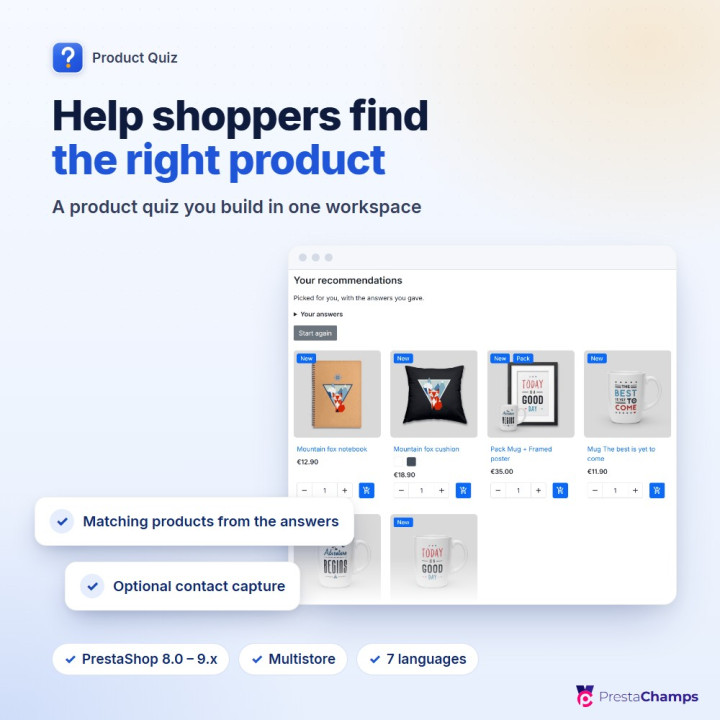
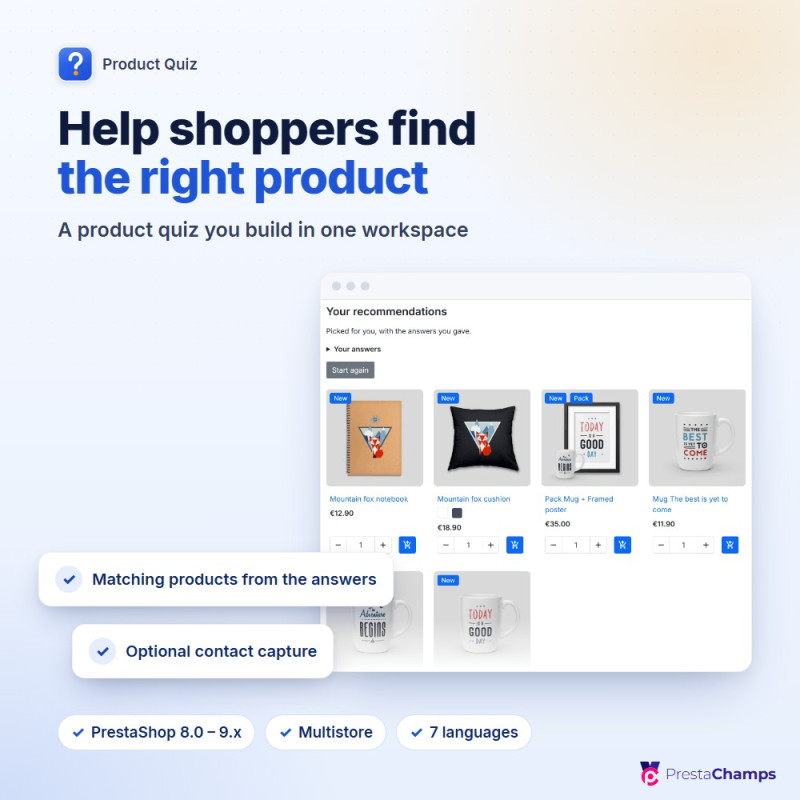
The problem. Shoppers who do not know which product fits leave, or write to you. Product Quiz asks a few questions and shows the products that match the answers.
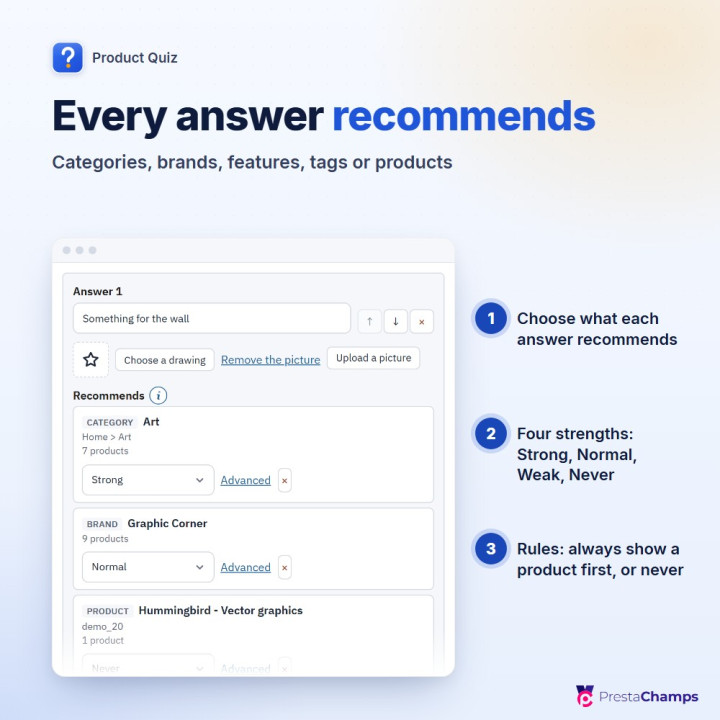
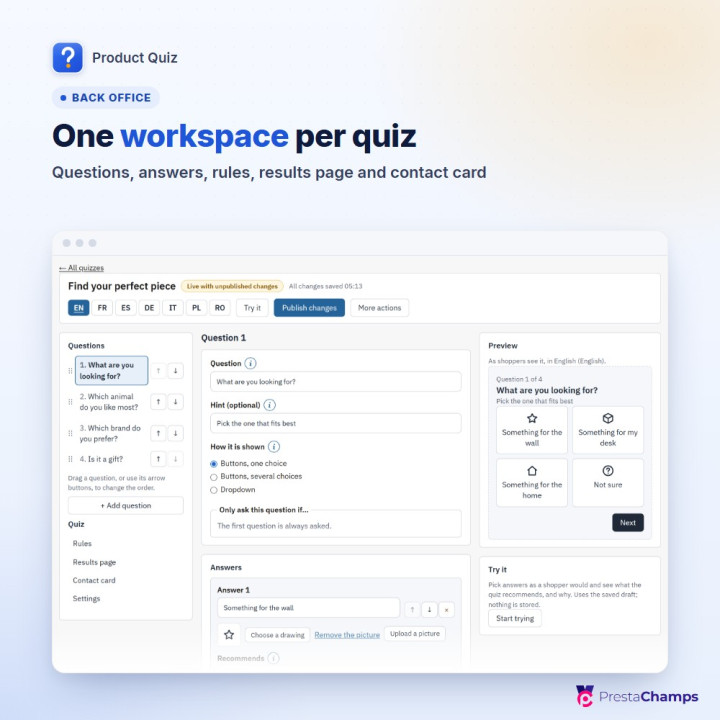
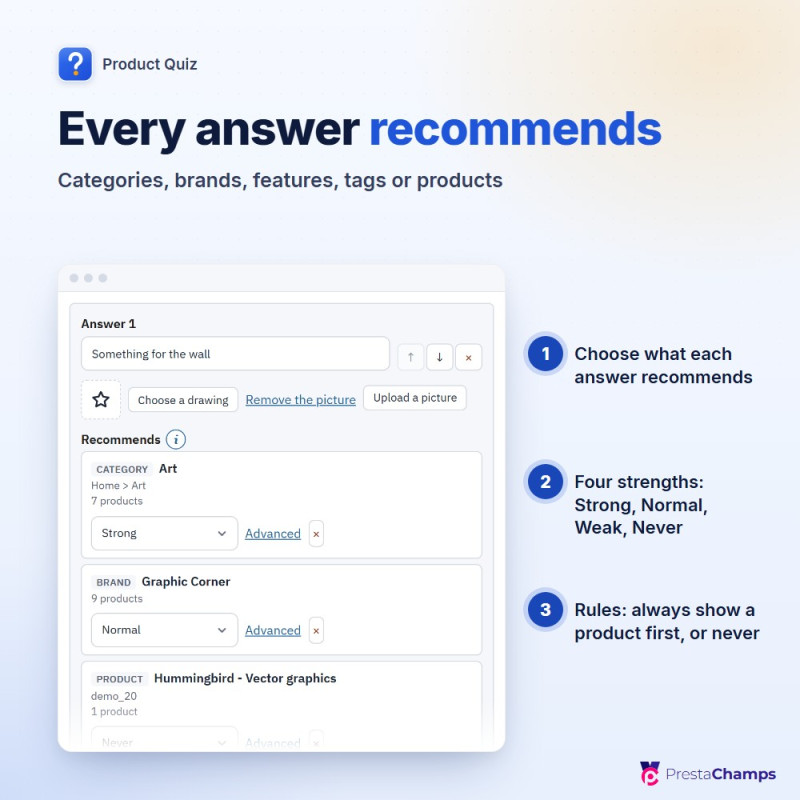
What you build. You make a quiz in one place: questions, answers with optional pictures, and for each answer a list of categories, brands, features, tags or products it recommends, with a strength (Strong, Normal, Weak, Never). Rules can always show a product first or never show it. Products that collect the most points across the shopper's answers are shown.
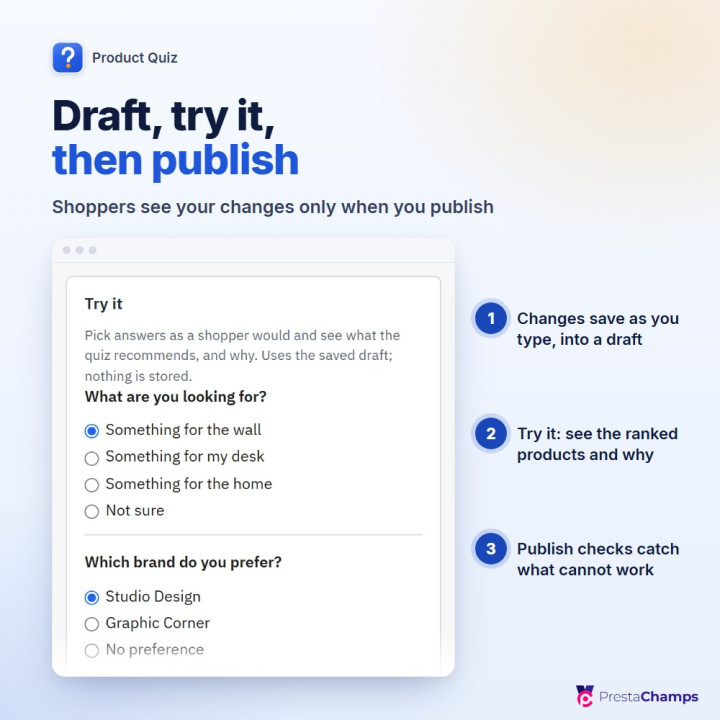
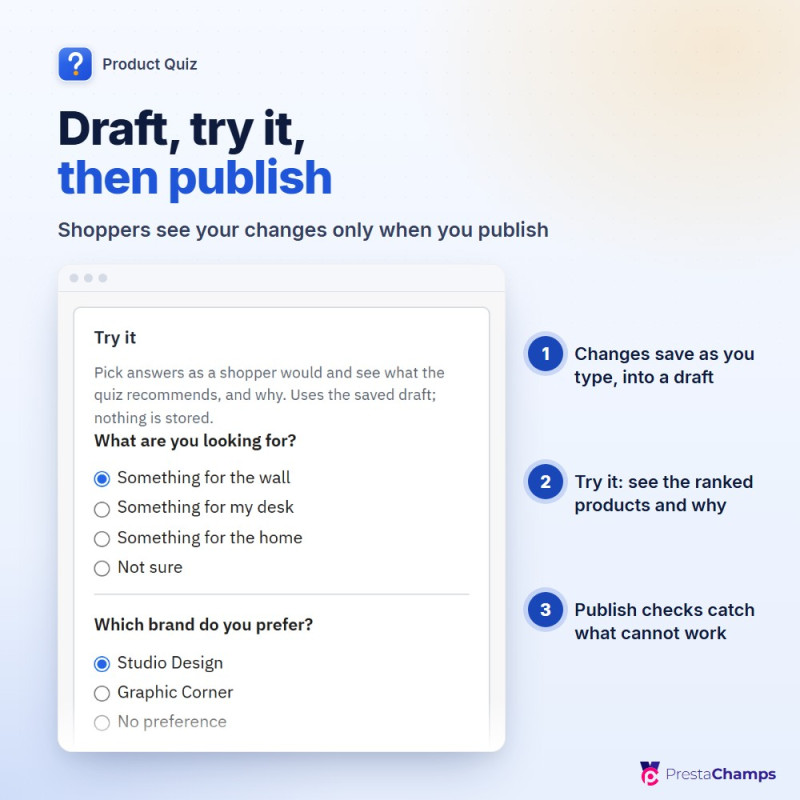
Draft and Published. Every change saves as you type into a draft. Shoppers see the last published version until you press Publish. Try it runs the draft privately and tells you which products come out and why. Publish checks block what cannot work and warn about what is probably a mistake.
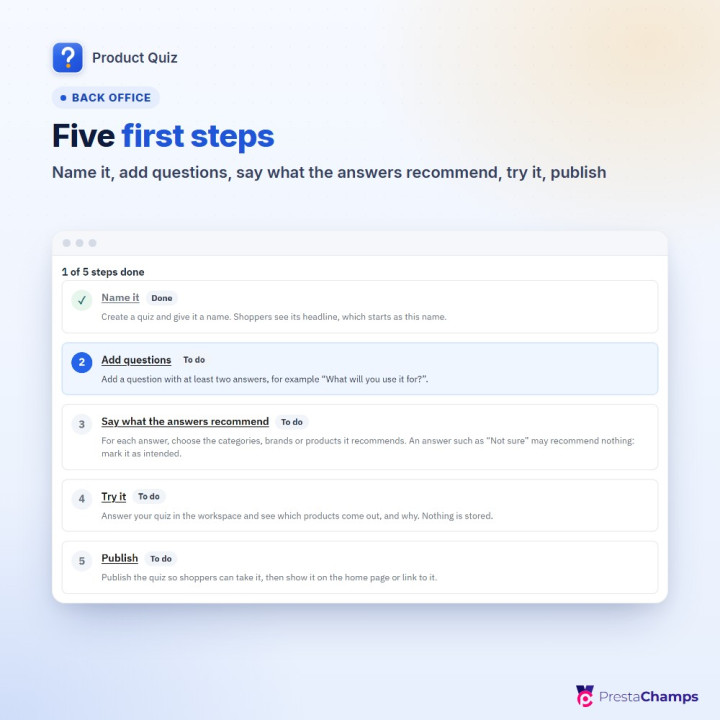
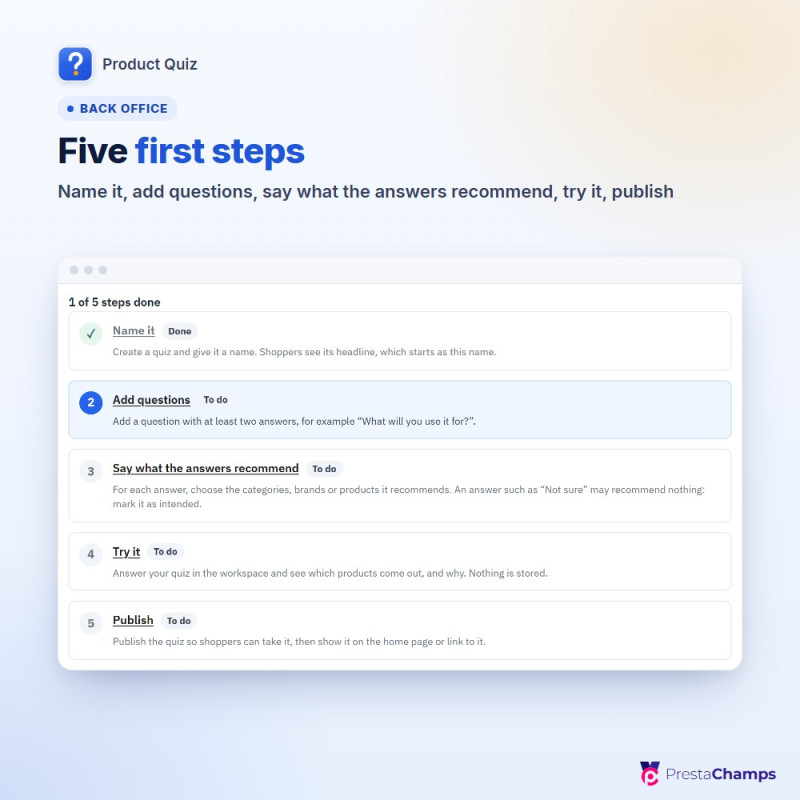
Set up in minutes. Open the module, follow the five first steps (Name it, Add questions, Say what the answers recommend, Try it, Publish), or start from an example quiz built from your own catalogue.
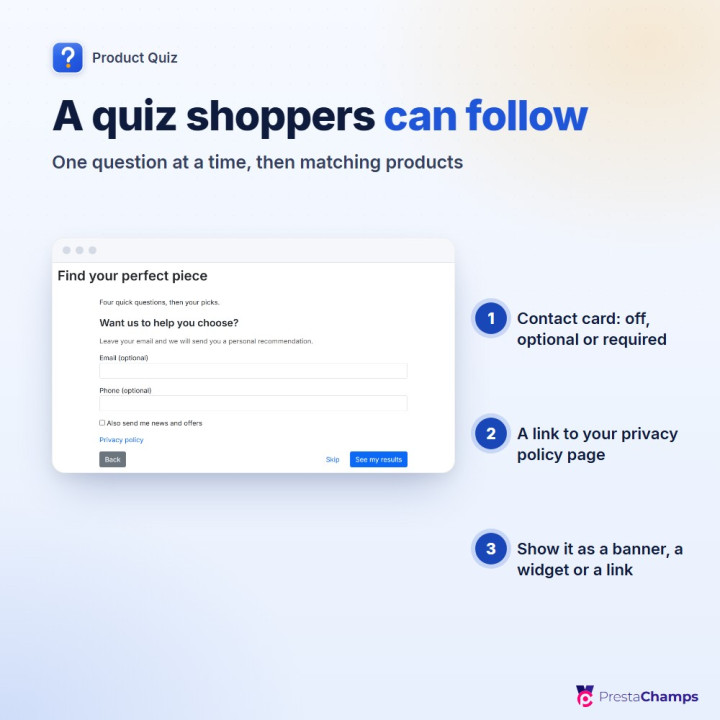
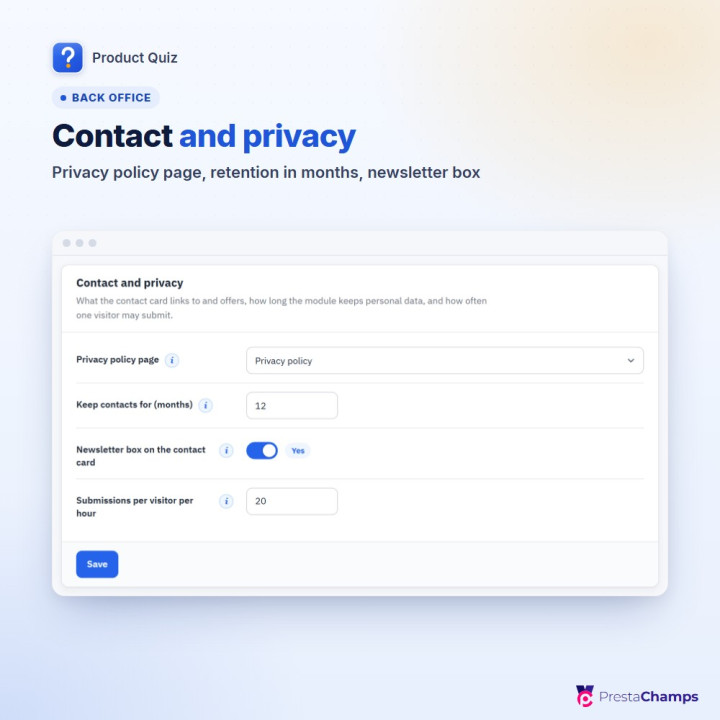
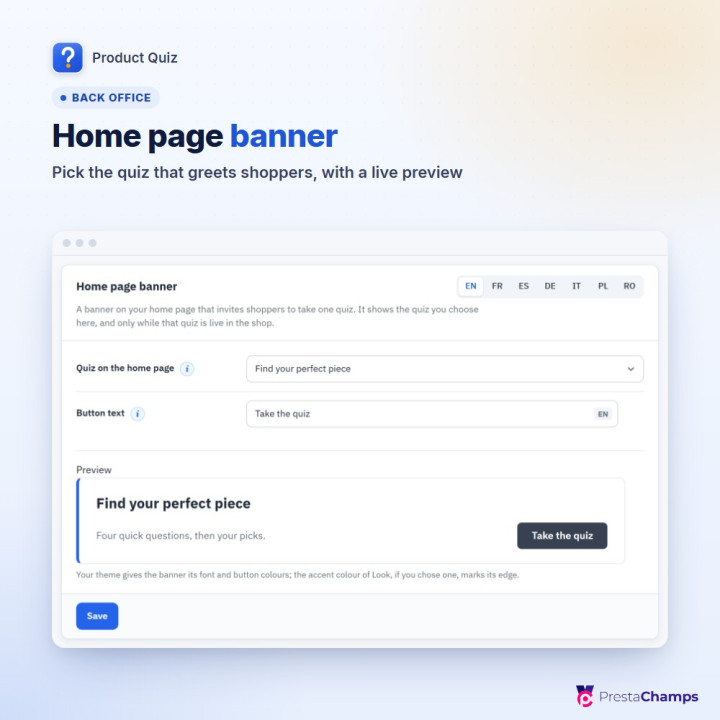
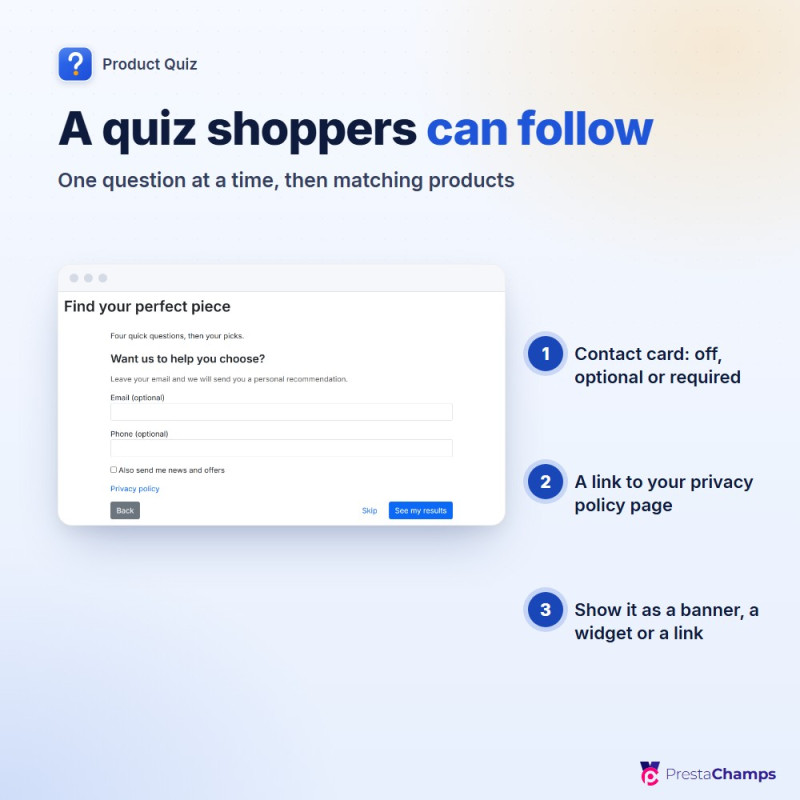
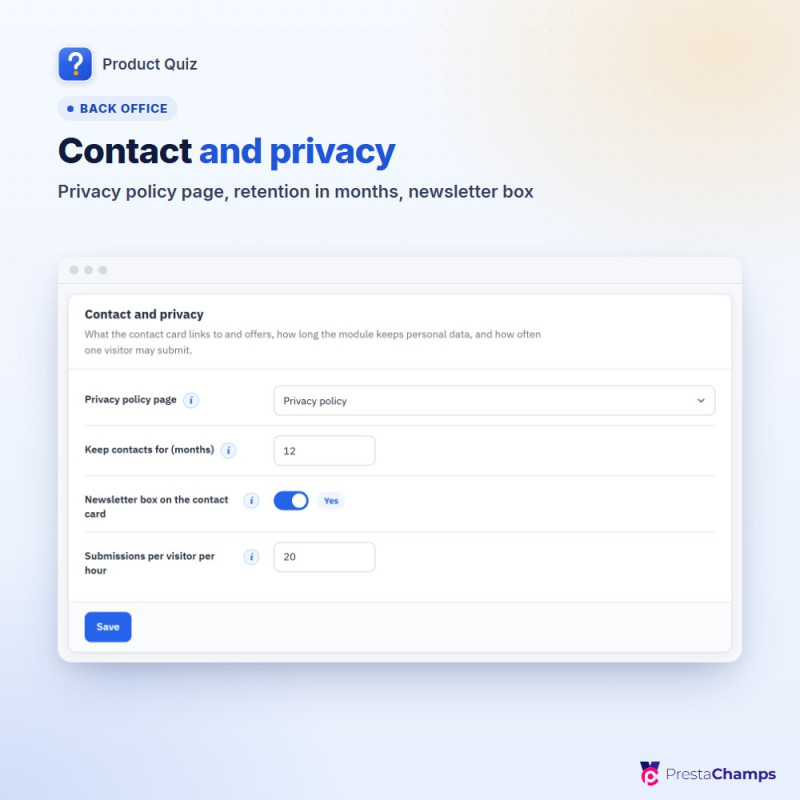
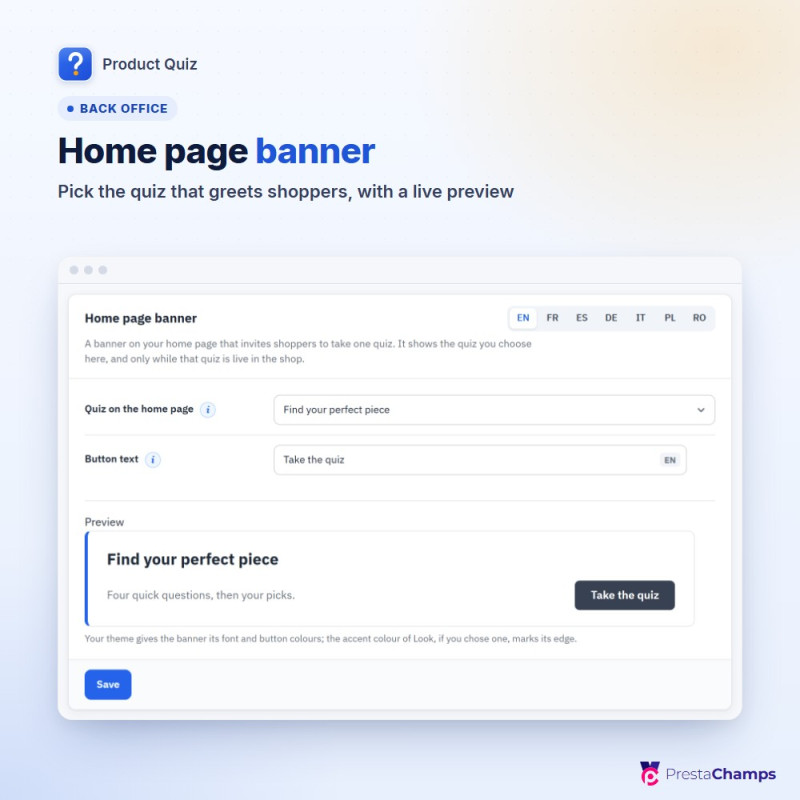
What shoppers see. A quiz page with one question at a time, an optional contact card (off, optional or required, with a link to your privacy policy page and a separate newsletter box), and a results page with normal product cards. The quiz can also appear as a home page banner, as a banner at the top of chosen categories, through a widget, or by a link.
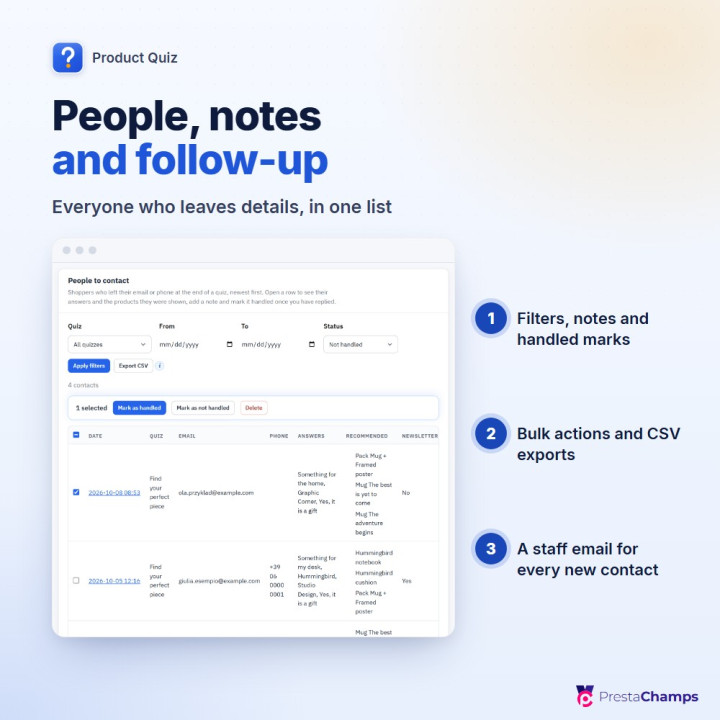
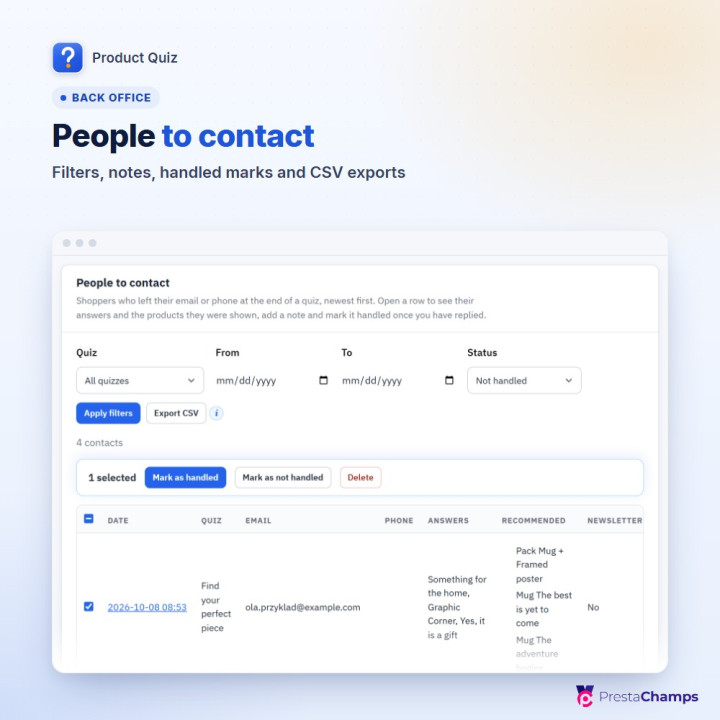
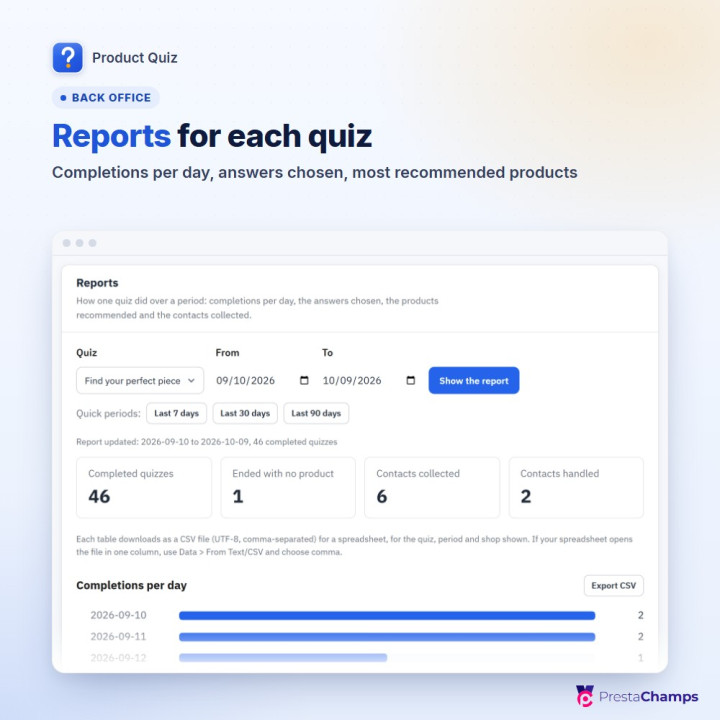
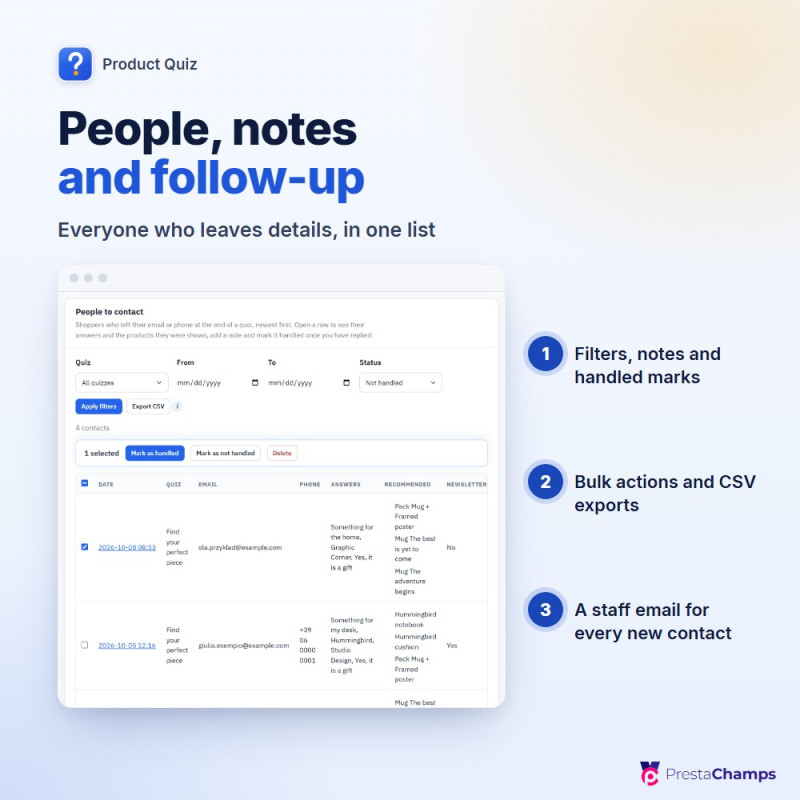
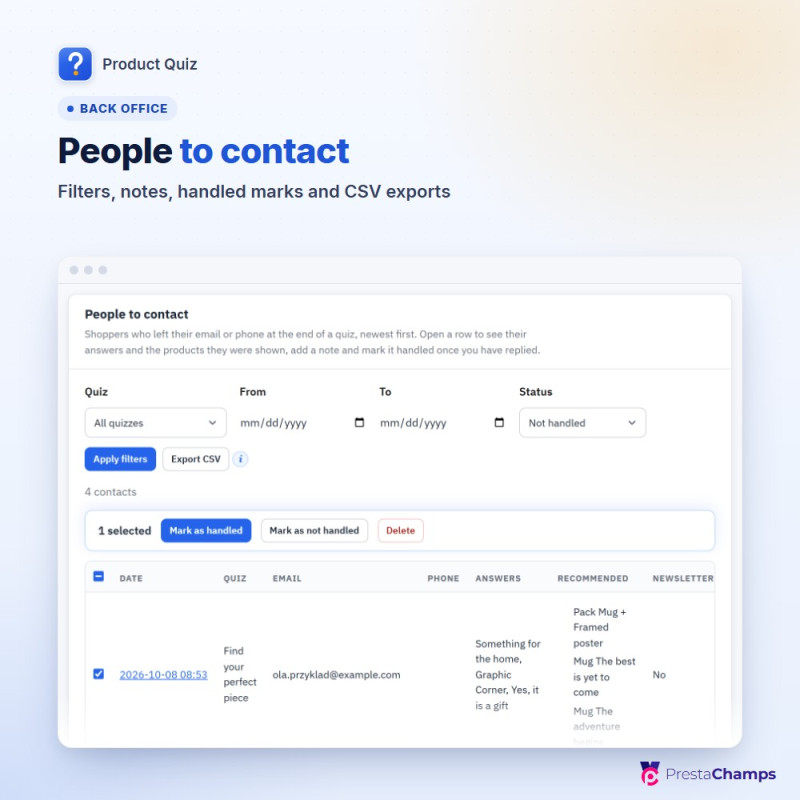
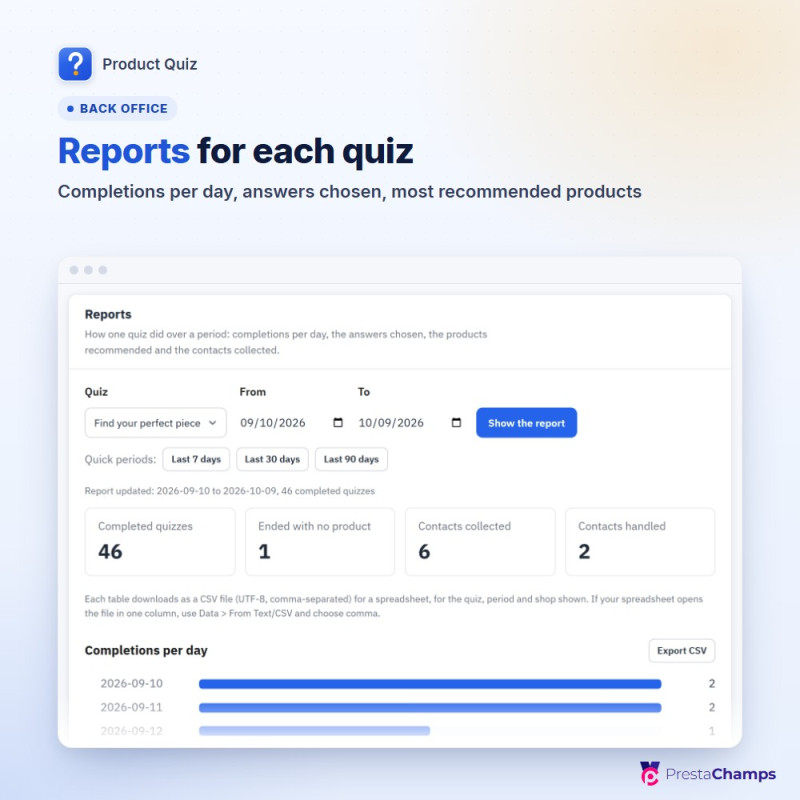
People and reports. Contacts and completed quizzes are listed with filters, notes, handled marks, bulk actions and CSV exports. Your staff get an email for every new contact. Reports show completions per day, how often each answer was chosen and the most recommended products.
Personal data. Export and deletion work through the PrestaShop GDPR module, and a retention period in months deletes old contacts automatically.
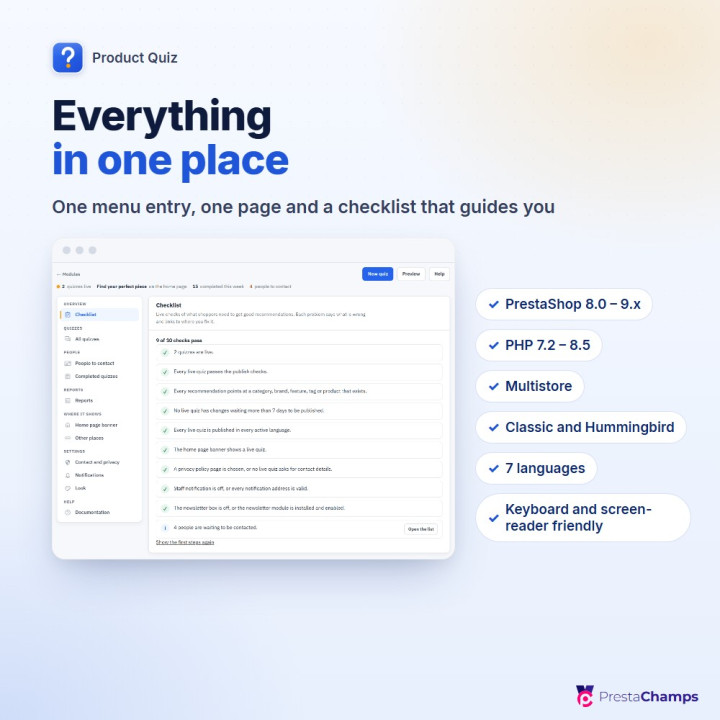
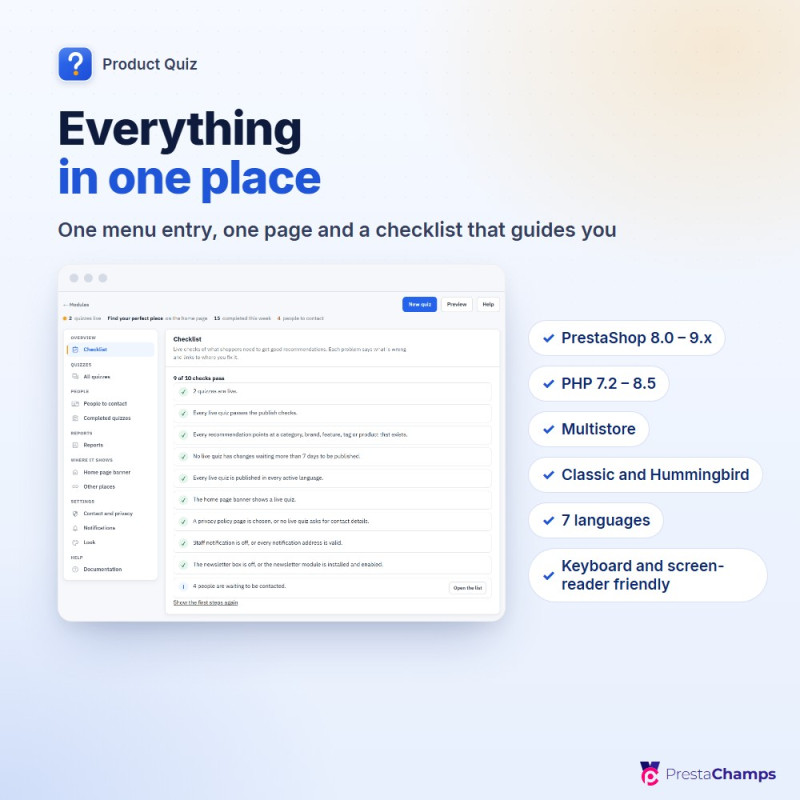
Compatibility. PrestaShop 8.0 to 9.x, PHP 7.2 to 8.5, Classic and Hummingbird, one shop or multistore. The back office, the shop pages and the staff email come in English, French, Spanish, German, Italian, Polish and Romanian. The storefront works with the keyboard and with screen readers, in right-to-left languages too. Automated accessibility checks pass in Chromium, Firefox and WebKit; there is no formal accessibility audit.
Limits. PrestaShop 1.7 is not supported (version 1.5.0 of the module stays there). The module helps you collect contacts; the privacy text of your shop remains your responsibility.
01 One page for everything: one "Product Quiz" menu entry, and "Configure" opens the same page
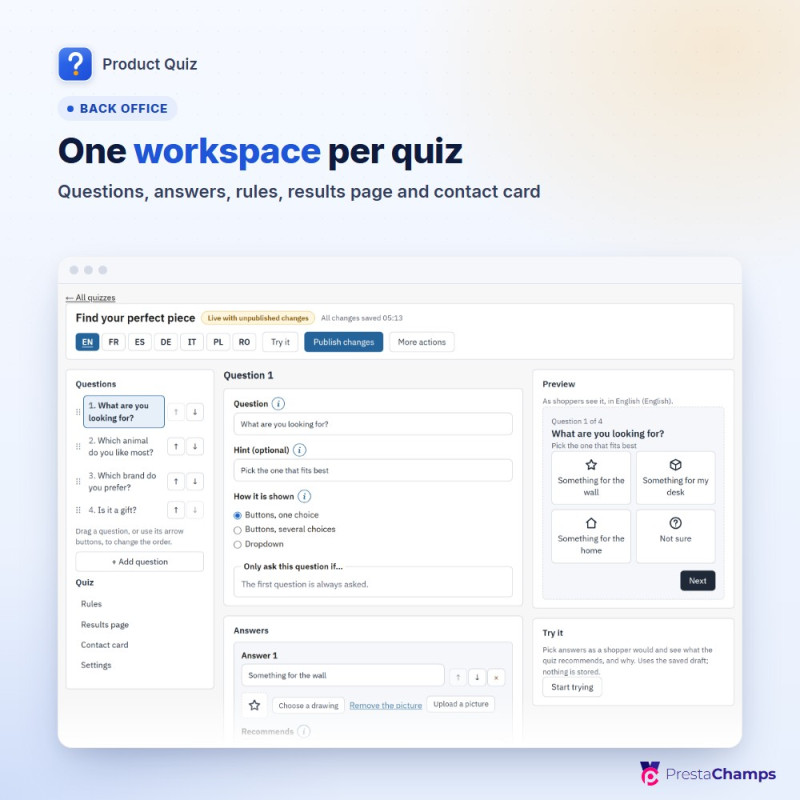
02 A workspace for each quiz: questions, answers with pictures, conditions, "Recommends" rows, rules, Results page and Contact card
03 Four strengths for each recommendation: Strong, Normal, Weak and Never, plus "Always show first" and "Never show" rules
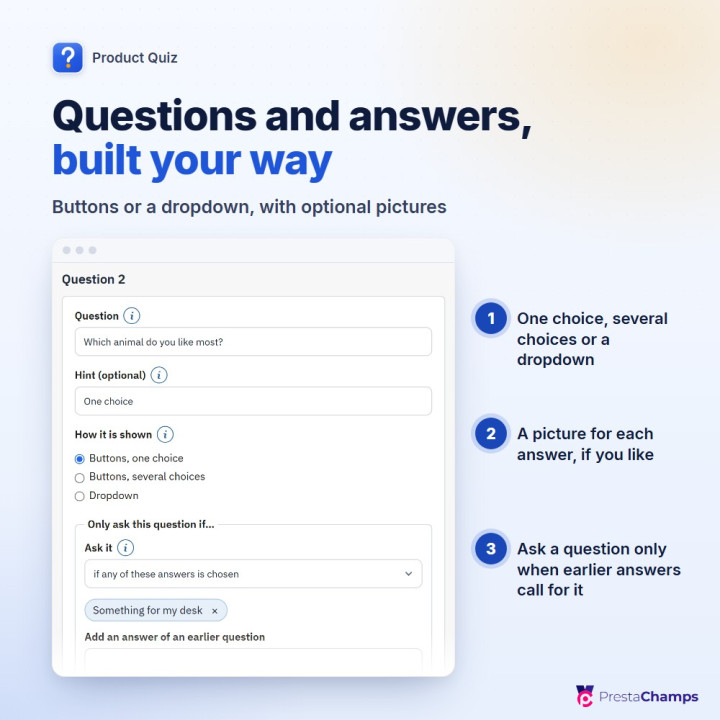
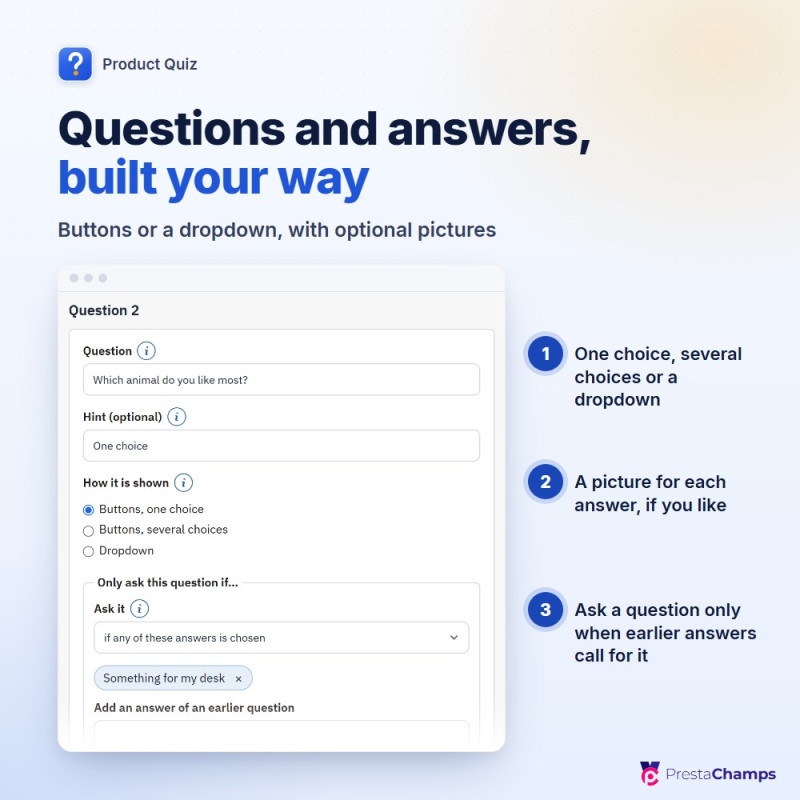
04 Questions as "Buttons, one choice", "Buttons, several choices" or "Dropdown", with "Only ask this question if…" conditions
05 Draft and Published, with "Publish", "Discard unpublished changes" and a warning when two people edit the same quiz
06 "Try it": run the draft privately and see the ranked products with the reason for each
07 Publish checks that block what cannot work and warn about what is probably a mistake
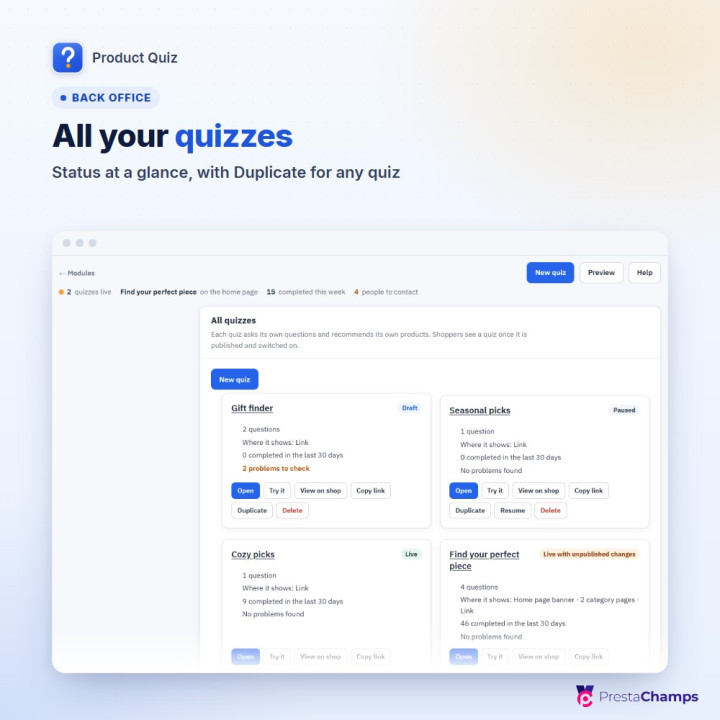
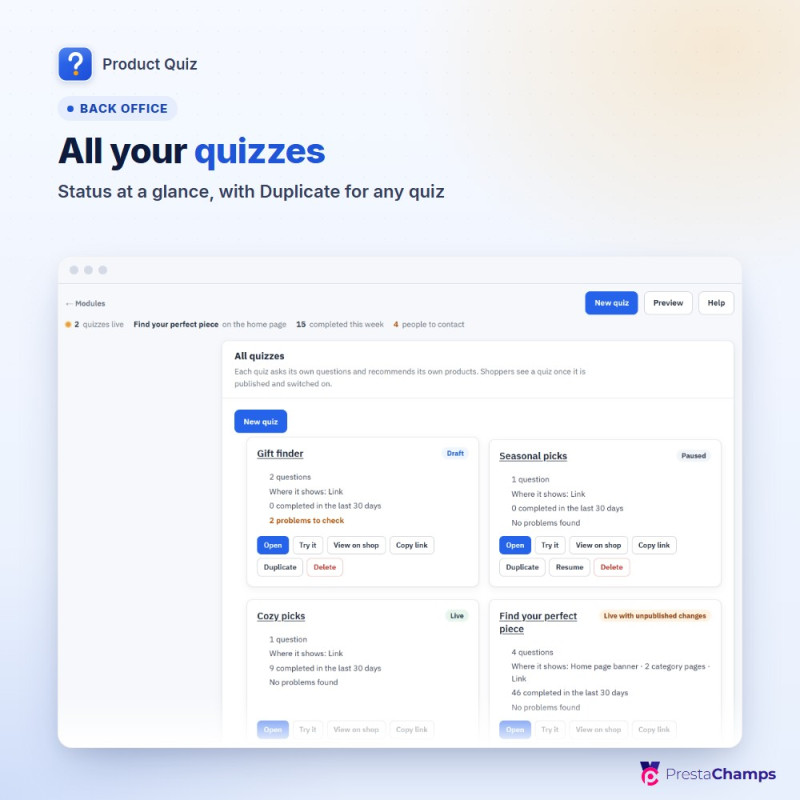
08 First steps track, "Create an example quiz" from your own catalogue, and "Duplicate" for any quiz
09 Contact card (Off, Optional, Required) with a privacy policy page link and a separate newsletter box
10 "People to contact" and "Completed quizzes" with filters, notes, handled marks, bulk actions and CSV exports
11 Staff email for every new contact, and retention in months
12 Reports for each quiz: completions per day, answers chosen, most recommended products
13 Home page banner, category banners, a widget and a copyable link for every live quiz
14 Export and deletion of personal data through the PrestaShop GDPR module
15 Storefront that works with the keyboard and screen readers, Classic and Hummingbird, right-to-left languages
16 Seven languages: English, French, Spanish, German, Italian, Polish and Romanian
Data sheet
- Module version
- 2.0.3
- Technical name
- pch_productquiz
- Support included
- 3 months, extendable
Frequently asked questions
- How is it installed?
- 1. In the back office open Module Manager, upload the Product Quiz zip and install it.
2. Open "Product Quiz" from the menu (or "Configure" in Module Manager) and follow the five first steps: Name it, Add questions, Say what the answers recommend, Try it, Publish.
3. Or press "Create an example quiz" to start from a draft built from your own catalogue.
4. In "Contact and privacy" choose your privacy policy page, then publish the quiz.
5. Show it with "Home page banner" or "Other places" (link, widget or category banner), then clear the cache once in Advanced Parameters > Performance.
- What are the requirements?
- PrestaShop 8.0 or newer, 9.x included (PrestaShop 1.7 stays on version 1.5.0 of the module).
PHP 7.2.5 to 8.5.
Classic or Hummingbird theme (the two themes the module is built and checked for).
A privacy policy page (a CMS page), when the contact card is used.
The newsletter module installed and enabled, only if you want the optional newsletter box.
The GDPR module (psgdpr) for personal data export and deletion, if you use it.
Working email in your shop for the staff notification.
No account, API key or external service is needed.
- What else should I know?
- Update by uploading the new zip in Module Manager: quizzes, contacts and results are kept. Never use Reset: on PrestaShop 8 and 9 it deletes the module's data, like Uninstall. Export what you need first.
The home page banner is no longer automatic: choose the quiz in "Home page banner". An update from 1.x keeps the quiz it showed.
Category banners use the `displayHeaderCategory` hook that Classic and Hummingbird provide; the widget `{widget name='pch_productquiz' quiz='<slug>'}` works anywhere else.
Classic's grey text and light blue buttons do not reach AA contrast on their own: choose an accent colour in "Look".
The GDPR module's consent switch for "Product Quiz" does not apply to the quiz: the contact card has its own privacy link and newsletter box.
The module's Help section explains every part, the notes merchants meet most often, and gives the support address with the versions in use.