


MailCharm - Personalized Customer Emails
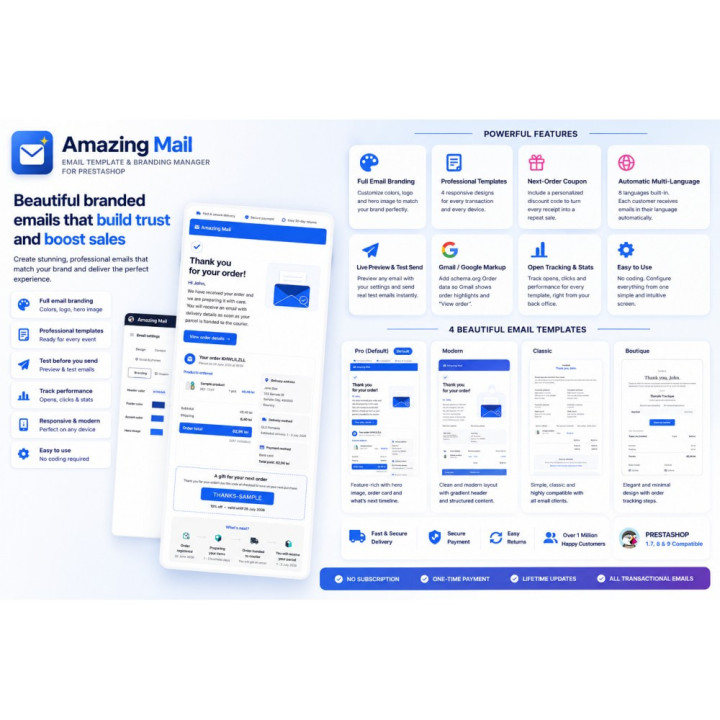
Give every PrestaShop transactional email one polished, on-brand look — plus a next-order coupon, automatic multi-language and live preview.
- Instant download — in your account within 2 minutes
- Support by the developer who wrote the module
- No core changes — your next PrestaShop update stays easy
MailCharm — Personalized Customer Emails
Out of the box PrestaShop sends plain, unbranded transactional emails. MailCharm replaces all of them with one coherent design controlled from a single configuration screen — no HTML, no developer. The default Pro design is applied automatically to every active language the moment it installs.
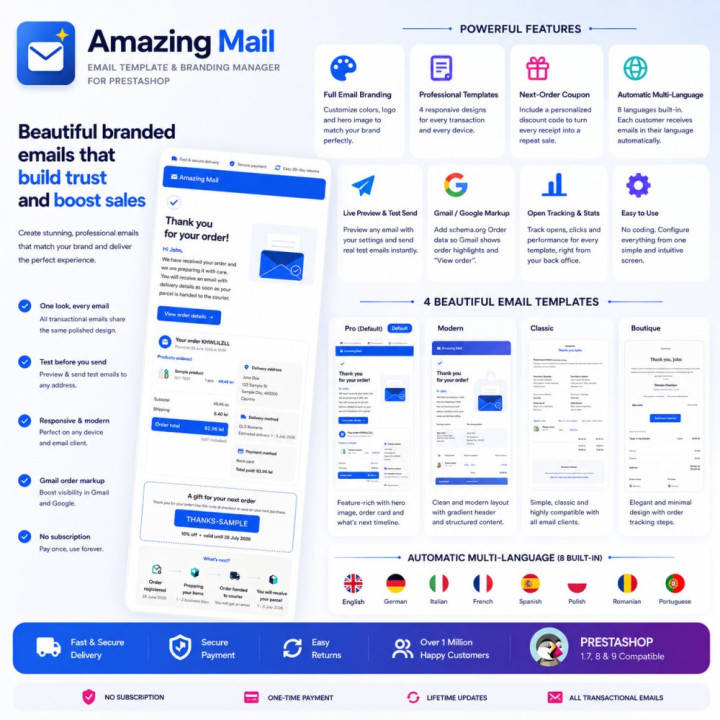
A single branded design across order confirmation, shipping, password reset and every other transactional email.
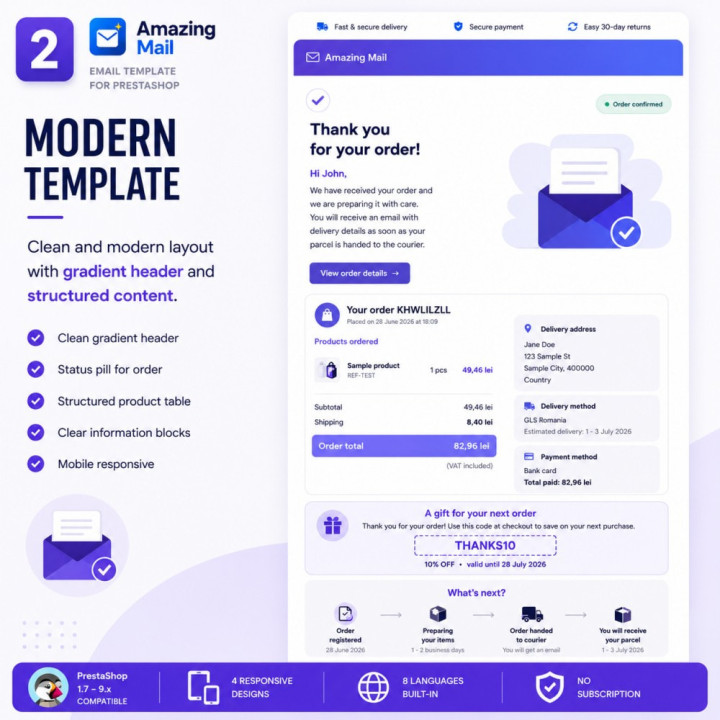
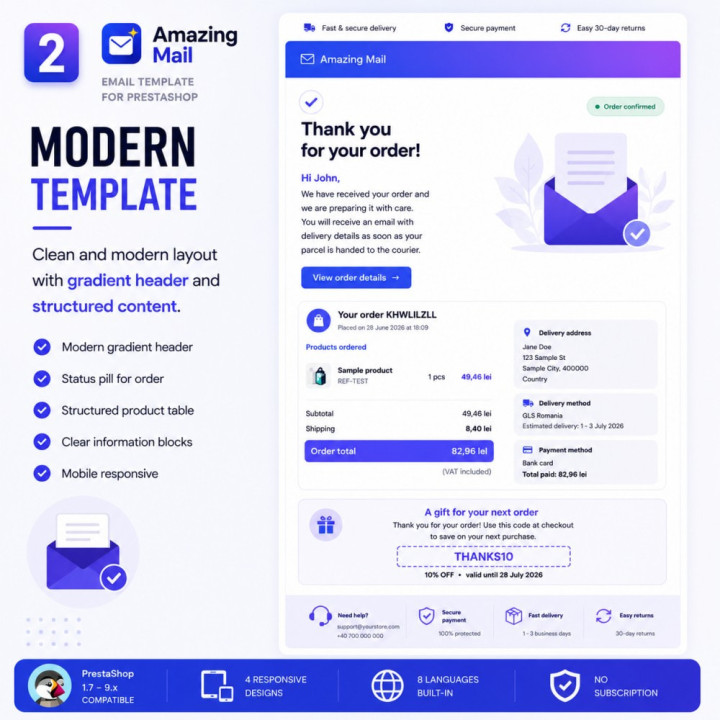
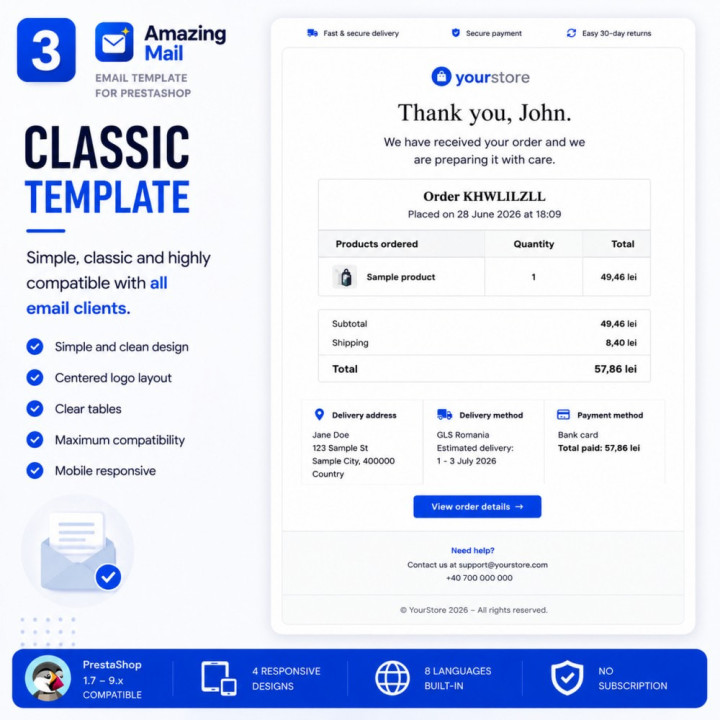
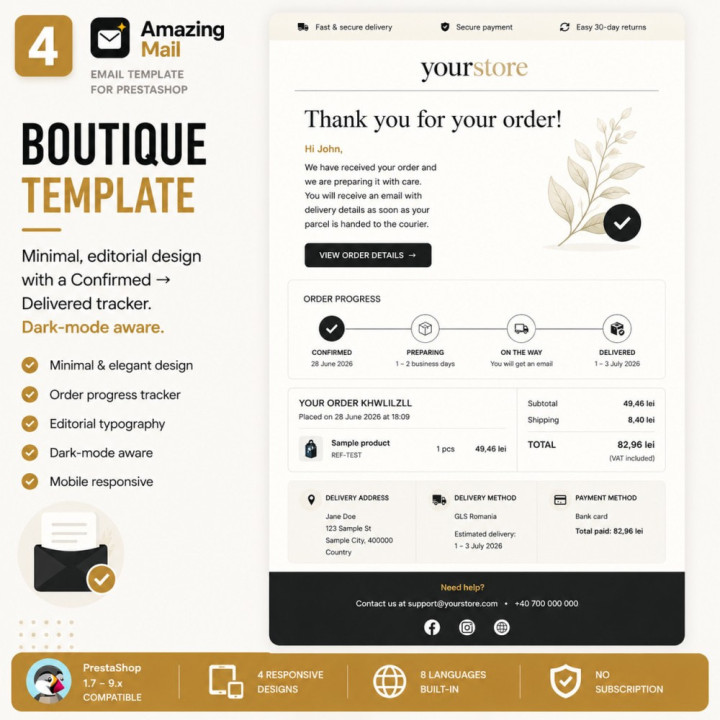
4 ready-made responsive designs
Pro, Modern, Classic, Boutique — switchable from one dropdown. All Outlook-tested and single-column on mobile.
Configurable branding
Header, footer and accent colours, plus logo and hero-image uploads.
Order-confirmation emails can include a personal discount code for the customer's next purchase.
At send time the module mints a real, native PrestaShop voucher restricted to that customer, so it redeems automatically at checkout.
Discount types
Percentage, fixed, or tiered.
Targeting rules
First-time / returning / Nth order, minimum spend, customer groups, validity windows, and category, product, carrier and country restrictions.
8 languages built in
EN, DE, IT, FR, ES, PL, RO, PT. Any other shop language falls back to English. The back-office screen is localised too.
Data sheet
PrestaShop 1.7.6 – 9.2
PHP 7.1 or higher
- Module version
- 1.11.1
- Languages
- EN, DE, ES, FR, IT, PL, RO
- Category
- Customer Communication
- Technical name
- amazingmail
- Support included
- 3 months, extendable
- Delivery
- instant .zip download
Frequently asked questions
- What are the requirements?
- PrestaShop 1.7.6 – 9.x; PHP 7.1 or higher; Works with any theme. No external services or subscriptions.
- How is it installed?
- Modules > Module Manager > Upload a module — select the MailCharm ZIP; PrestaShop installs and enables it, deploying the default Pro design to every active language automatically; Click Configure for design, branding, content, coupon and live preview; Save applies instantly. Use Send a test email to check it in your inbox; Upgrading: upload the new ZIP over the existing module — settings, statistics and already-issued coupons are preserved.
Give every PrestaShop transactional email one polished, on-brand look
See pricing-
Referenceamazingmail
-
Prestashop Version8.0
8.1
9.0
9.1