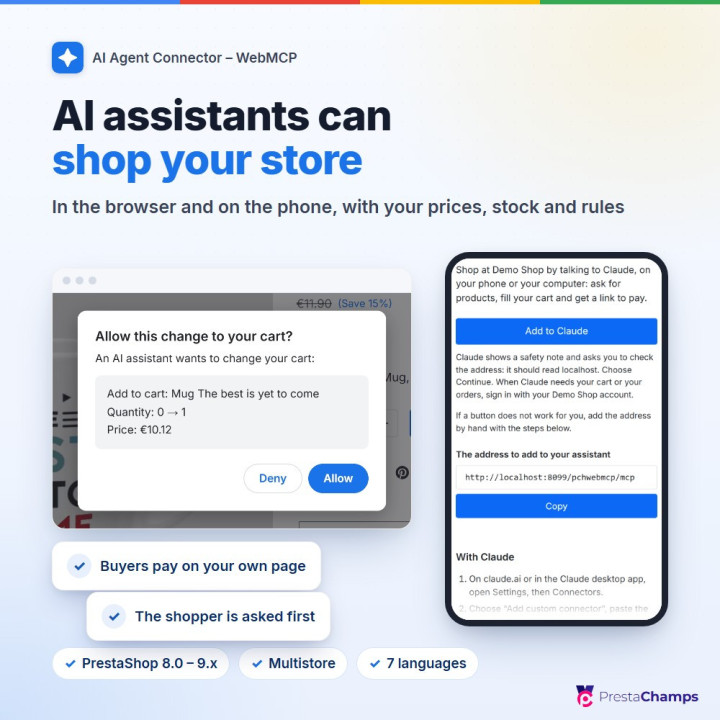
AI assistants are starting to shop for people. They search a shop, compare products, fill a cart and bring the buyer to the checkout. AI Agent Connector – WebMCP lets them do this in your shop through tools you control, with your prices, stock, minimum quantities, cart rules and customer groups, instead of guessing their way through your pages.
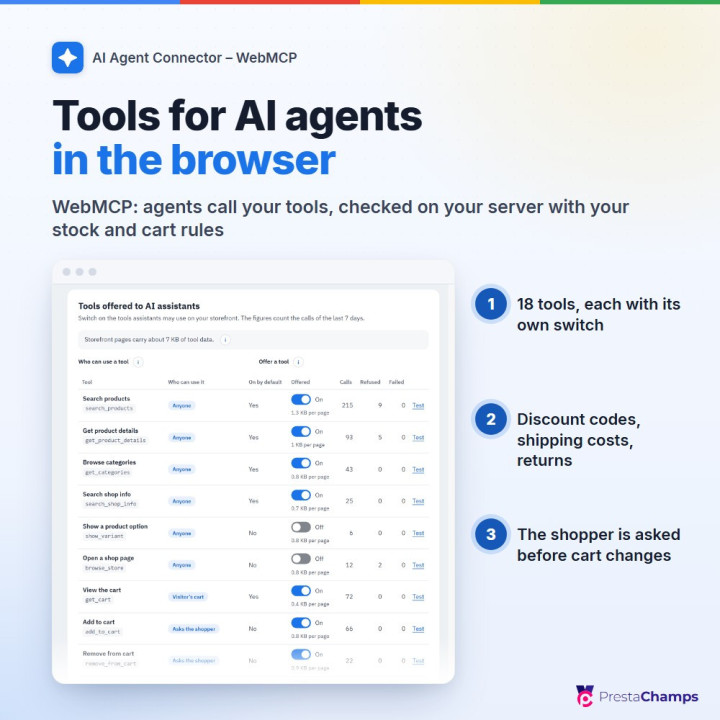
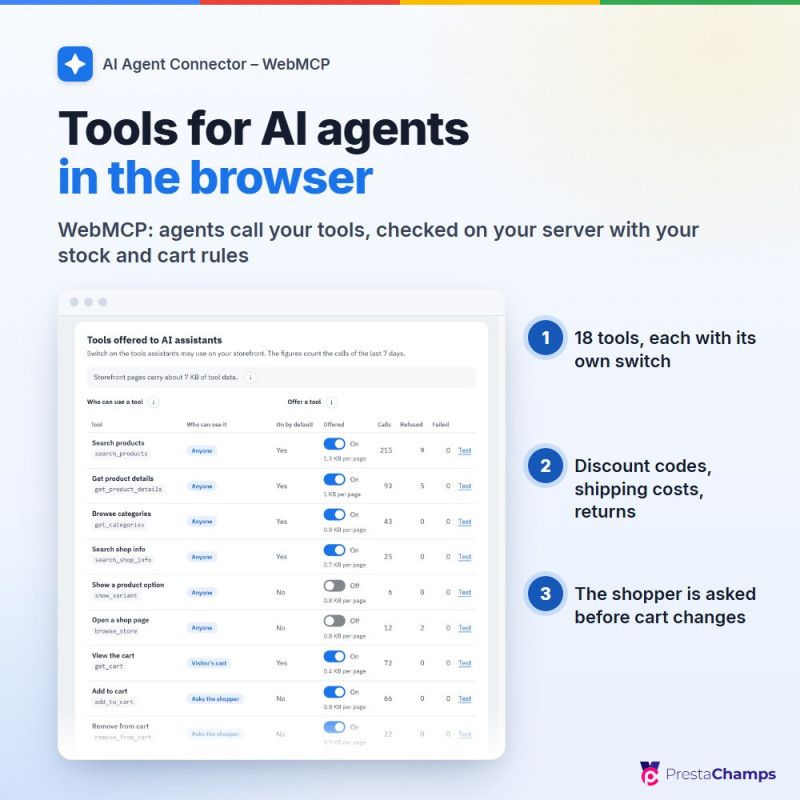
In the browser (WebMCP). Your storefront offers up to 18 tools to AI assistants built into the browser: search products, read their details, ratings and your texts for AI agents, answer questions about your shop, estimate shipping, change the cart, apply a discount code, look up an order, request a return or cancellation and prepare the checkout. Five reading tools are on after installation, the others wait for you. Your page asks the shopper before an agent changes the cart. WebMCP is a new browser standard, offered today by Chrome and Edge with a free origin-trial token or a testing flag.
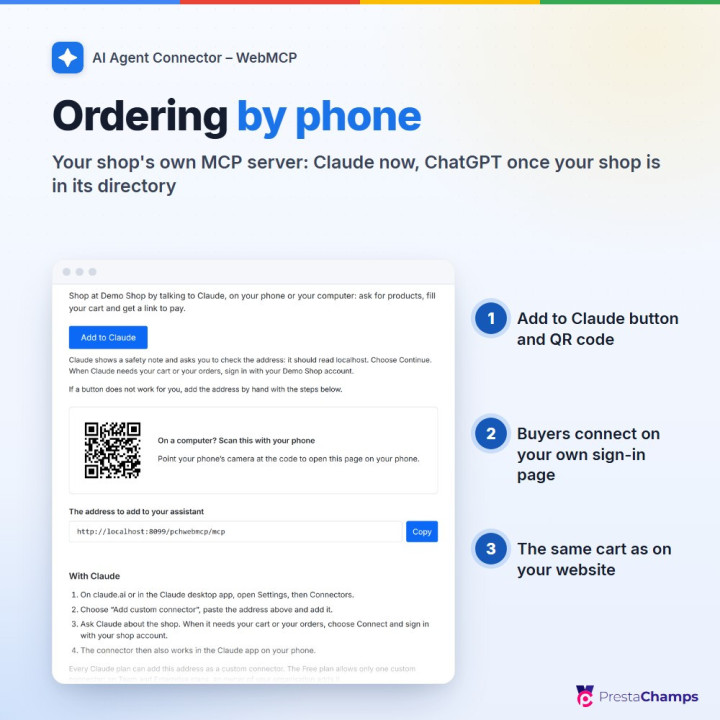
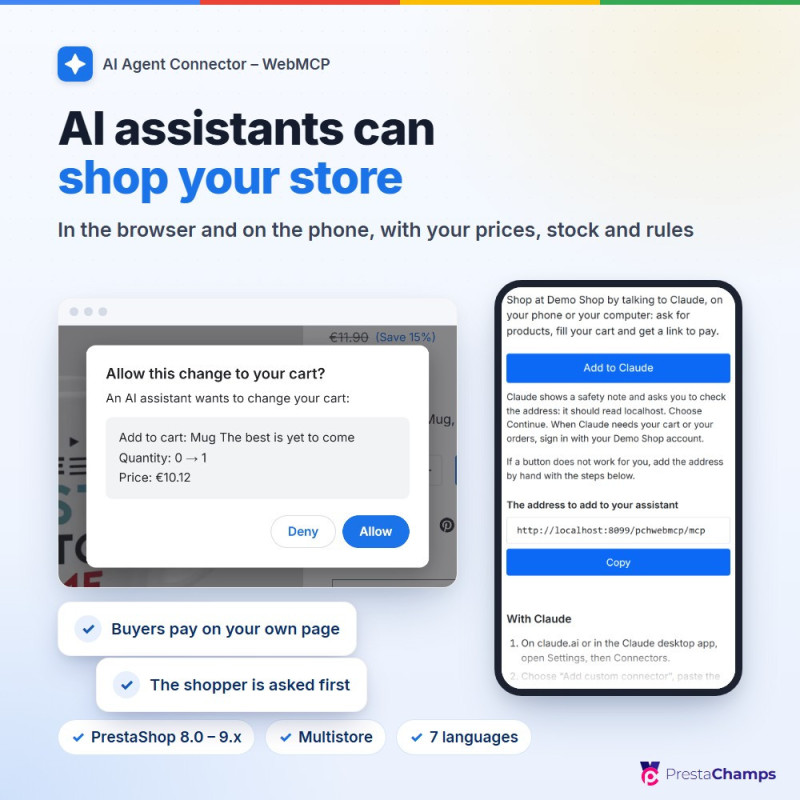
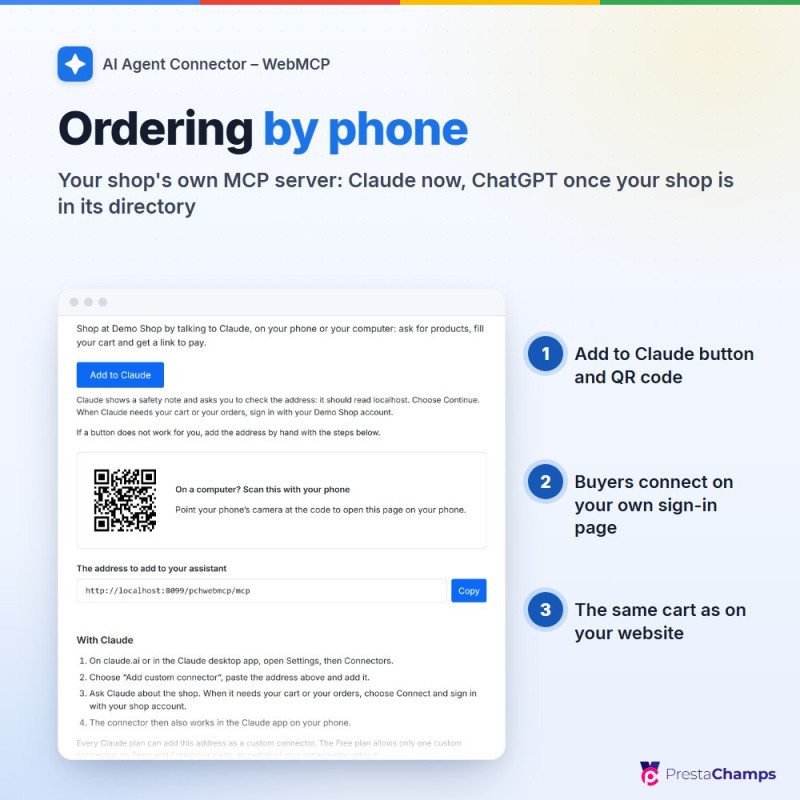
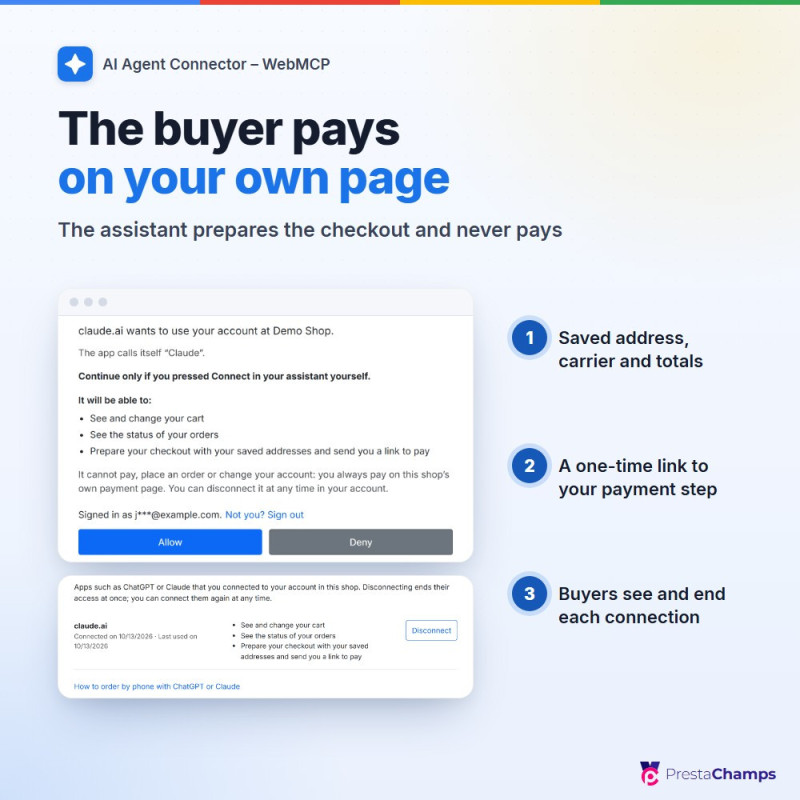
On the phone (your shop's own MCP server). Switch on Phone assistants and buyers add your shop to Claude from your Order by phone page (Add to Claude button or QR code), connect their account on your sign-in page and shop by talking. ChatGPT users can reach your shop once it is listed in the ChatGPT directory, which depends on OpenAI's review. The buyer pays on your page. Prepare checkout sets a saved address and a carrier and gives a one-time link to your payment step; cart links fill the shopper's cart with what the assistant found. The assistant never pays and never sees payment details.
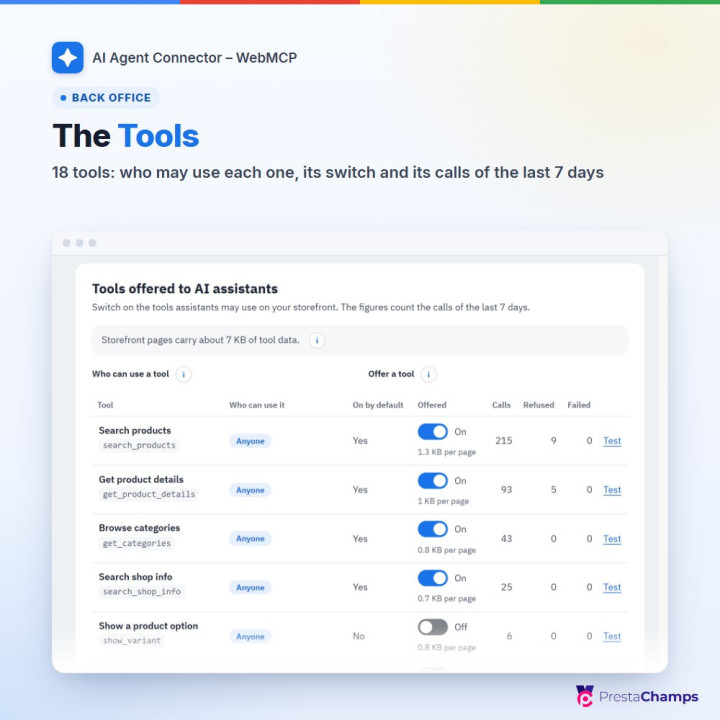
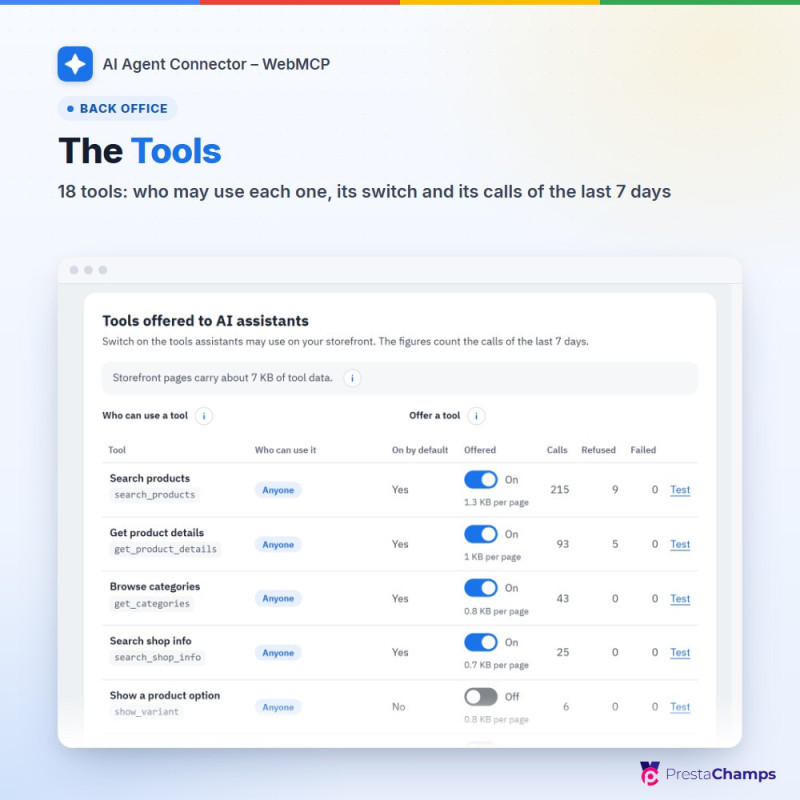
01 Tools: 18 tools for AI agents, each switched on or off per shop, with who may use it and what it adds to your pages; search products, product details, categories, shop questions, shipping estimate, show a product option, open a shop page, view, change and empty the cart, discount codes, order status, return and cancellation requests, prepare checkout and checkout status; five reading tools are on by default, and tools added by other modules stay off until you switch them on
02 Ask the shopper before cart changes: a window on your page shows each change, discount code or order request with Allow and Deny (on by default), and a limit on cart changes per minute for each visitor
03 Your rules on every call: each tool runs on your server with the shopper's own session, catalogue visibility, customer groups, stock, minimum quantities, cart rules and multistore; no tool takes a customer, cart or shop id from the agent; searches go through your own search module when it answers your storefront search
04 Form tools: in browsers with WebMCP, your search, contact, newsletter and add-to-cart forms become tools an agent fills in and the shopper sends; every other form is marked as not for agents (Mark forms for AI agents)
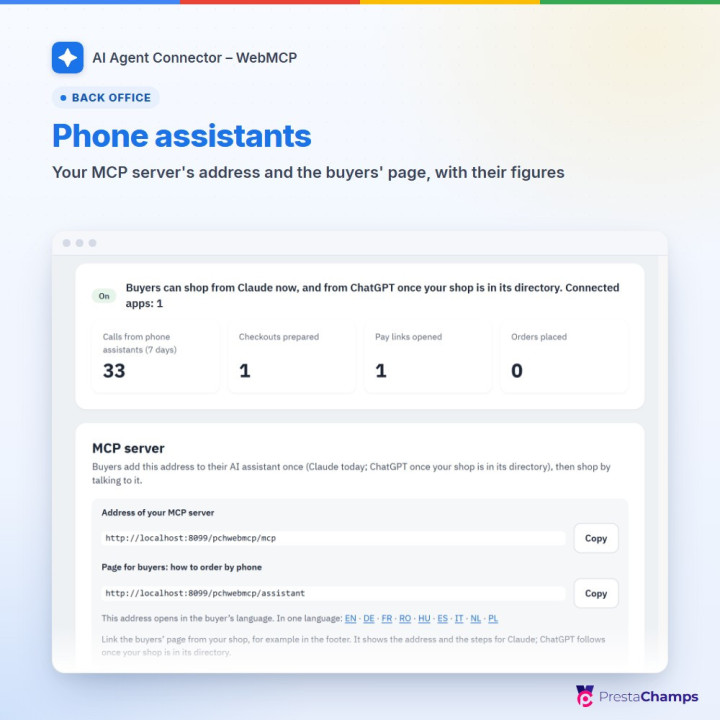
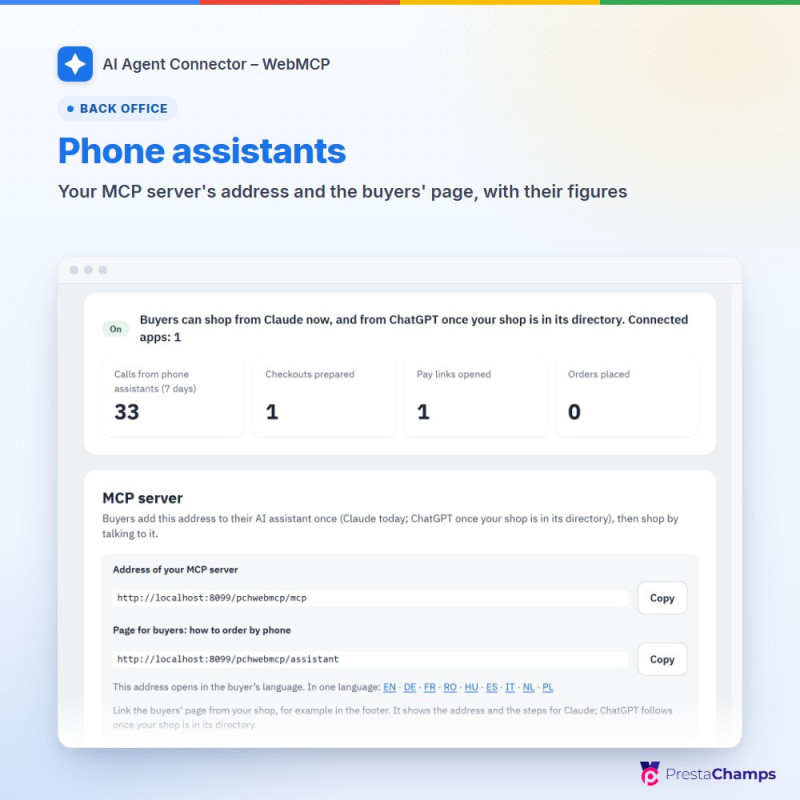
05 Phone assistants: one switch for your shop's MCP server, its address, the tools buyers' assistants get and the figures (calls, checkouts prepared, pay links opened, orders placed); an Order by phone page in the buyer's language with the Add to Claude button and a QR code (Download QR (SVG) for receipts and flyers)
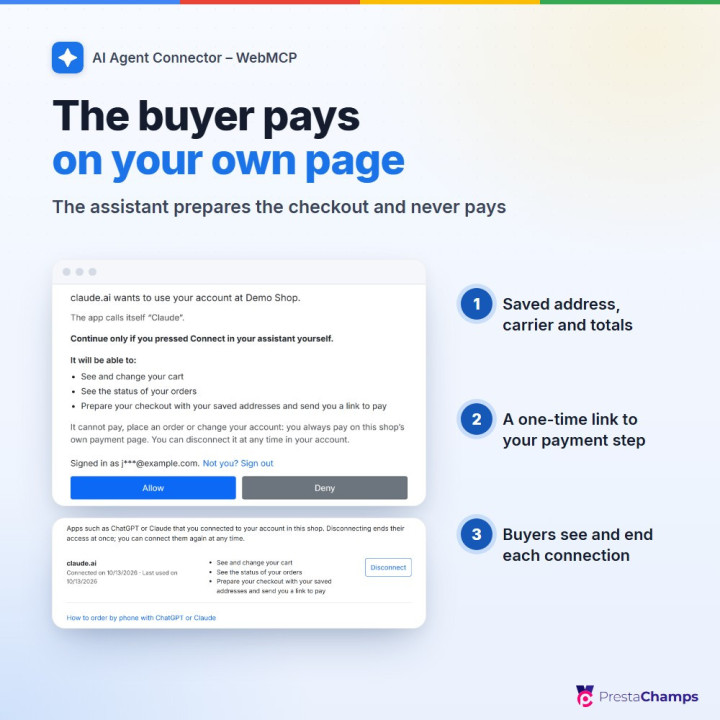
06 Buyers connect their account on your sign-in and consent pages, see and end connections in My account › Connected assistants and get an e-mail when an app connects; Connected apps lets you disconnect one connection or every assistant at once
07 Prepare checkout and the pay link: saved address, carrier and totals, then a one-time link to your payment step (15 minutes by default); Two steps for every change makes sure what is changed is what was shown; Cart links for AI assistants fill the shopper's cart from a link
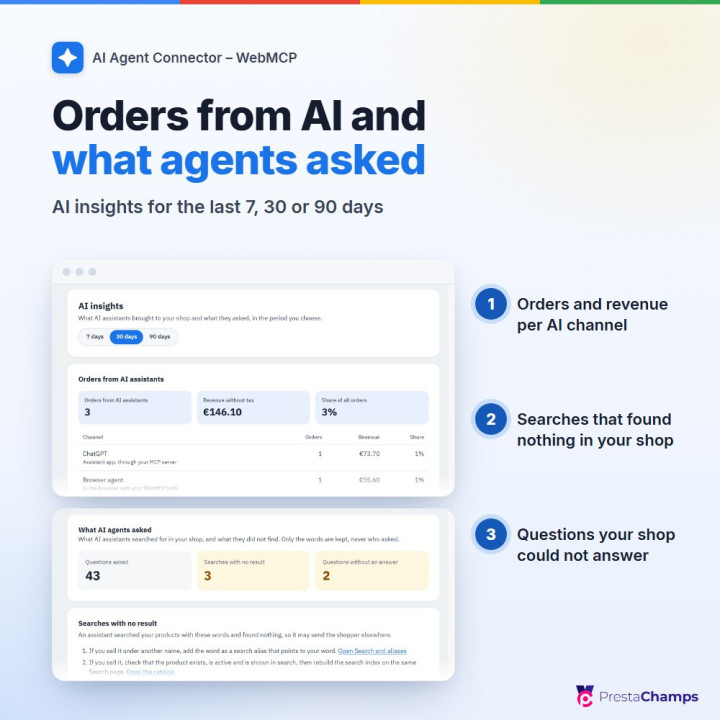
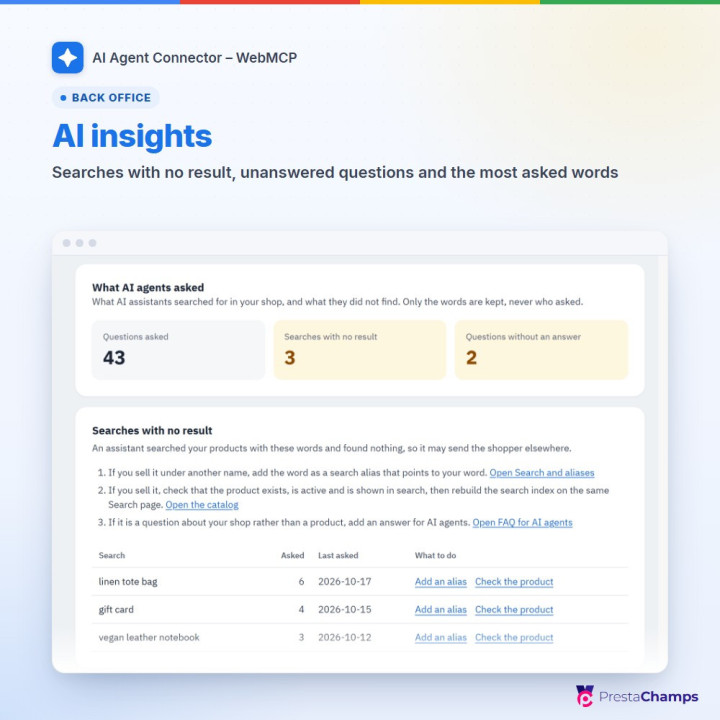
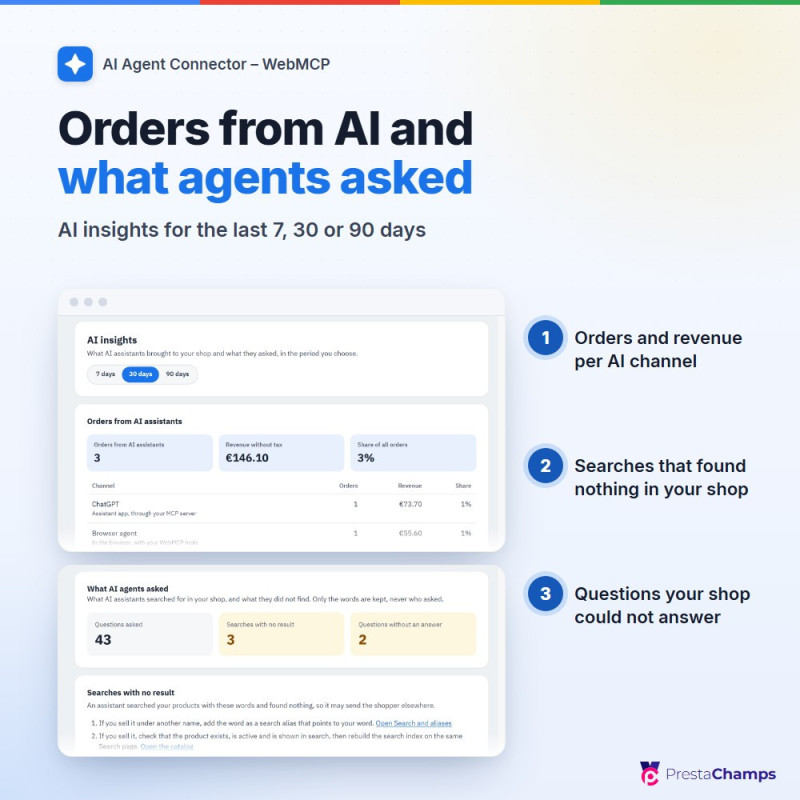
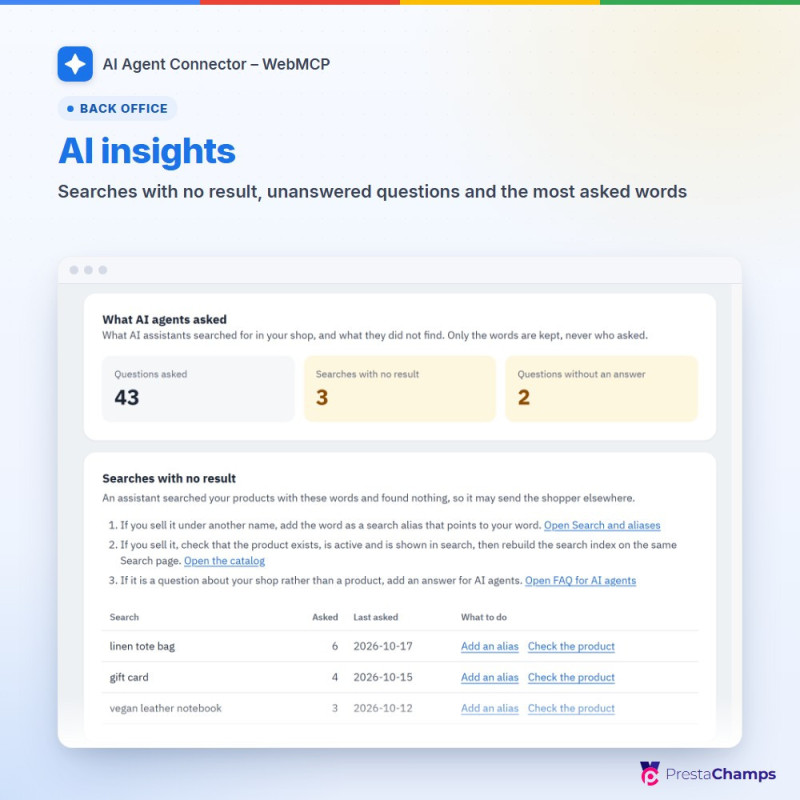
08 AI insights: orders, revenue and share of all orders per AI channel (assistant apps, browser agents, verified AI agents, visits from links in ChatGPT, Claude, Perplexity, Copilot, Gemini and others) with the latest AI orders, and What AI agents asked: the most asked words, searches with no result and questions without an answer, with what to do for each, over 7, 30 or 90 days
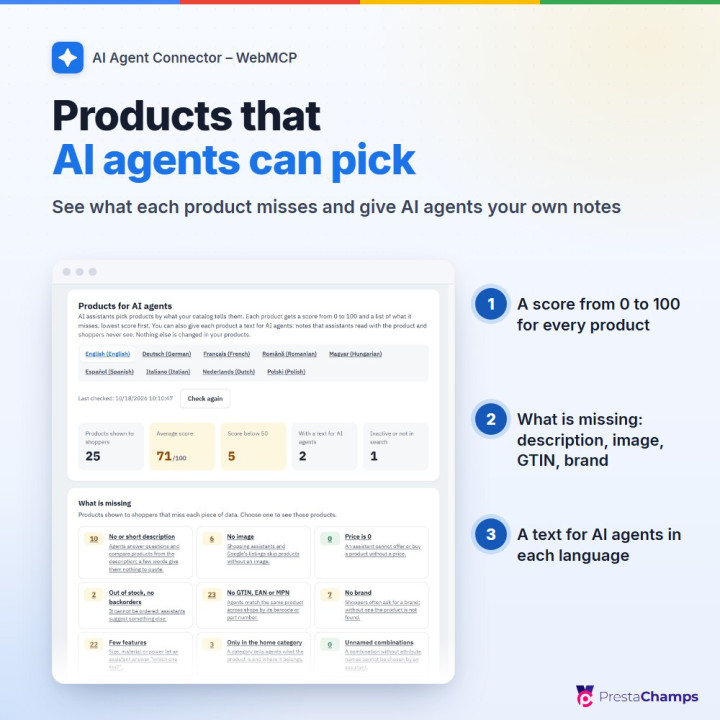
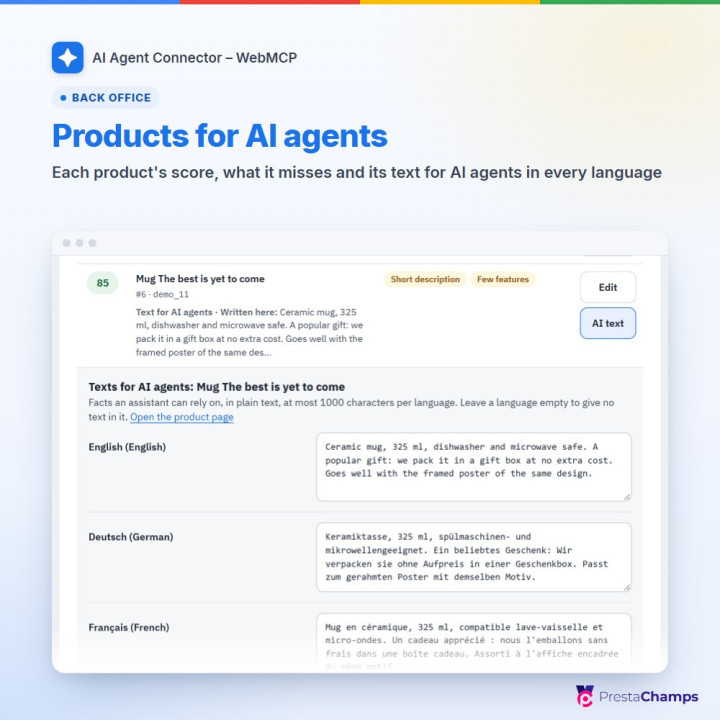
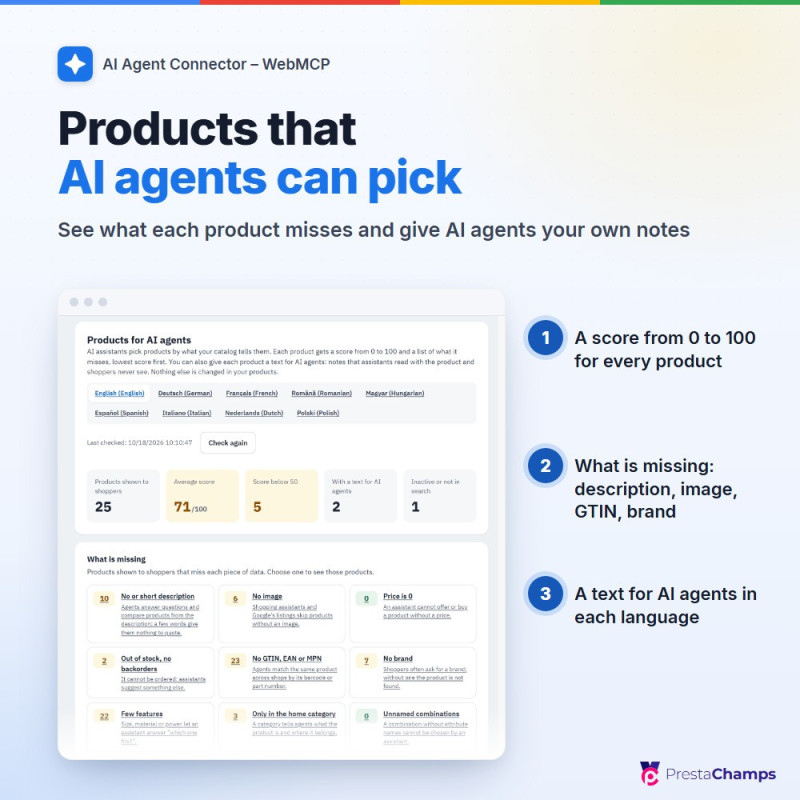
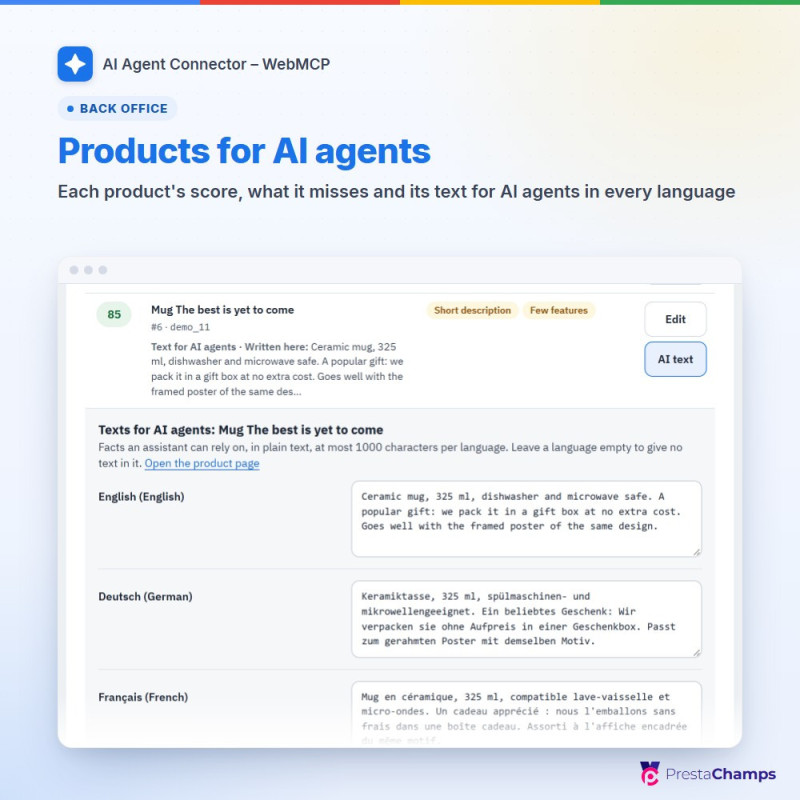
09 Products for AI agents: a score per product and language with what is missing (description, image, price, stock, GTIN, EAN or MPN, brand, features, category, combination names), filters, an edit link, and a text for AI agents per product and language (up to 1,000 characters) that assistants read and shoppers never see
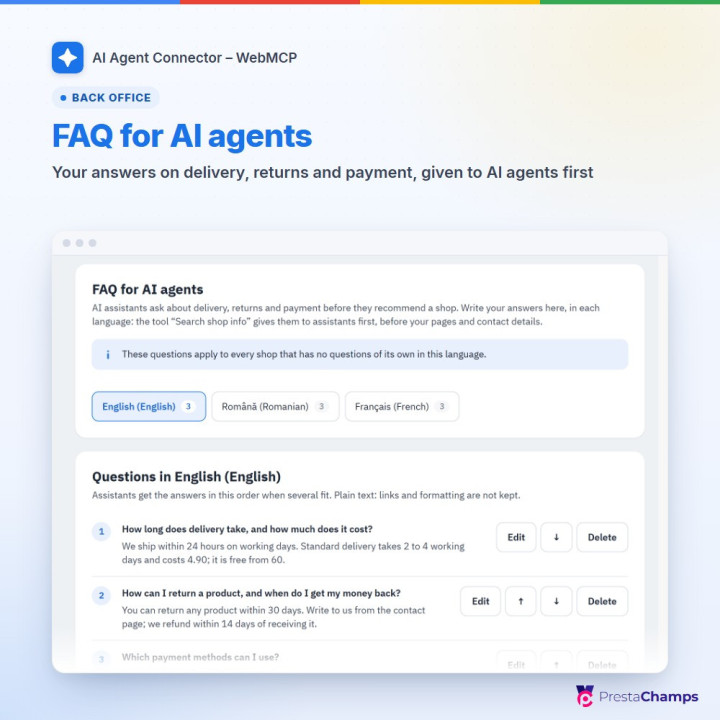
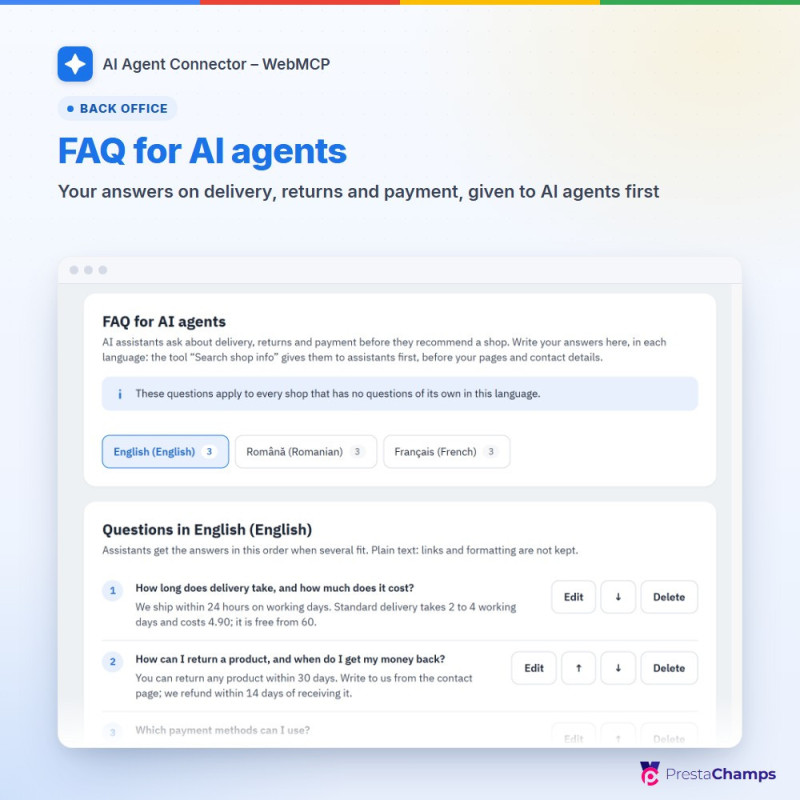
10 FAQ for AI agents: the questions and answers assistants quote, one list per language and shop, with suggested first questions; Search shop info answers from them, your pages and your contact details, and never invents an answer
11 AI agent directories: a description of your shop for directories and Chrome Lighthouse, a guide for AI agents, agents.md and llms.txt, linked from robots.txt; verified AI agents (ChatGPT agent, Google-Agent) are recognised by their signature and get higher limits for reading
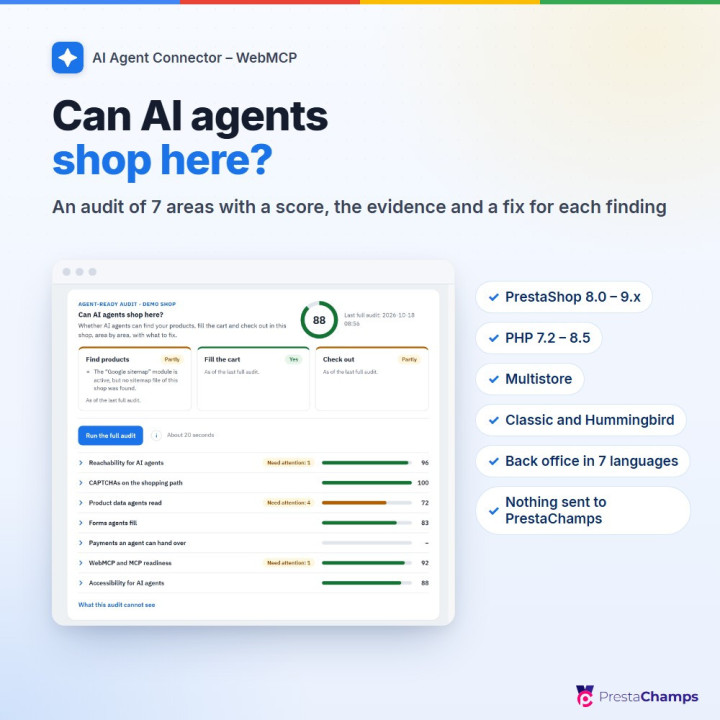
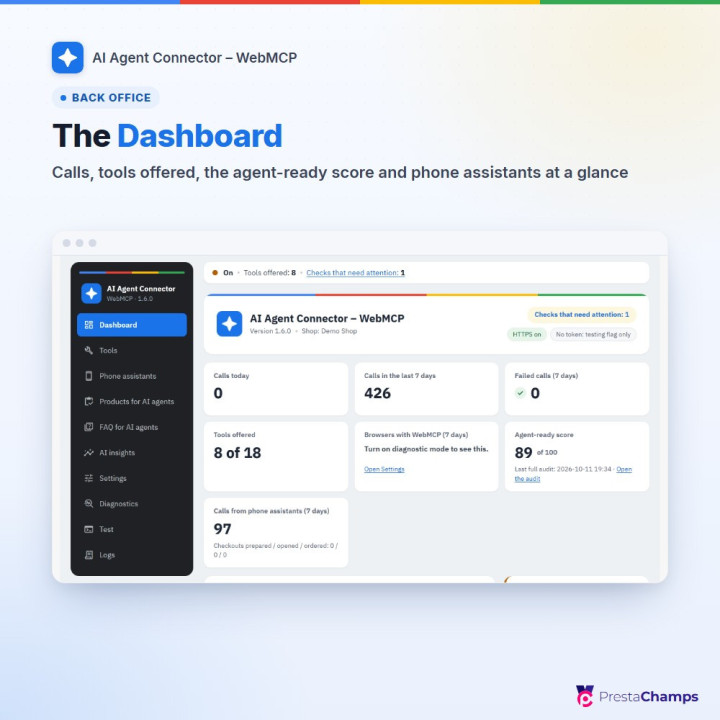
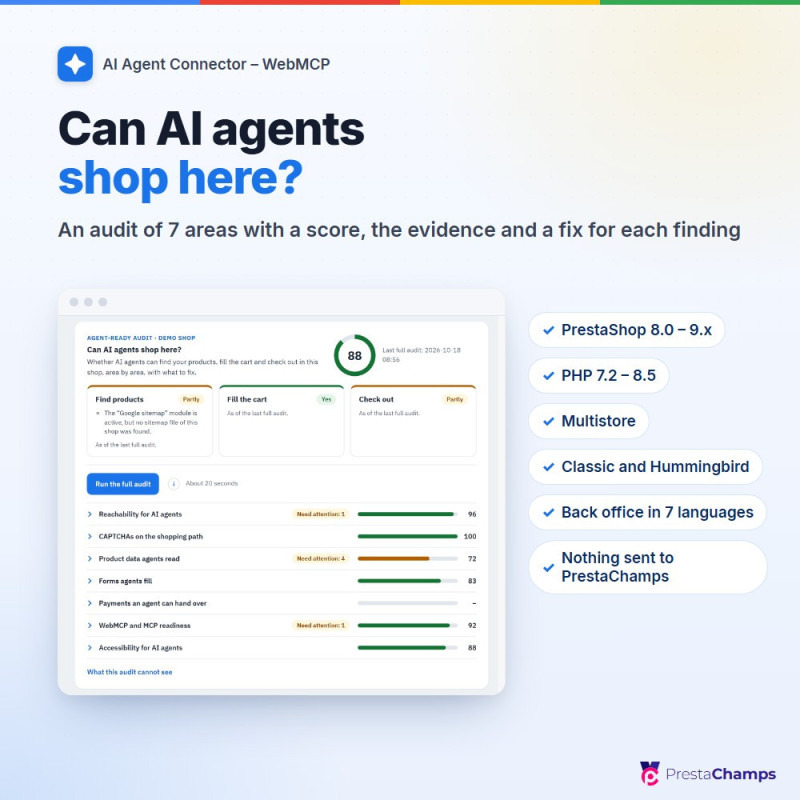
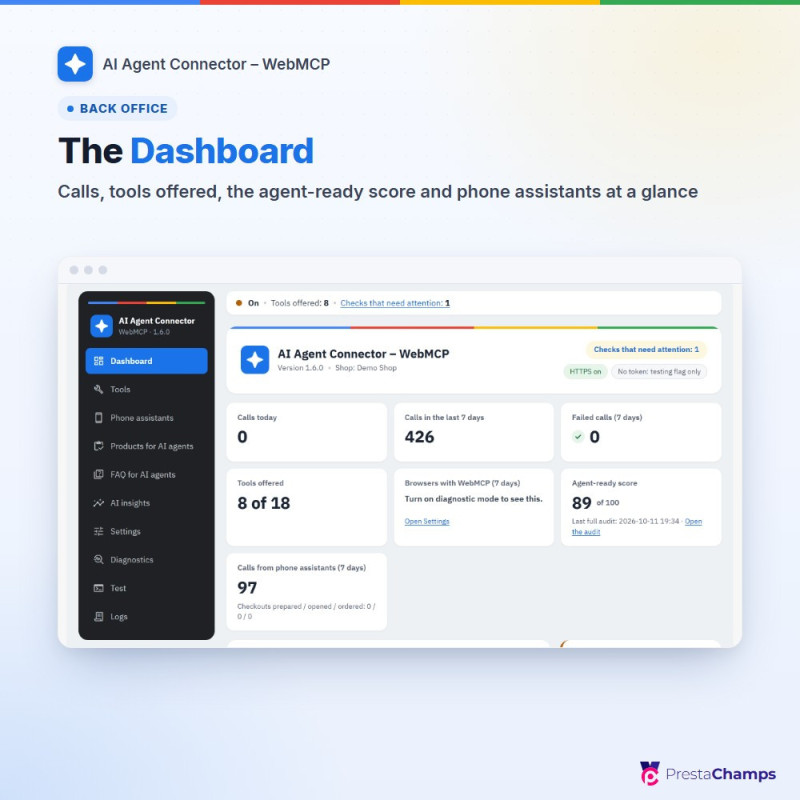
12 Dashboard and Can AI agents shop here?: calls, failed calls, tools offered and the agent-ready score; the audit gives a score out of 100, Find products, Fill the cart and Check out, seven areas (with Accessibility for AI agents) with the evidence and a fix for each finding, and an optional robots.txt group for shopping assistants, shown first and undoable
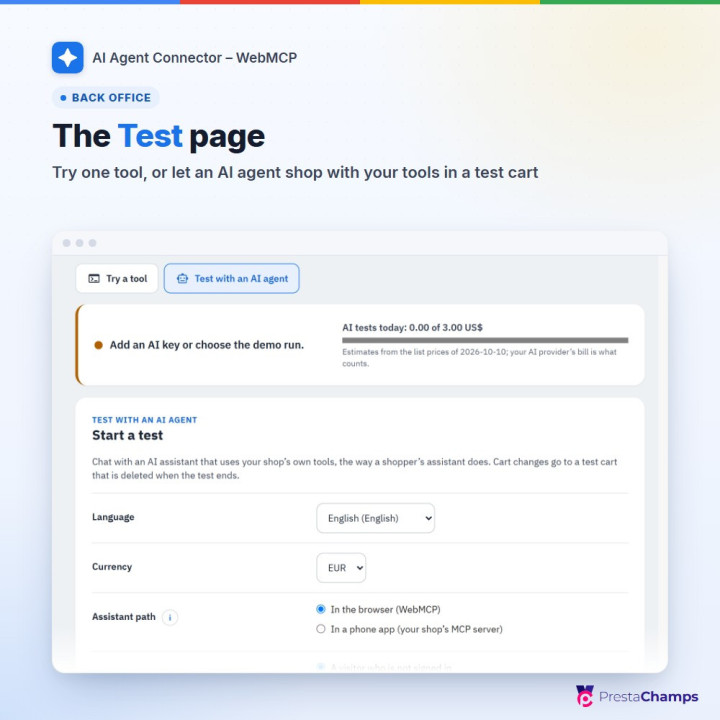
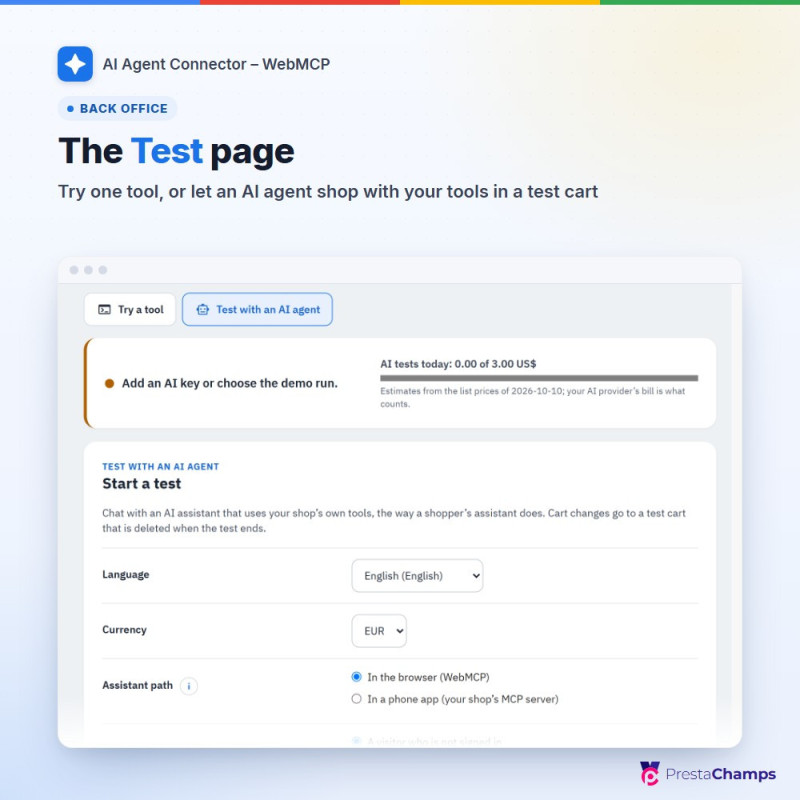
13 Test, one page with two tabs: Try a tool runs one tool and shows its exact answer; Test with an AI agent lets Claude, OpenAI or Gemini (your own key) or the Demo run (no AI, no key) shop as a buyer, with every tool call, what really happened and the estimated cost; budgets per day and per test; test carts are never ordered
14 Diagnostics with a fix for each check (firewalls that refuse AI agents, delivery countries, reviews, the product feed for ChatGPT and more), Logs (off by default; never what was asked or answered) and Settings: General, Product answers and Cart and orders, plus Advanced settings (Limits with Trusted proxies for shops behind a CDN, Logging, Browser access with a warning 14 days before an origin-trial token ends, AI agent directories), help on every field
- What are the requirements?
- • PrestaShop 8.0.0 to 9.x (1.6.0 tested on 8.2.2, 9.0.1, 9.1.4 and 9.2.0; the PrestaShop 8.0 and PHP 7.2 floor on 8.0.5 with 1.5.0); PHP 7.2.5 to 8.5 with cURL; MySQL 5.7.5 or newer recommended
• HTTPS on your shop: browsers offer WebMCP only on secure pages, and ChatGPT and Claude connect only to shops with HTTPS
• Browser tools: shoppers' browsers with WebMCP, today Chrome or Edge with an origin-trial token for your shop (a free registration, pasted in Settings › Advanced settings › Browser access) or the browser's testing flag
• Phone assistants: friendly URLs on, and your web server passing the /.well-known/oauth- addresses to PrestaShop and the Authorization header to PHP (most servers do both; Diagnostics checks each point)
• Your buyers: a Claude account for ordering by phone today (every plan can add a custom connector, the Free plan one); ChatGPT once your shop is listed in the ChatGPT directory
• Test with an AI agent: your own Claude, OpenAI or Gemini key (the demo run needs none), OpenSSL on the server to store keys, and outgoing HTTPS to the provider
• Verified AI agents (optional): PHP's sodium extension, bundled since PHP 7.2; without it signed requests are simply not verified, and Diagnostics says so
• No other module, no override and no theme change needed
- How is it installed?
- 1. In your back office, open Modules › Module Manager, choose Upload a module and select the zip file.
2. Choose Configure: the module opens on its Setup guide.
3. Go through the four steps: Choose tools, Cart safety, Browser access (paste your WebMCP origin-trial token, or Skip for now) and Check storefront, then Finish setup.
4. For ordering by phone, open Phone assistants, switch on Let buyers shop from AI assistants (MCP server) and save; in Tools, switch on at least Add to cart, Remove from cart, Prepare checkout and Get checkout status; then check Diagnostics.
5. If your shop uses a full-page cache, clear it: the tool list is part of each page.
- What assistants never do
- They never place an order and never pay: the buyer pays on your shop's payment page, and the order is created by your payment module as for any other order. They never add or change addresses, change a customer account or see another customer's data. Return and cancellation requests are requests: nothing is refunded or cancelled until you decide. Do not tell buyers that they can pay inside ChatGPT or Claude.
- ChatGPT and Claude
- Ordinary ChatGPT users reach your shop only once it is listed in the ChatGPT directory; without a listing, adding an MCP address is limited to ChatGPT Business, Enterprise and Edu workspaces on the web. The listing is made by the shop owner on OpenAI's site and depends on OpenAI's review; the module does not guarantee it. Every Claude plan can add your shop as a custom connector on claude.ai or in the desktop app, and it then also appears in the Claude phone apps. Our own test with the ChatGPT and Claude phone apps is still to come.
- Browsers
- WebMCP is not on by default in any browser yet; Safari and Firefox do not support it. Chrome runs it as a trial: the module checks each token and warns you 14 days before it ends.
- Themes, caches and firewalls
- No theme change: tested with Classic and Hummingbird. Check the confirmation window and your theme's cart refresh with Test in your own browser (Diagnostics). Clear your full-page cache after installing or switching tools; visitors served from a full-page cache without a guest record share one request limit per address. Behind a CDN, fill in Trusted proxies (Settings › Advanced settings › Limits). Some firewalls and hosting rules refuse AI agents: Diagnostics › Firewalls and AI agents names them and says what to change. On PrestaShop 8, keep Module Manager's Disable on mobiles off for this module, or pay links do not open on phones.
- Product feeds
- This module answers AI agents live and sends no product feed. Product feeds for ChatGPT shopping are the separate module “OpenAI / ChatGPT Ads”; Diagnostics › Product feed for ChatGPT shows whether it handles your feed and uses your texts for AI agents.
- Privacy
- Everything stays in your shop's database; nothing is sent to PrestaChamps. Besides the assistant connections, the module keeps the words AI agents searched for (never who asked, 90 days), the AI channel of carts and orders (no customer, address or browser details) and the public keys that verified AI agents' companies publish. Mention the assistant connections in your privacy policy (the guide's Data and privacy chapter lists everything the module keeps).