Your best sellers are the products that have already proven they sell. On most
shops they sit wherever the default sort order happens to put them — often on
page two or three, where nobody scrolls.
Best Seller Booster moves them to the front of every category, marks them, and
then tells you whether that changed anything.
HOW IT WORKS ON THE CATEGORY PAGE
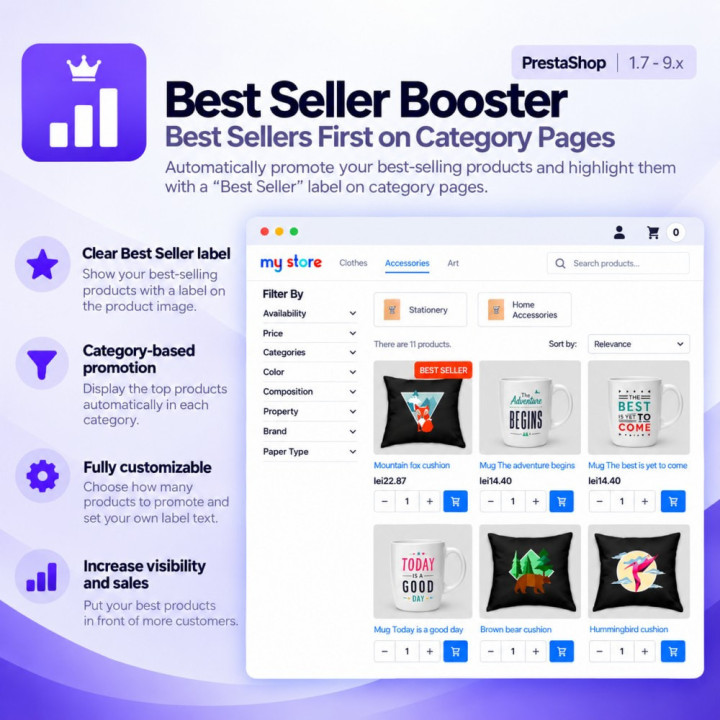
The module builds a sales ranking per category and puts the top products first in
the listing, each with a "Top seller" badge above the price. The badge also shows
on the product page as a native flag, next to "New" or "On sale".
A promoted product is taken out of wherever the sort order put it, so it appears
once, at the top — never a second time further down or on another page. Nothing is
duplicated and nothing is lost.
It only reorders the listing while the visitor is looking at it in the default
order, the one the sort dropdown calls "Relevance". The moment they sort by price
or by name, the listing is left exactly as that sort built it. A shopper who asked
for "cheapest first" gets cheapest first.
WHAT YOU CONTROL
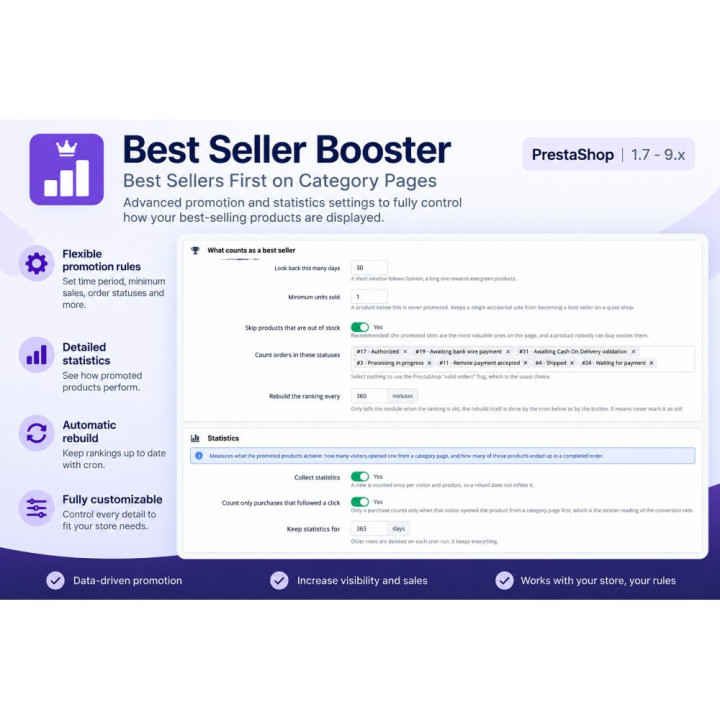
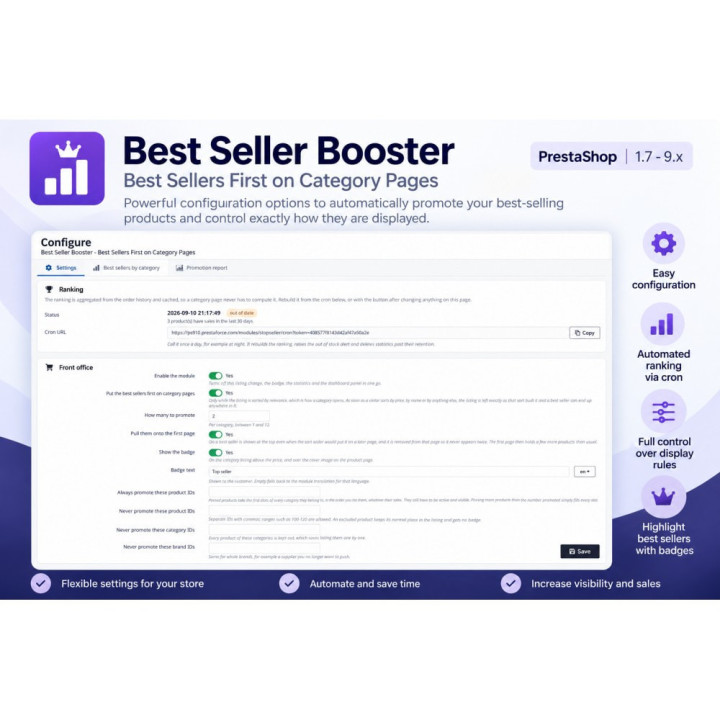
Choose how many products to promote per category (1 to 12), which order statuses
count as a sale, and how far back the ranking looks. Set a minimum number of units
so one accidental sale cannot make a best seller on a quiet shop.
Pin specific products to the leading slots in the order you choose, whatever their
sales say. Exclude products by ID (ranges like 100-120 work), by category, or by
brand. Out of stock products are kept out of the promoted slots automatically —
unless your shop still accepts orders for them, in which case they stay eligible.
WHAT IT MEASURES
This is the part most modules leave out. Every time a visitor opens a promoted
product from a category listing, the module records it — once per visitor and
product, so a page reload changes nothing. When an order goes through, it records
the purchase.
You get the conversion between the two: how many people clicked a promoted
product, and how many of them bought it. If you want the strict reading, switch on
attribution and only purchases that followed a click are counted.
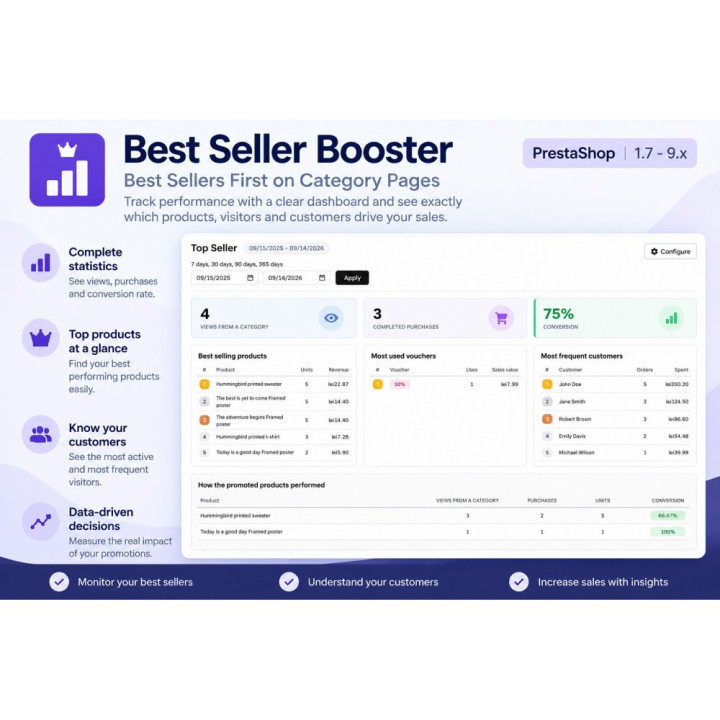
A panel on your dashboard shows the best selling products, the most used vouchers,
the most frequent customers and how the promoted products performed, with its own
period filter — 7, 30, 90, 365 days or any date range you type. A separate report
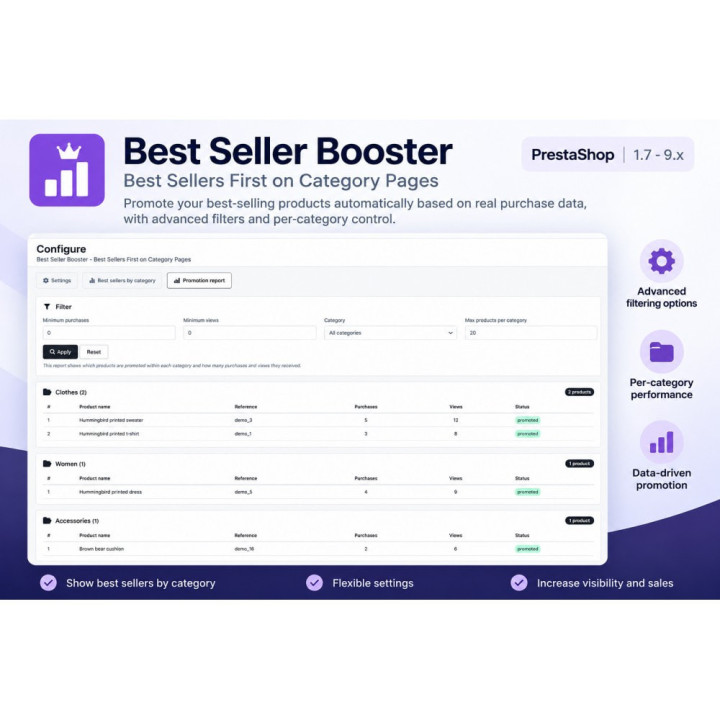
tab lists every measured product with its totals.
One detail worth knowing: the customer list groups people by e-mail address, not
by customer ID. PrestaShop creates a new customer record for every guest checkout,
so someone who ordered once with an account and once as a guest would otherwise
appear twice, with half the total each. Here they are one line.
OUT OF STOCK ALERT
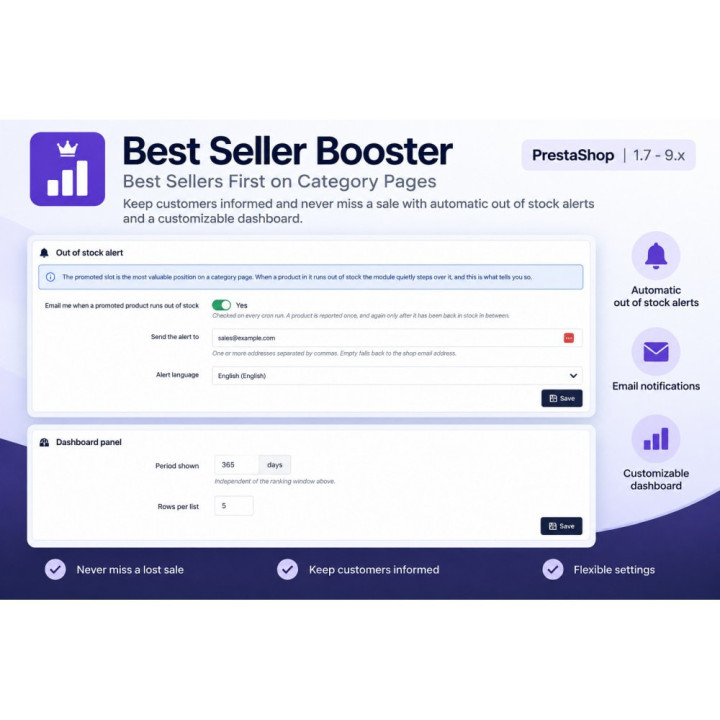
Keeping an unavailable product out of a promoted slot is right for the page, but
it tells nobody. On every cron run the module compares what it promotes against
your stock and e-mails you whatever has just become unavailable. Each product is
reported once, and again only after it has been back in stock in between — so a
long standing problem does not turn into a daily e-mail.
CATEGORY PAGE
- Best sellers moved to the top of every category, per category ranking
- 1 to 12 promoted products per category, your choice
- Only reorders the default ("Relevance") sort — other sort orders are left untouched
- "Top seller" badge in the listing and as a native flag on the product page
- Badge text editable per language
- Optionally pulls a best seller onto page one even if the sort order buried it,
with no duplicates and no lost products
WHAT GETS PROMOTED
- Pin products to the leading slots, in your own order
- Exclude by product ID (ranges supported), by category, or by brand
- Minimum units sold, so a single sale cannot create a best seller
- Out of stock products skipped, unless your shop still accepts orders for them
- Inactive and hidden products never promoted
RANKING
- Configurable period the ranking looks back over
- Choose which order statuses count as a sale
- Cached in its own table and rebuilt on a schedule, never while a customer waits
- Rebuild by cron, by button, or on saving the settings
DASHBOARD PANEL
- Best selling products, most used vouchers, most frequent customers
- Views from a category, completed purchases and the conversion between them
- Own period filter: 7 / 30 / 90 / 365 days or any custom date range, loaded by AJAX
- Customers grouped by e-mail address, so guest and account orders of the same
person count as one
STATISTICS
- Click-through from a category listing recorded once per visitor and product
- Purchases recorded when the order goes through
- Optional strict attribution: count only purchases that followed a click
CONFIGURATION PAGE
- Best sellers by category: every category with units sold, orders, revenue and
base price, filterable by price range, category and rows per category
- Promotion report: every measured product with views, purchases, units and
conversion, plus totals, over any date range
- Live preview of what is currently promoted
OUT OF STOCK ALERT
- E-mail when a promoted product becomes unavailable
- Reported once, repeated only after the product has been back in stock
- Mail templates in all seven languages