Order Source Pro - UTM and Campaign Attribution
The problem. You pay for ads, newsletters and partners, and when an order arrives PrestaShop does not say which one earned it. A payment page in between, a blocked script or a customer who returns three days later, and the order looks like it came from nowhere.
What the module does. Order Source Pro records how each visitor arrived: UTM parameters; ad clicks from Google, Microsoft and TikTok, and Facebook links, recognised even without UTM parameters; search engines, social networks and referring sites. When the visitor orders, the order keeps its source: the first touch that brought the customer and the last touch before the purchase. The source travels with the cart, so an order your payment provider confirms in the background gets one too.
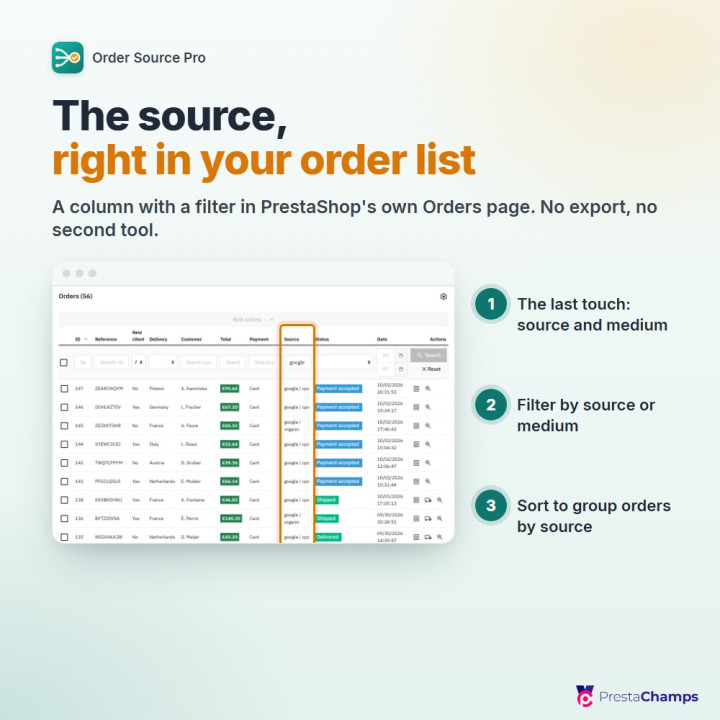
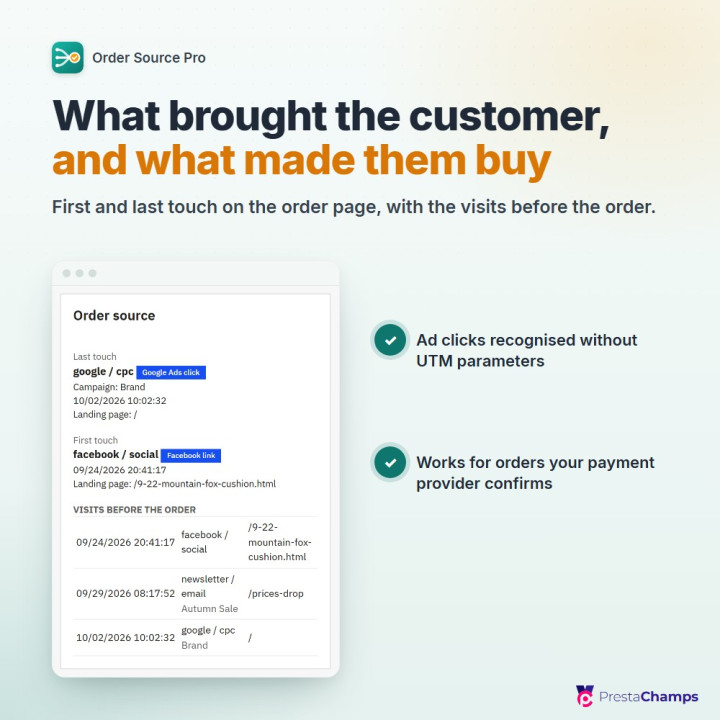
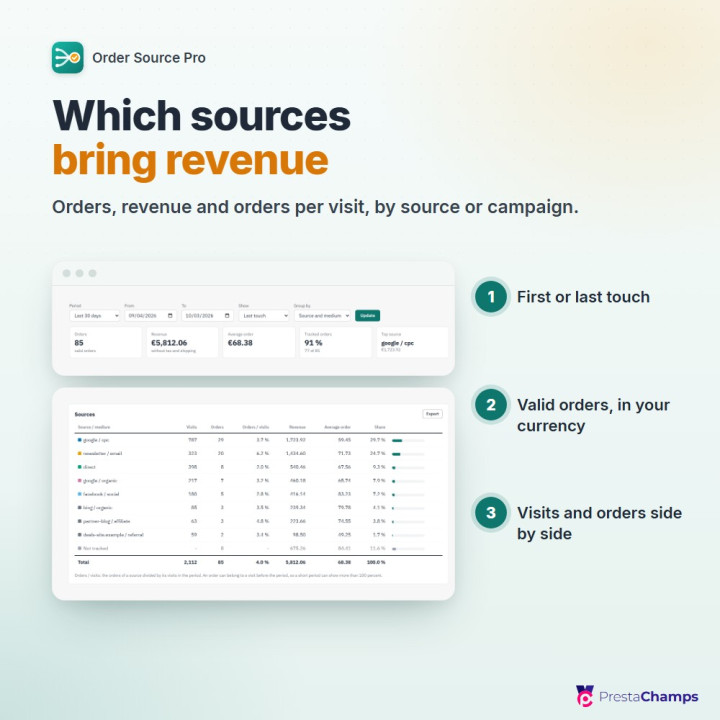
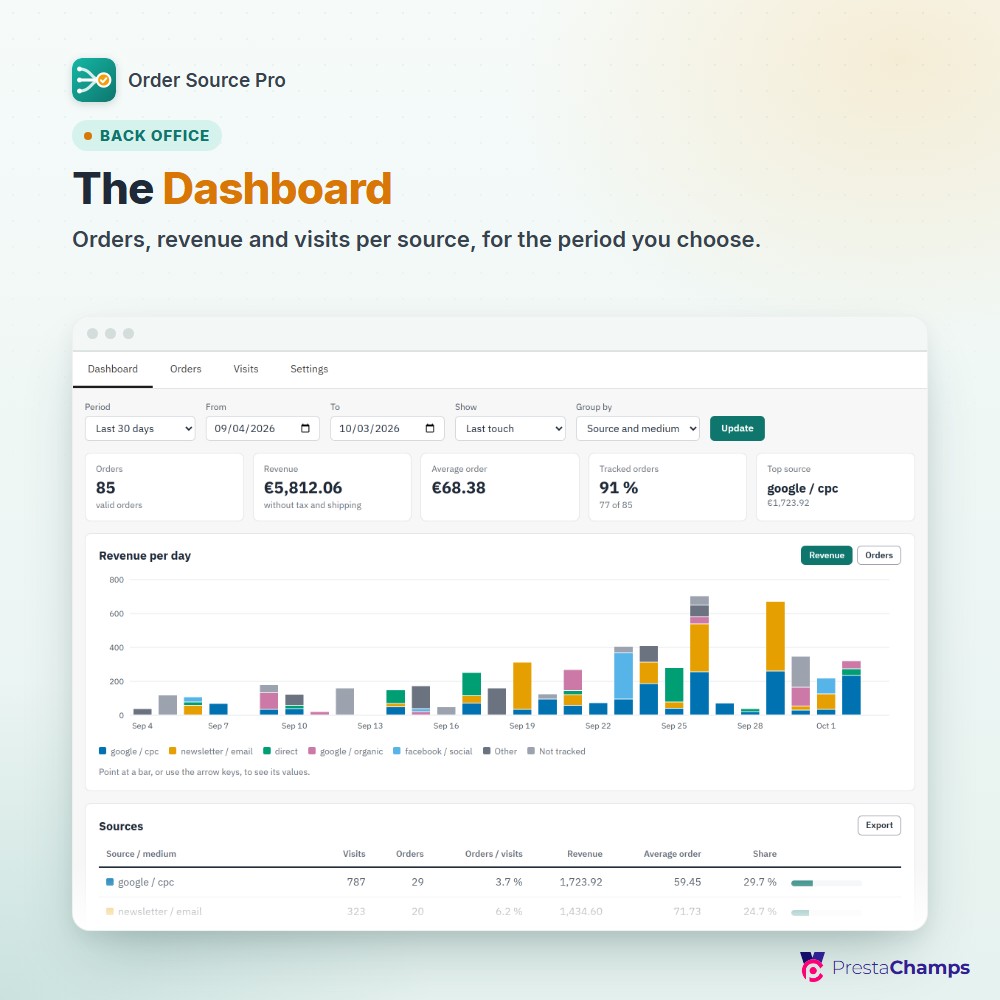
Where you see it. In PrestaShop's Orders list: a Source column with the last touch's source and medium, to filter and sort. On the order page: a card with both touches and the visits before the order. Under Orders > Order sources, a Dashboard of orders, revenue, visits and orders per visit, by source and medium, by source or by campaign. Orders and revenue match PrestaShop's dashboard: valid orders only, without tax and shipping, in your default currency.
Video: see it at work
The module in a short film: from your Orders list to the Dashboard and the settings.
01
First touch and last non-direct touch
On each tracked order, with an attribution window of 1 to 365 days (30 by default)
02
Source column in PrestaShop's Orders list
The last touch's source and medium, with a filter, sortable; it can be switched off
03
Order source card on the order page
Last touch, first touch and the visits before the order
04
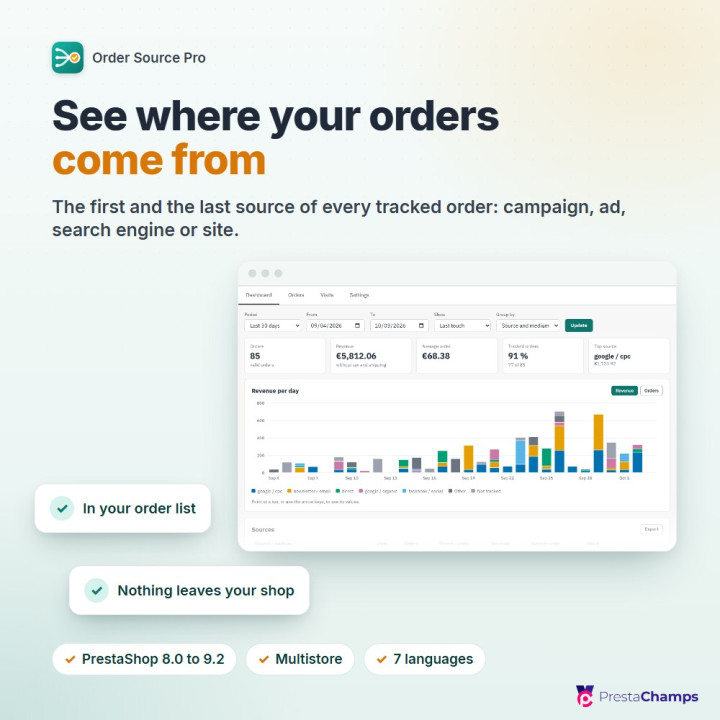
Dashboard
Orders, revenue, average order, tracked orders and top source; a table with visits, orders, orders per visit, revenue, average order and share, by source and medium, by source or by campaign; last touch or first touch, a chart of revenue or orders over the period, and a CSV export of the table
05
Orders and revenue that match PrestaShop's dashboard
Valid orders only, revenue in your default currency, without tax and shipping; a setting switches to revenue with tax
06
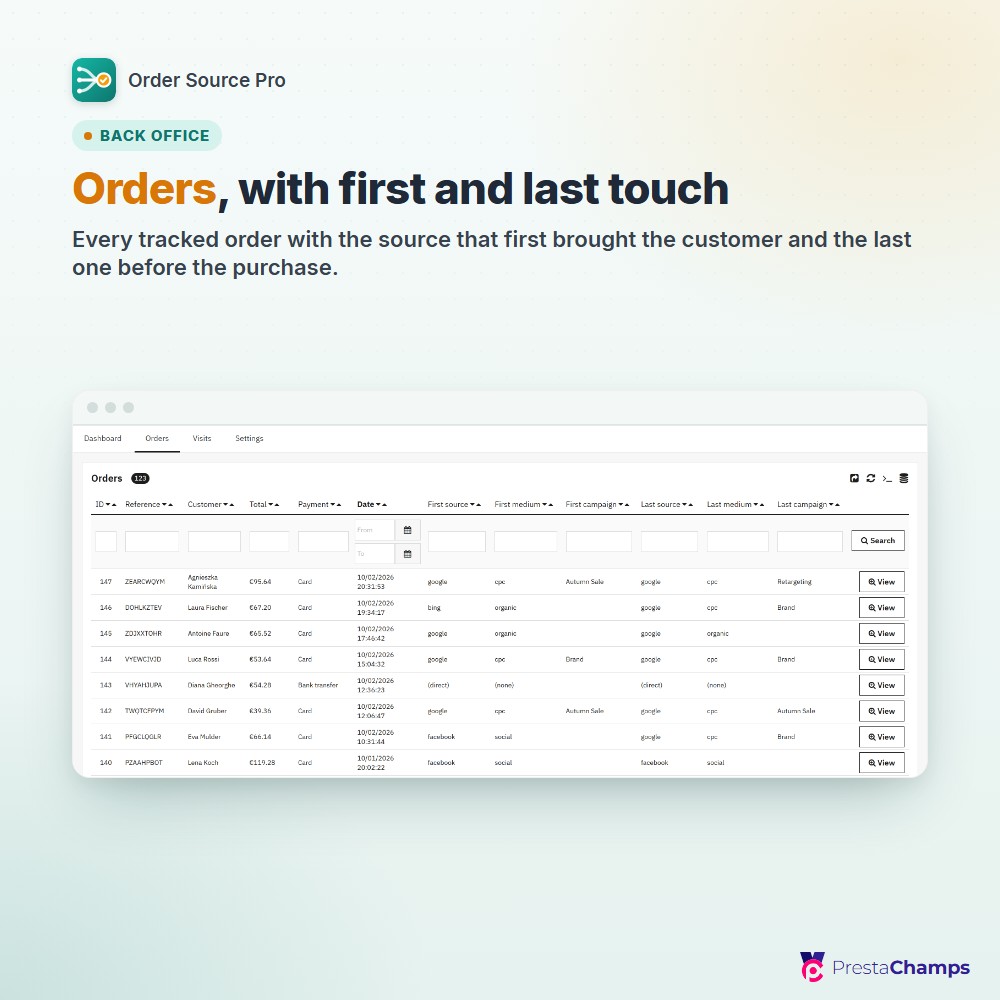
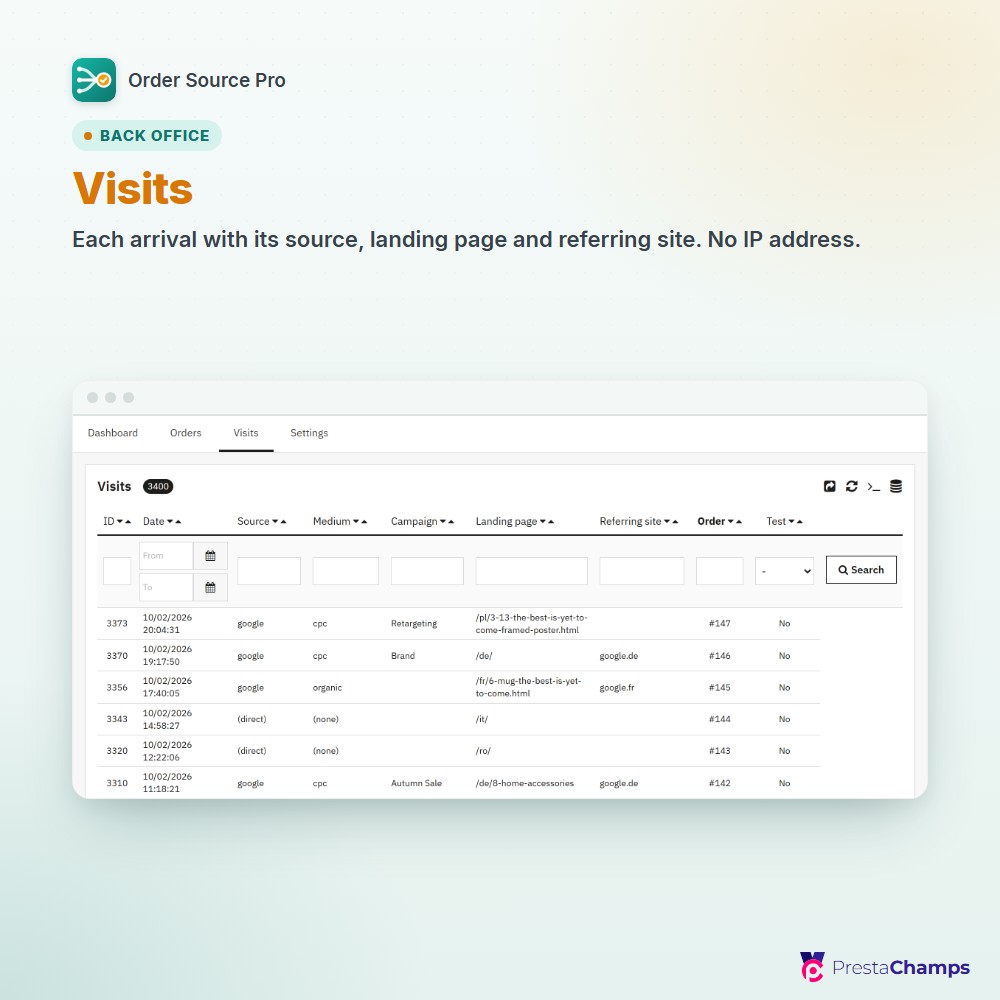
Orders and Visits tabs
Each tracked order with its first and last touch, each visit with its source, landing page and referring site, with PrestaShop's own filters and export
07
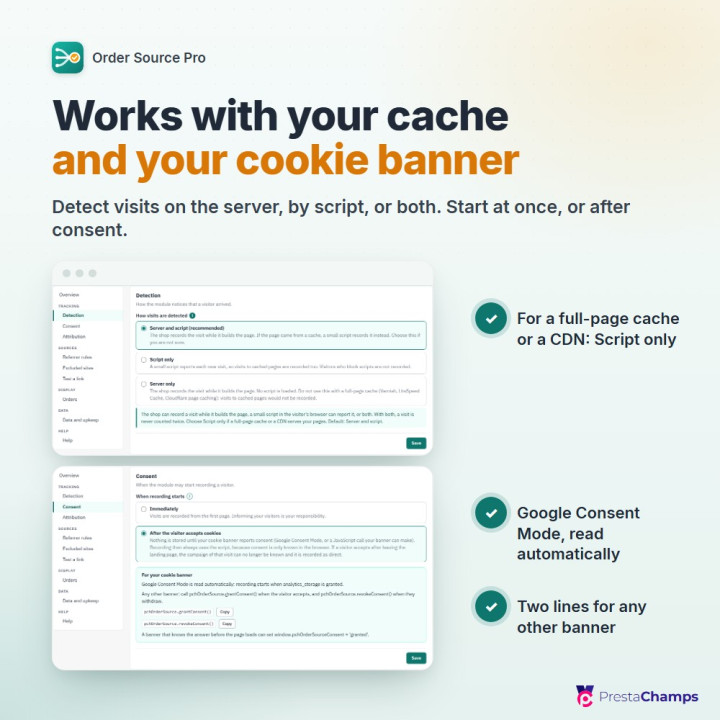
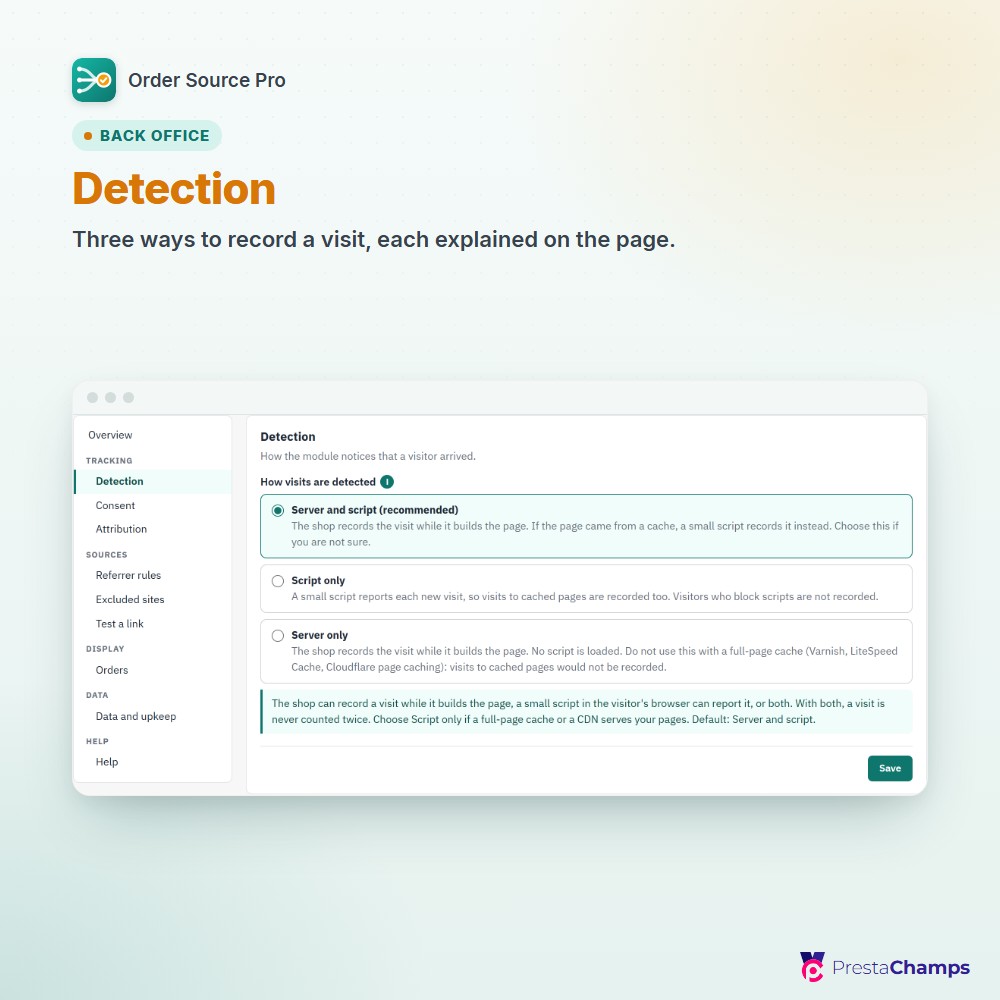
Detection
In three modes: Server and script (recommended), Script only for full-page caches and CDNs, Server only
08
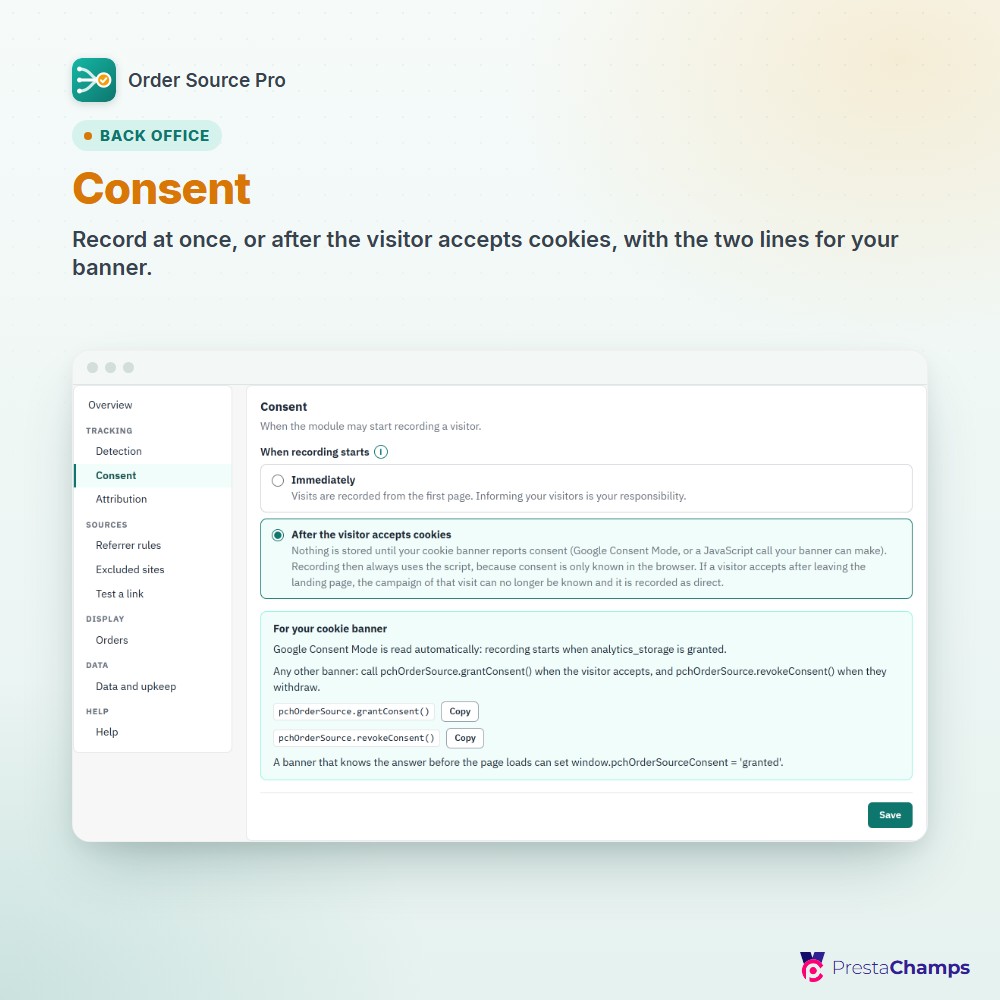
Consent
In two modes: Immediately, or After the visitor accepts cookies (Google Consent Mode, or two JavaScript calls from any other banner)
09
Click IDs
Recognised without UTM parameters: gclid, gbraid, wbraid, msclkid, ttclid and fbclid; search engines and social networks are recognised too
10
Referrer rules and Excluded sites
Your own source for partner sites; your own domains and the common payment providers are excluded out of the box
11
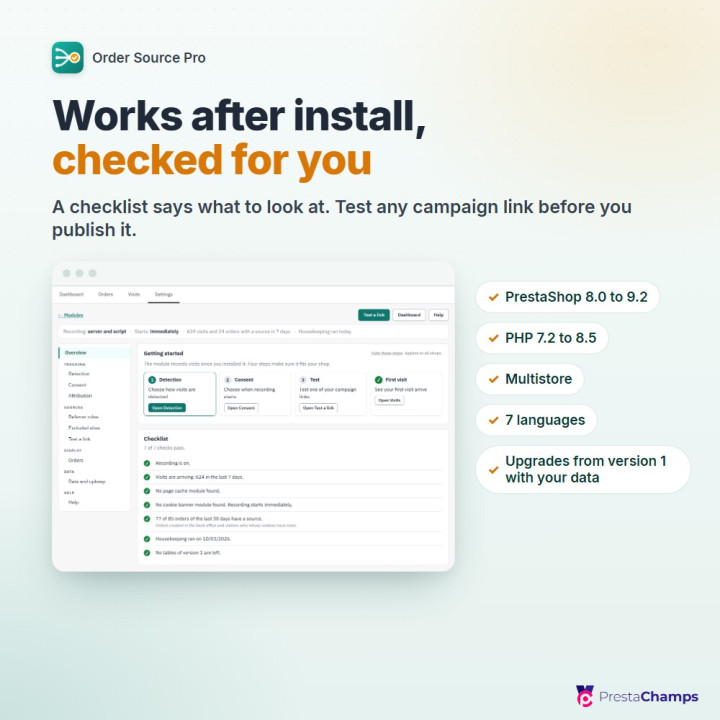
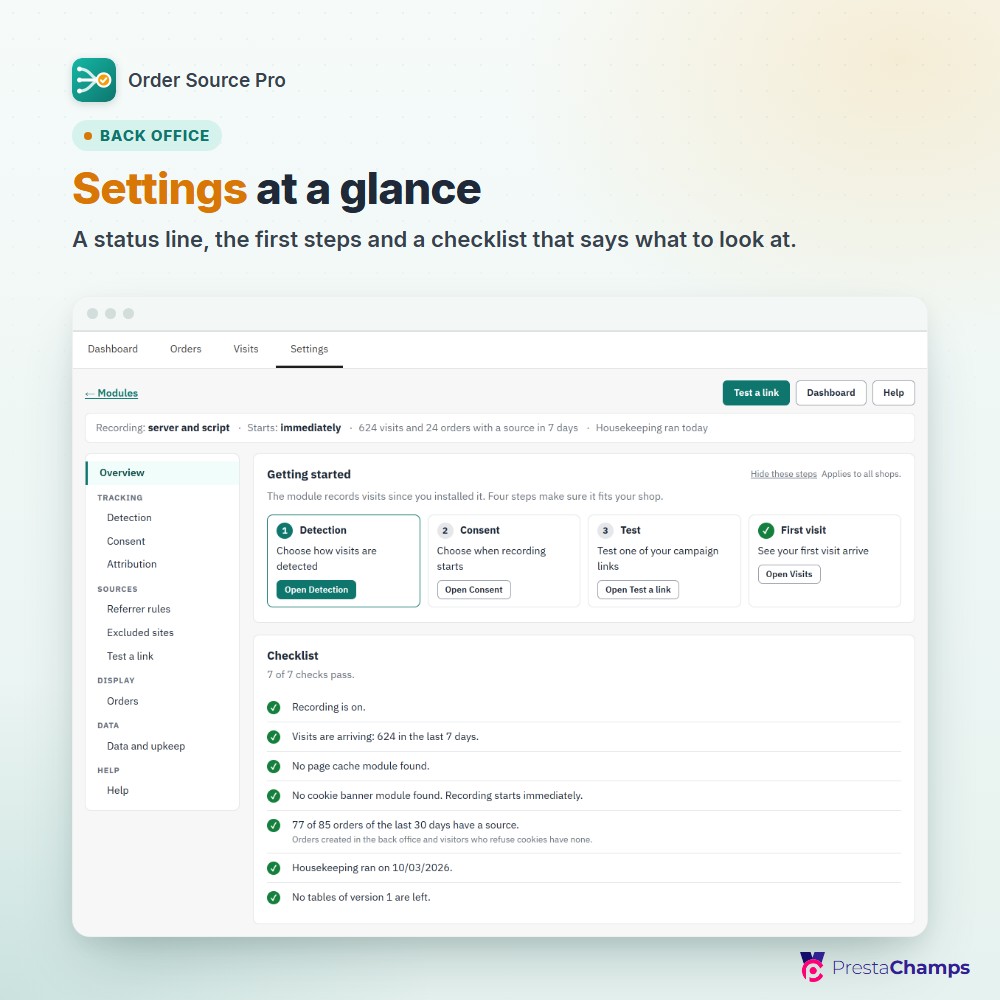
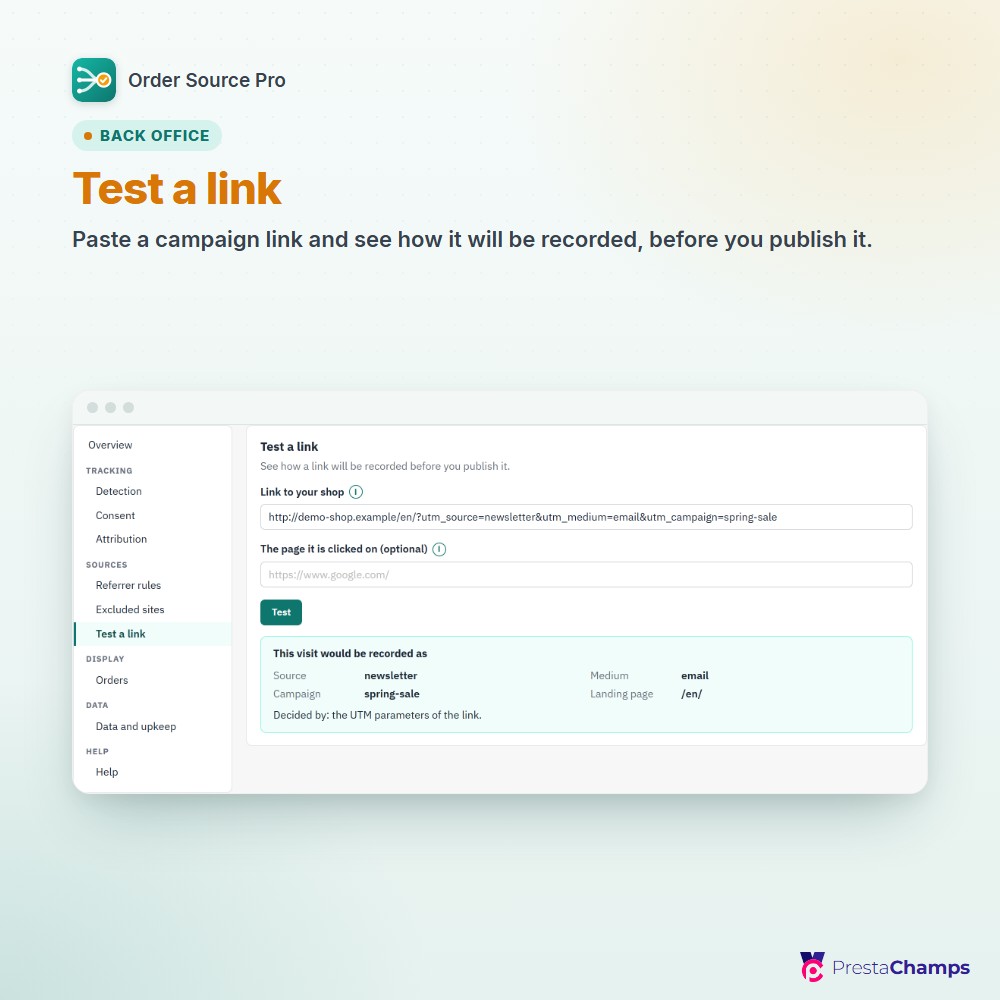
Overview and Test a link
A status line, four getting-started steps, a checklist of seven checks, and a tool that shows how a link will be recorded and which rule decided
12
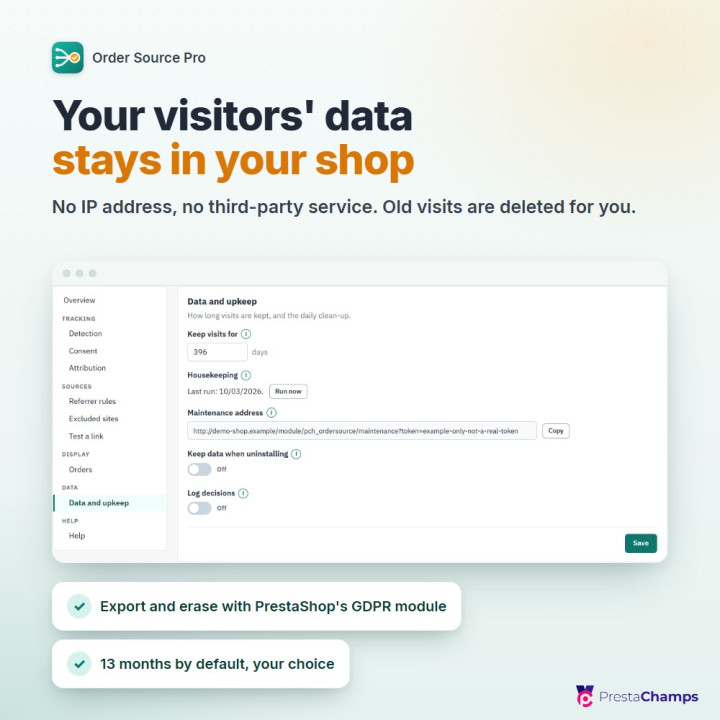
Data and upkeep
Keep visits for 30 to 1095 days (396, about 13 months, by default), a daily housekeeping run that needs no cron job, export and erase through PrestaShop's official GDPR module, no IP address stored
13
Source groups
Several sources shown as one row of the Dashboard, for example fb / cpc, fb / paid, ig / cpc and an / cpc as meta / cpc; the orders and visits keep the sources they were recorded with
14
Multistore
PrestaShop 8.0 to 9.2, PHP 7.2 to 8.5, back office in seven languages, upgrade from version 1 in place with its data
Frequently asked questions
- What are the requirements?
- PrestaShop 8.0 to 9.2. PrestaShop 1.7 is not supported. PHP 7.2 to 8.5. No account, no API key and no outside service: the module works with your shop and its database only. No cron job is required: the daily housekeeping runs when someone opens the back office. For a shop whose back office is not opened every day, Data and upkeep gives a maintenance address that a cron job can call once a day. Optional: PrestaShop's official GDPR module, to export and erase a customer's visits. Optional: a cookie banner, if recording must wait for consent. It has to use Google Consent Mode, or be able to run a JavaScript call when the visitor accepts and another when they withdraw.
- How is it installed?
- 1. In your back office, open Modules > Module Manager, click "Upload a module" and choose the module's zip file. Recording starts at once, with no setting to fill in first.
2. Click "Configure" when the module is installed, or open Orders > Order sources and its Settings tab. The Overview shows a status line, four getting-started steps and a checklist.
3. In Detection, keep "Server and script (recommended)", or choose "Script only" if a full-page cache or a CDN serves your pages. In Consent, choose when recording starts: "Immediately" or "After the visitor accepts cookies"; with the second, your cookie banner has to report the visitor's answer, as the box "For your cookie banner" shows. Click "Save" in each section.
4. In Test a link, paste one of your campaign links, click "Test" and read the source, medium and campaign under "This visit would be recorded as".
5. Open your shop in a private window and add ?utm_source=test to the address. If you chose "After the visitor accepts cookies", accept your cookie banner on that page first. Then open the Visits tab: your test visit is listed there. From then on, the orders of recorded visitors show their source in the Orders list.
Coming from Order Source Tracking 1.x (the earlier name of this module): upload the new zip the same way. Your order sources, your settings and your visits of the last 13 months are carried over.
- Caches and cookie banners
- Visits are detected on the server, by a script, or both. For a full-page cache or a CDN, the setting's help names Script only. Recording can start at once, or wait for your cookie banner: Google Consent Mode is read by itself, any other banner makes two JavaScript calls.
- Your visitors' data stays in your shop
- No IP address is stored, nothing is sent to another company, and old visits are deleted, after 13 months by default. Your customers see no pop-up.
- Good to know
- A visitor is a browser: an ad click on a phone and a purchase on a laptop are two visitors. Orders created in the back office have no source, and visitors who refuse the cookie are not tracked.
See which campaign, ad or site your orders came from.
See pricing