AI Product Recommender: Cross-Selling and Related Products
Your orders already show which products go together. AI Product Recommender reads them, with the products your visitors look at, and shows every visitor the products they are most likely to add next. Everything runs inside your PrestaShop: no outside service, nothing to import, and no customer data leaves your shop.
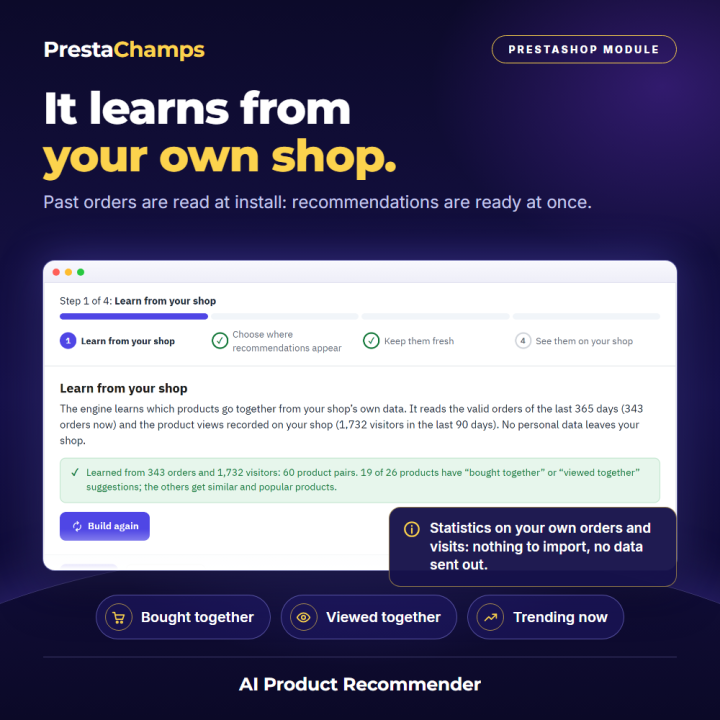
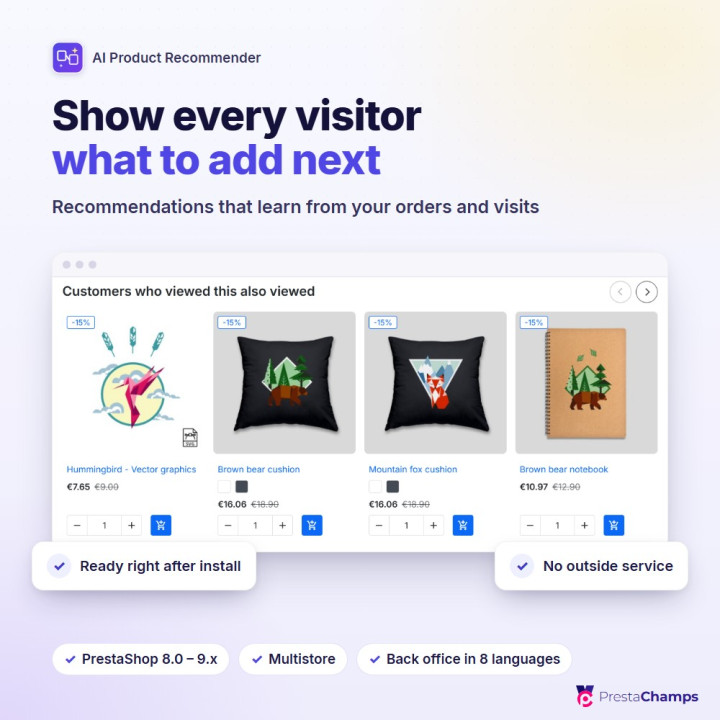
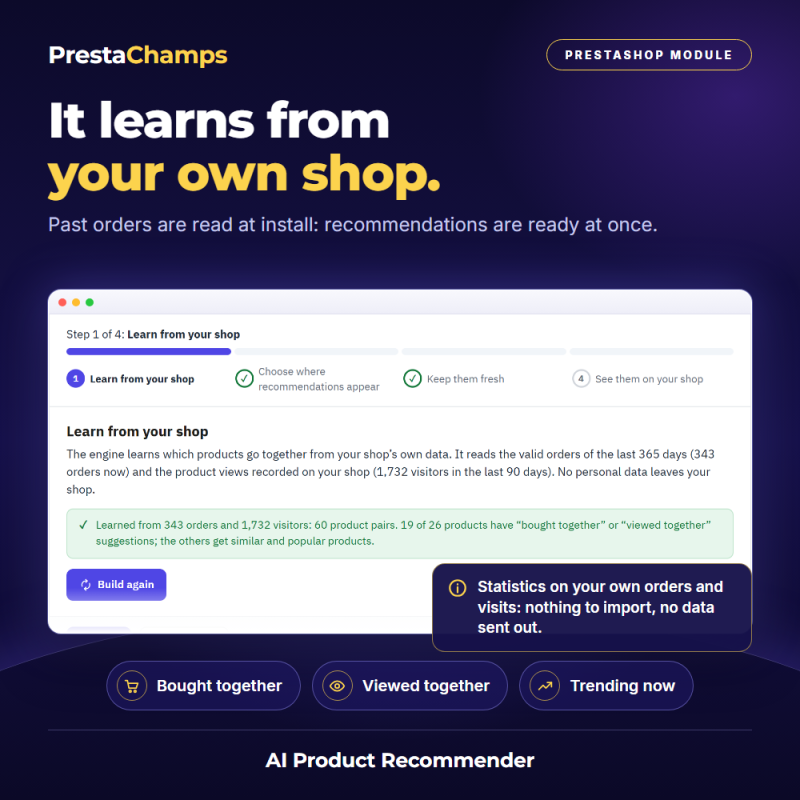
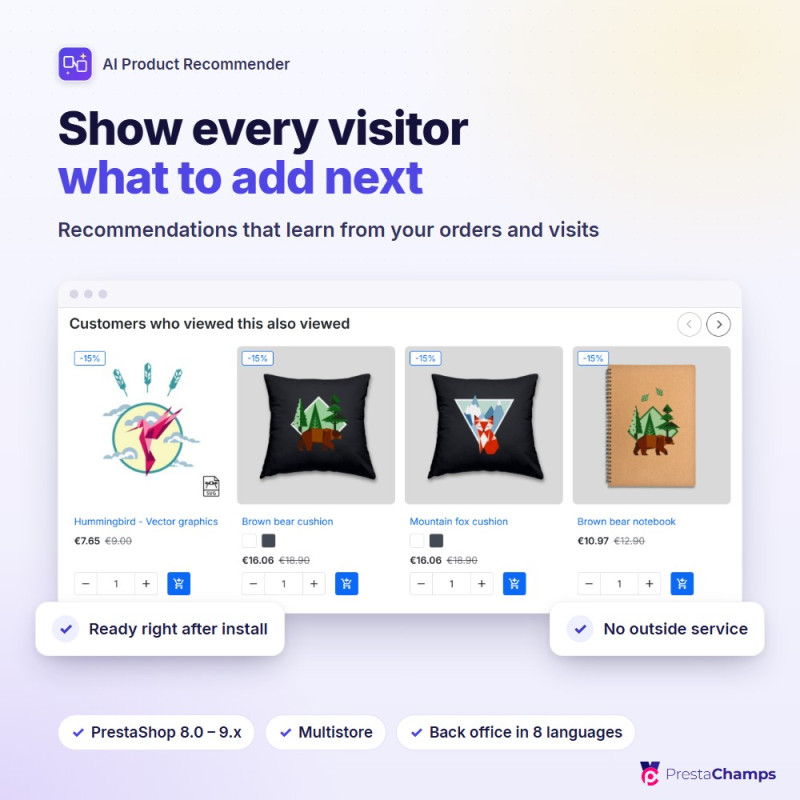
It learns from your shop. Products bought in the same orders, products viewed by the same visitors, what is popular now and your best sellers. Past orders are read at install, so the first recommendations are ready at once; they are rebuilt every day.
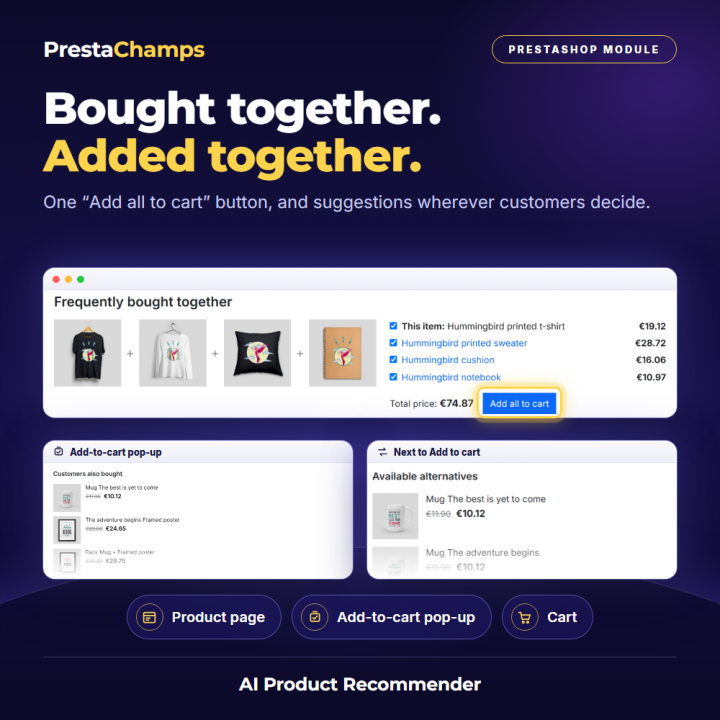
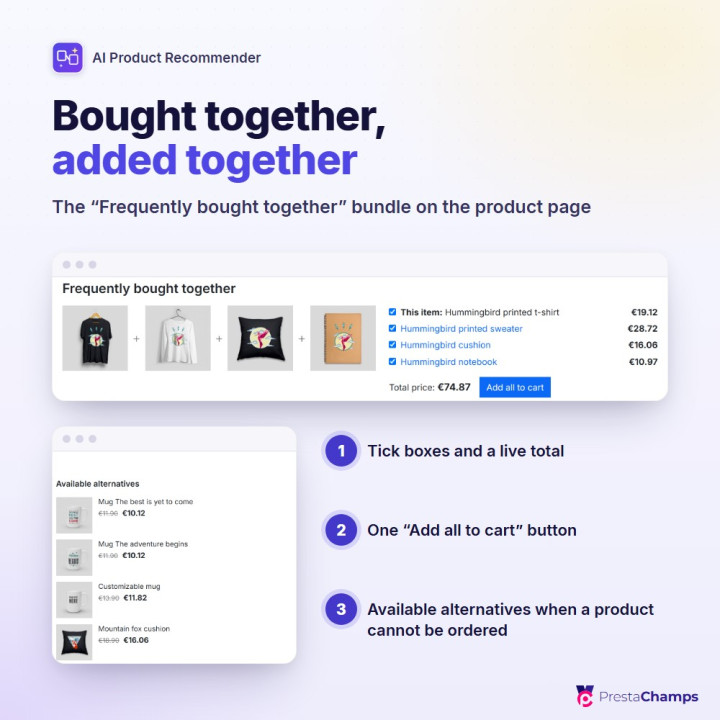
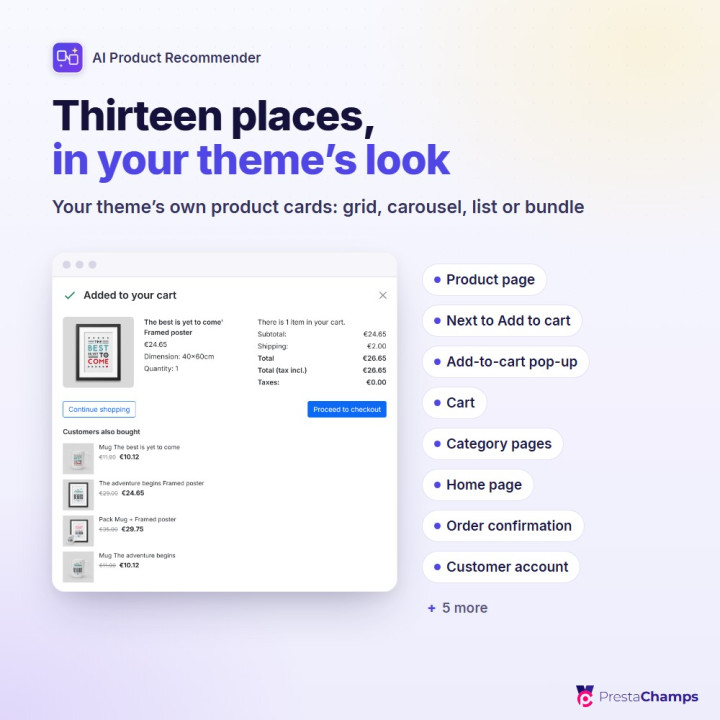
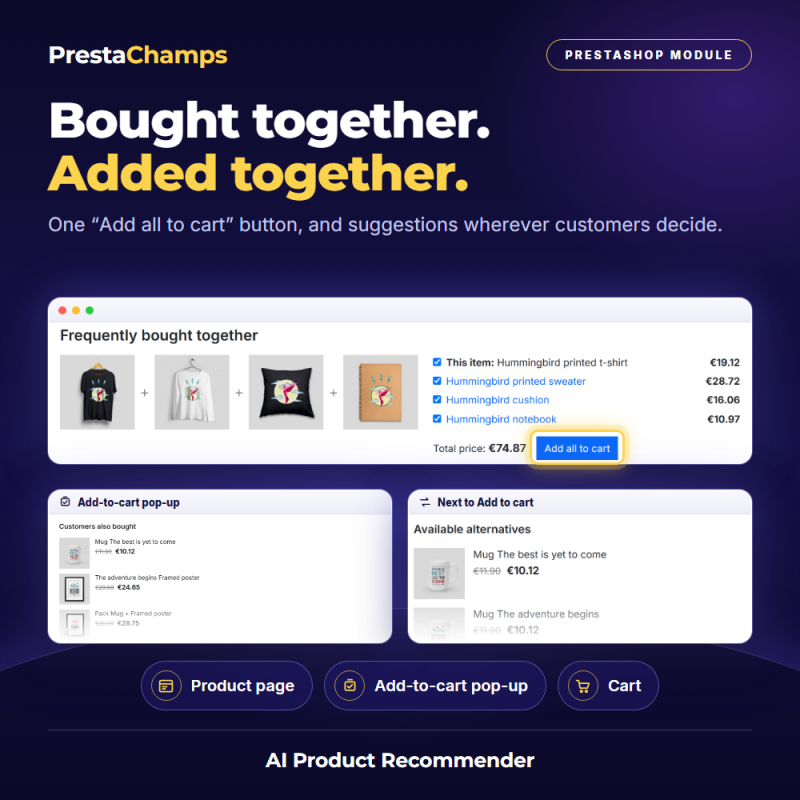
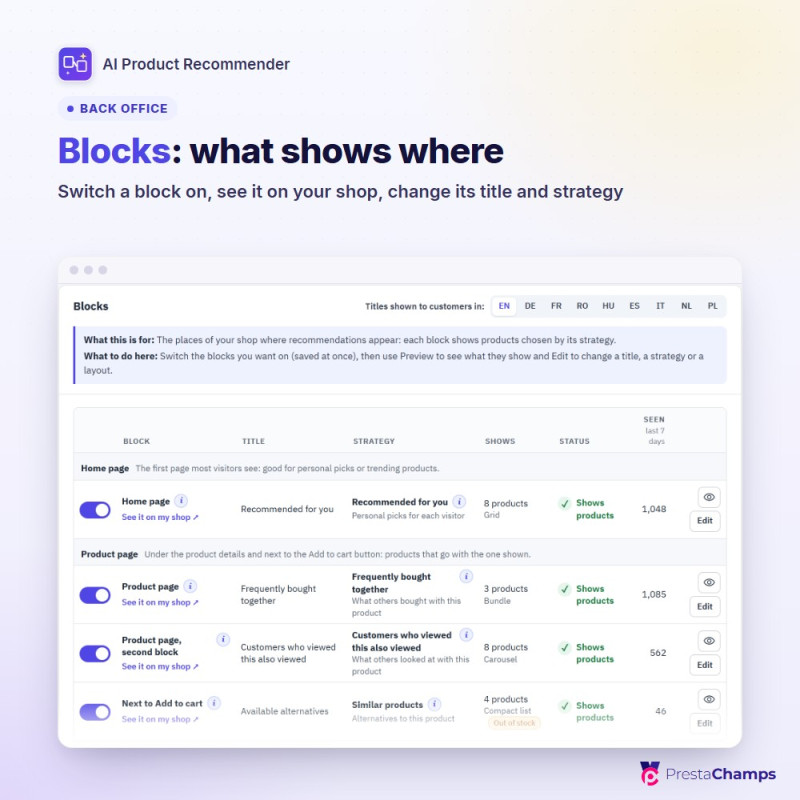
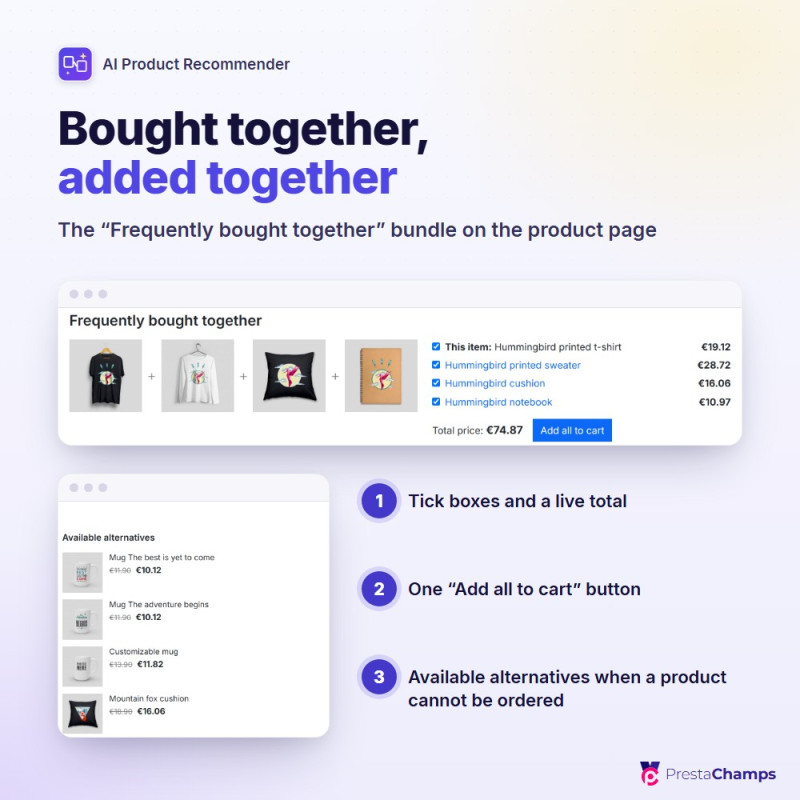
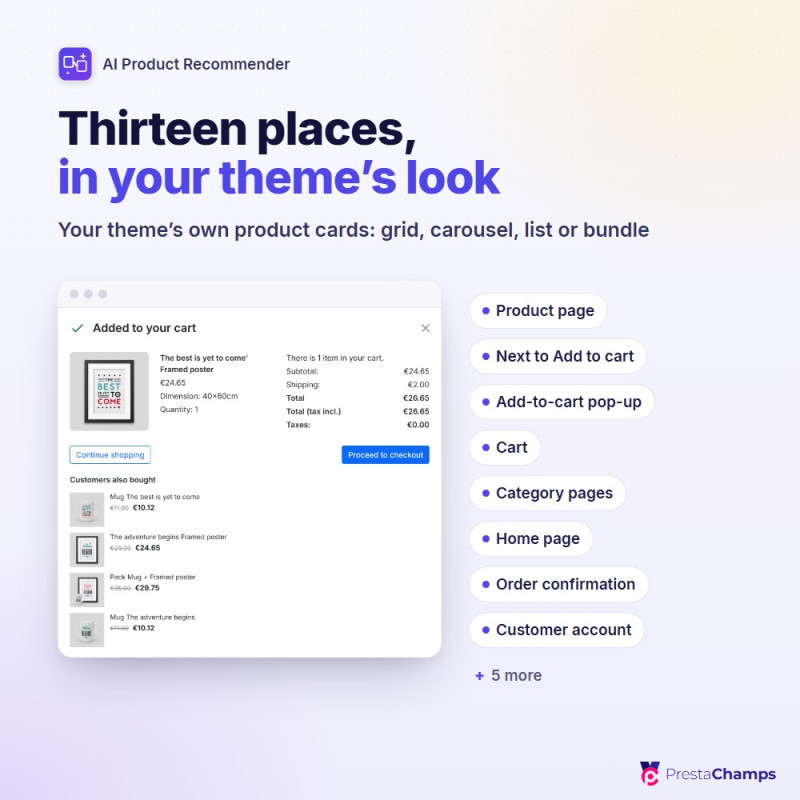
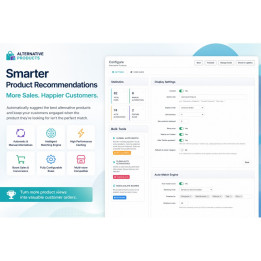
It shows them where they sell. Thirteen places, from the product page and the add-to-cart pop-up to the cart, the order confirmation and the customer's account, in your theme's own product cards: grid, carousel, compact list or a "Frequently bought together" bundle with one Add all to cart button. When a product cannot be ordered, available alternatives appear next to the Add to cart button. A block never stays empty: while a product has little history, similar, trending or best-selling products complete it.
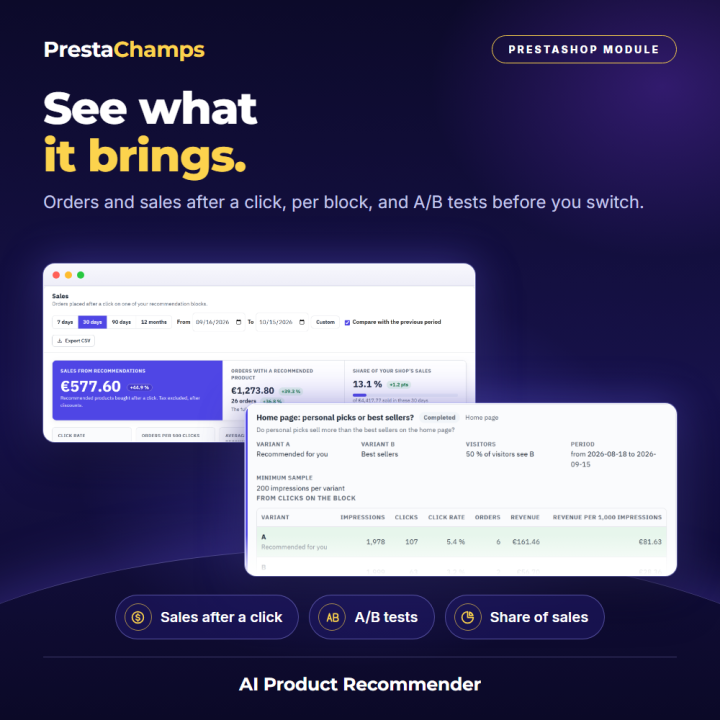
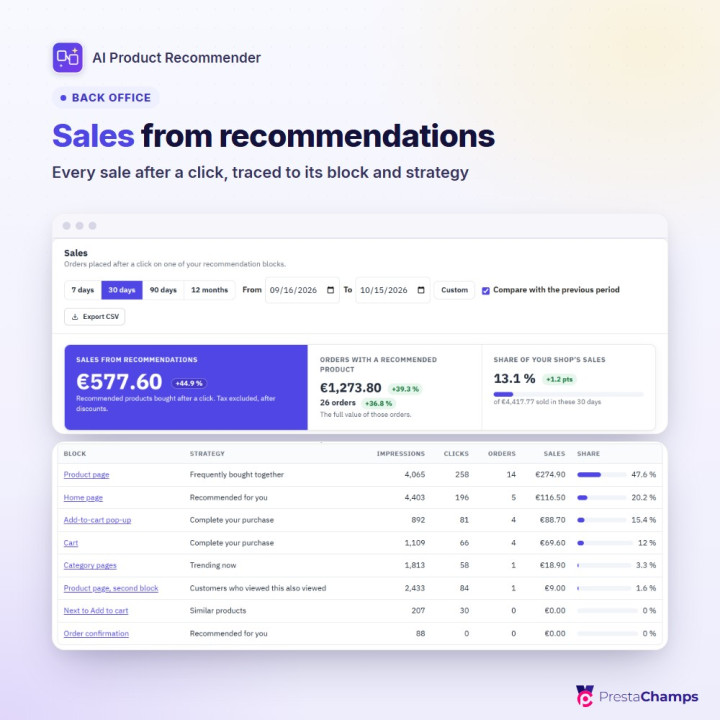
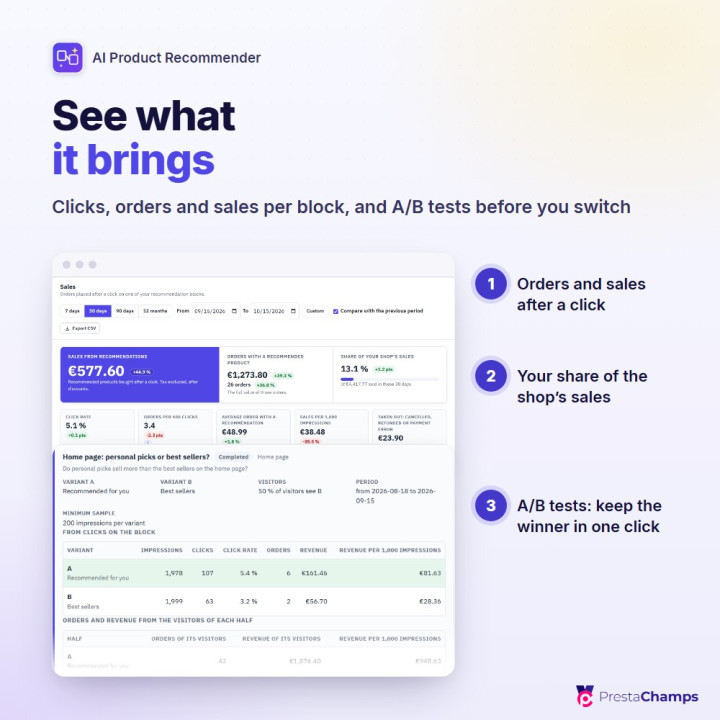
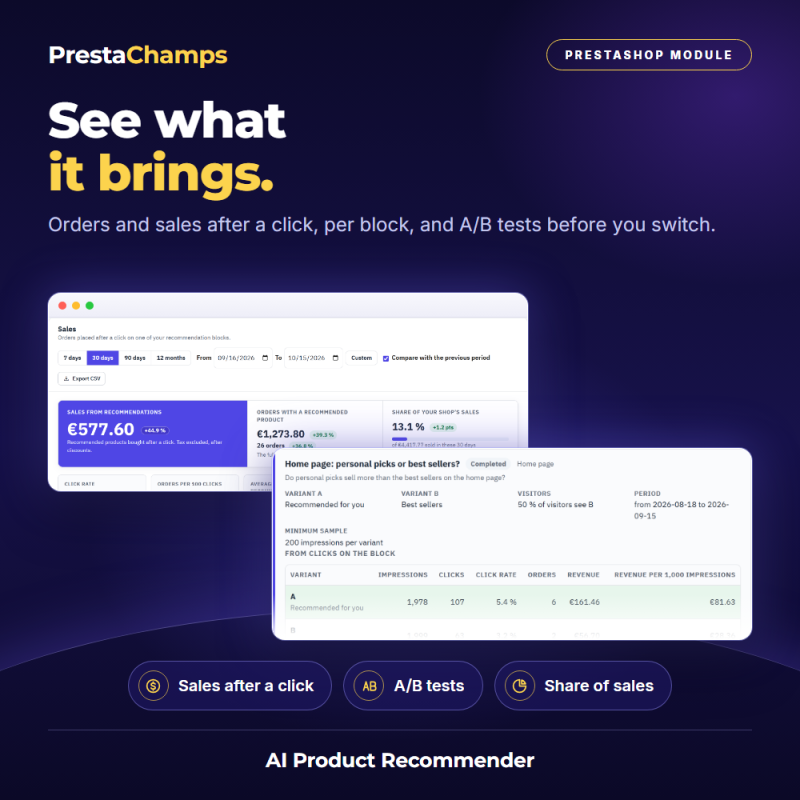
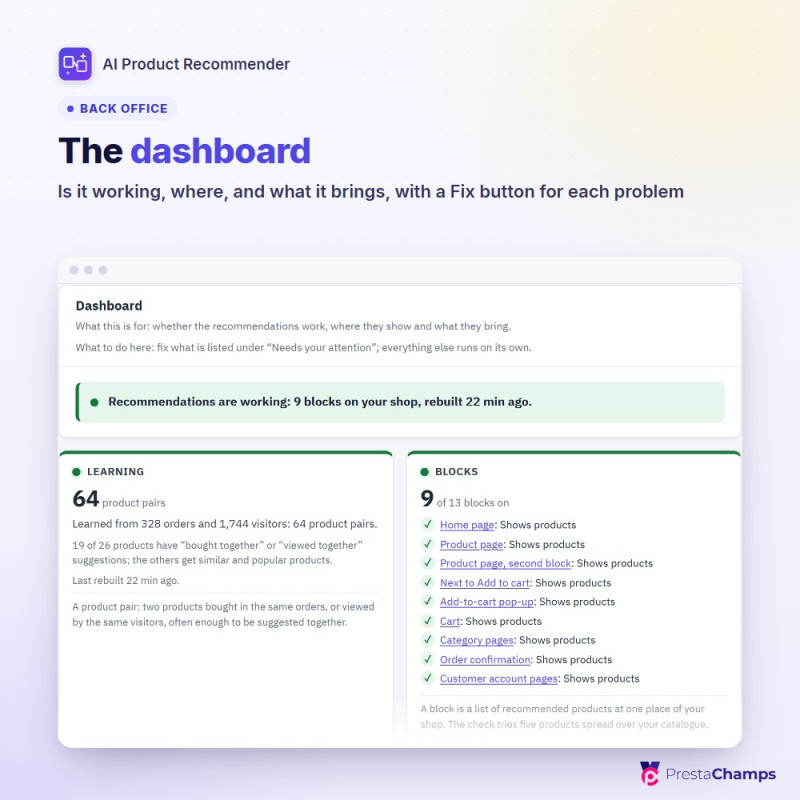
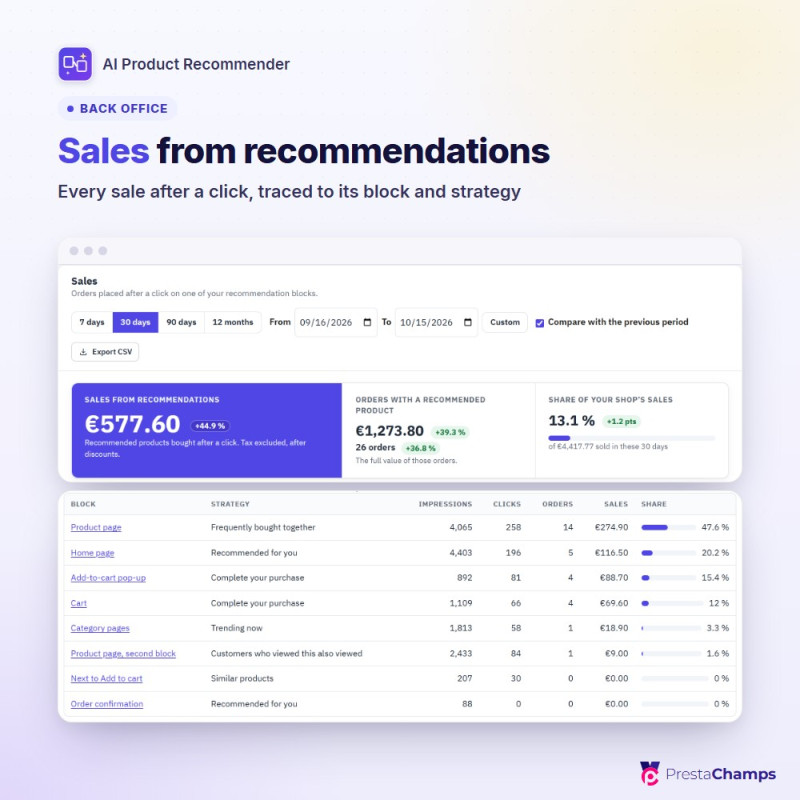
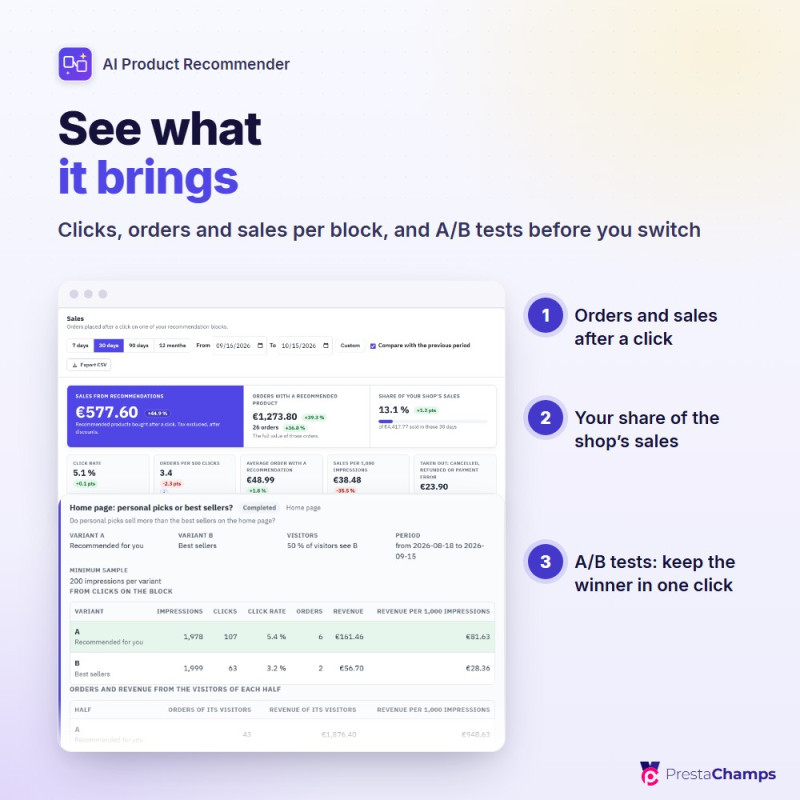
You see what it brings. The dashboard says whether the recommendations work and shows every block on a map of your pages. Results show the impressions, clicks, orders and revenue that followed a click, and their share of your shop's revenue. A/B tests compare two strategies, or a block against none, before you switch.
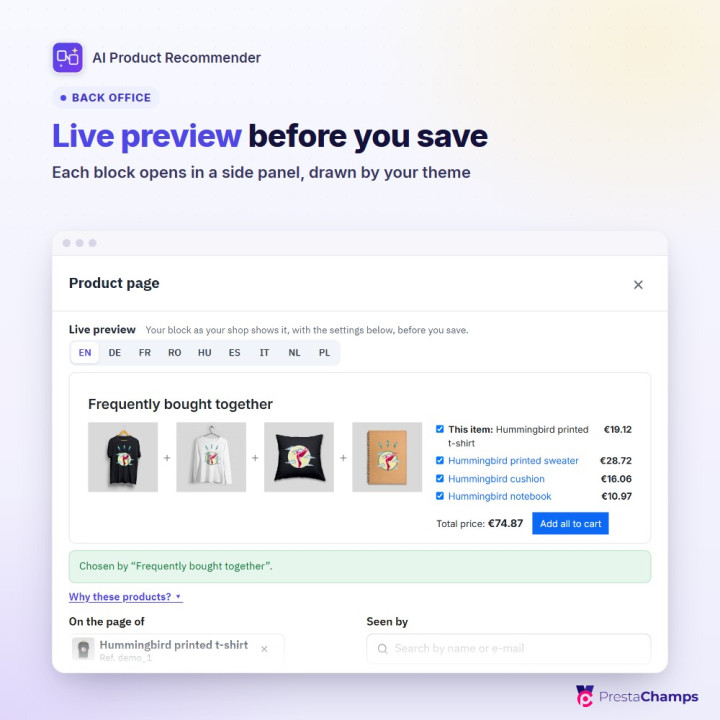
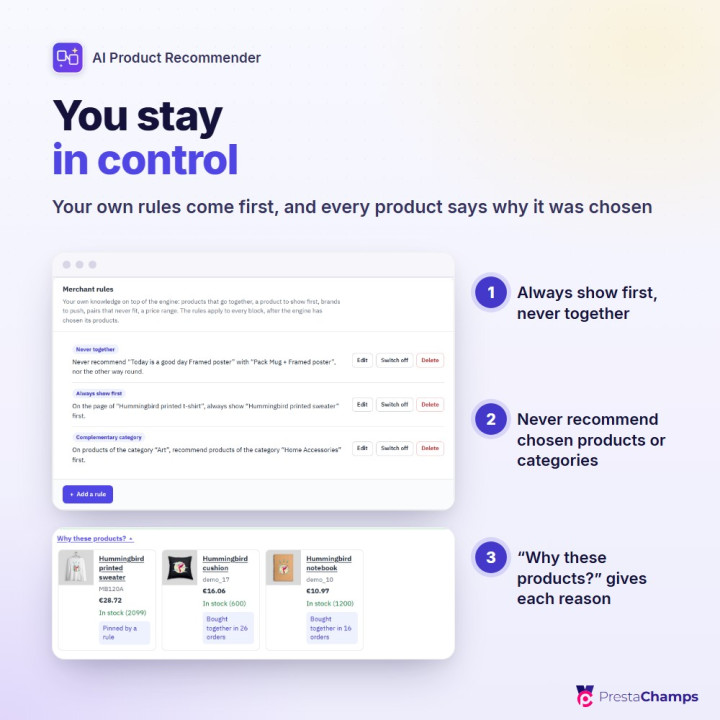
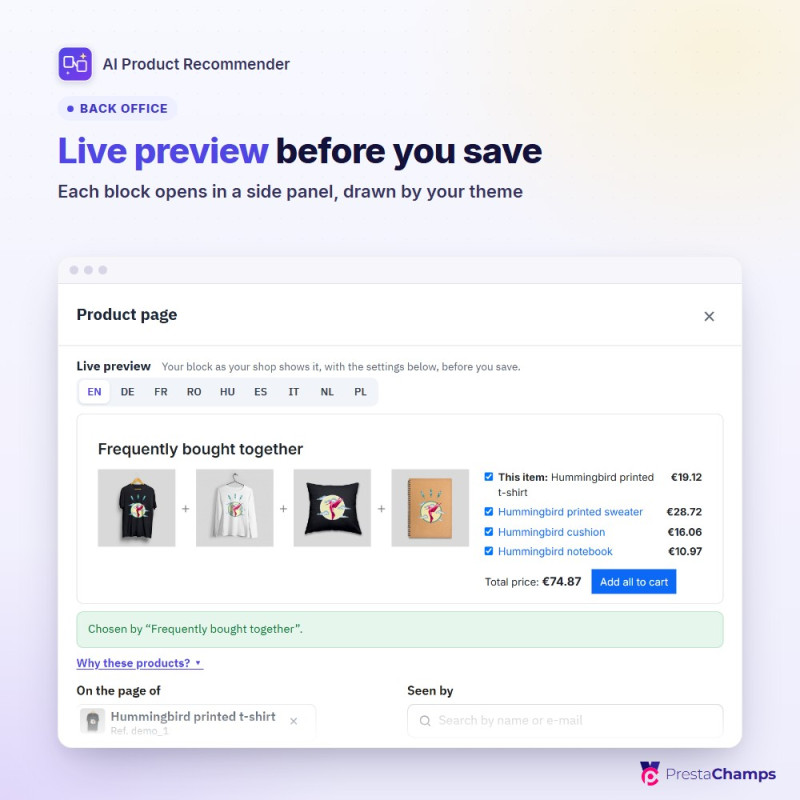
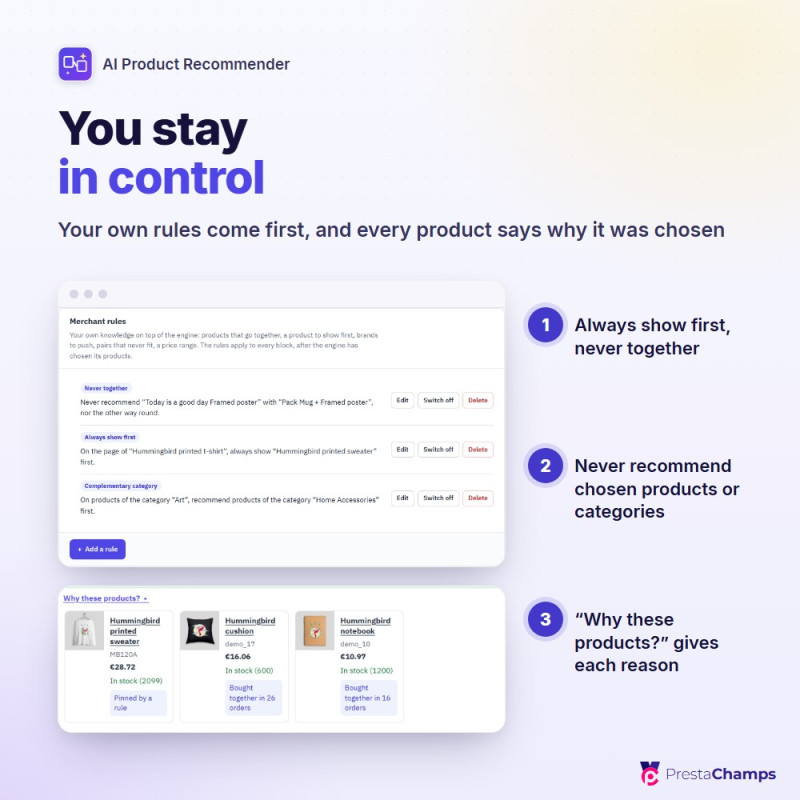
You stay in control. Four setup steps, each of which can be skipped. A live preview draws a block in your theme before you save, and "Why these products?" gives the reason for each product. Your rules come first: show a product first, recommend a complementary category, keep two products apart, rank products, brands or categories higher or lower, leave out what should never be recommended.
Privacy and compatibility. Behaviour is recorded only after cookie consent when your shop asks for it (GDPR Pro is read directly; other consent tools connect with one line of script), and customer data is exported and erased through PrestaShop's GDPR module. PrestaShop 8.0 to 9.x, PHP 7.2 to 8.5, multistore.
01 Get started
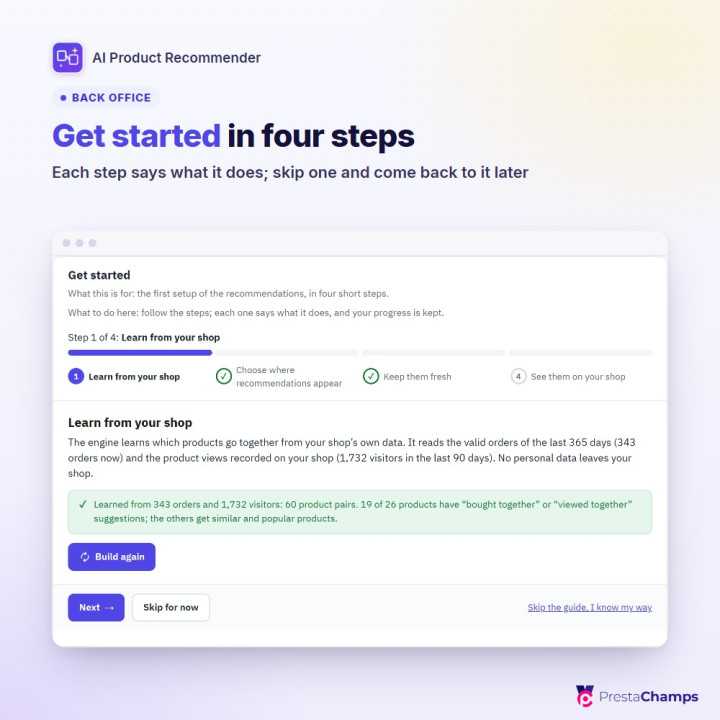
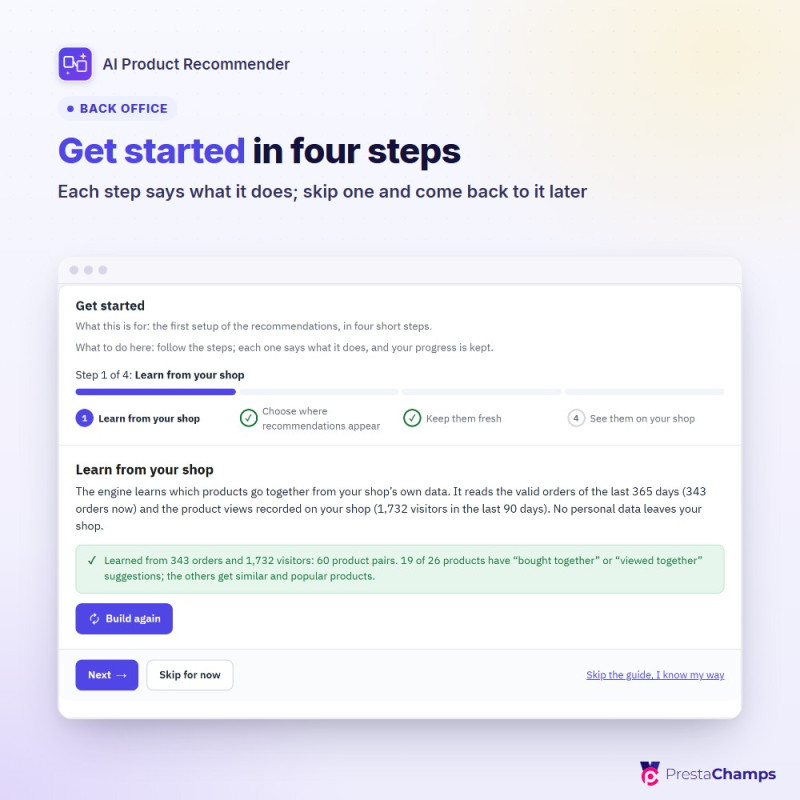
four setup steps (learn from your shop, choose where recommendations appear, keep them fresh, see them on your shop); each step can be skipped and done later
02 Dashboard
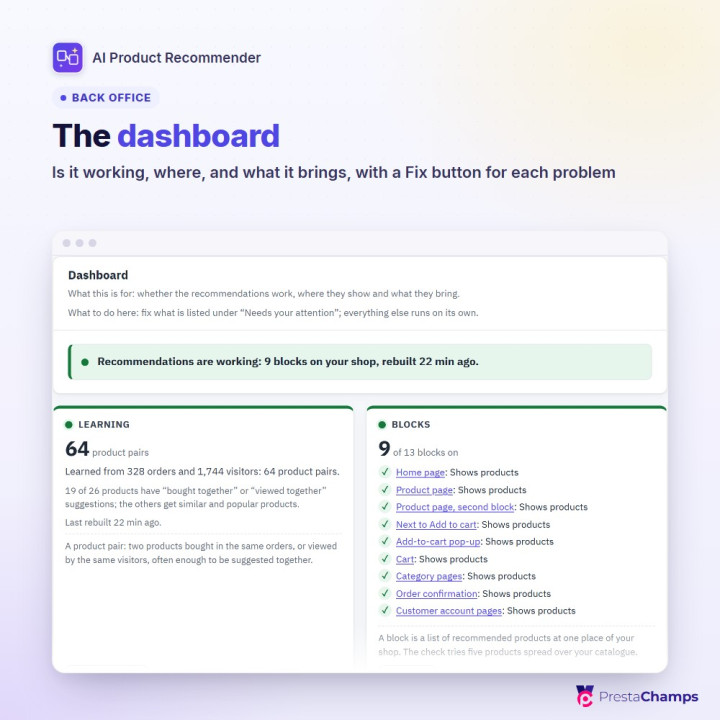
one sentence that says whether the recommendations work, four tiles, a map of your pages with every block at its place, and "Needs your attention" with a Fix button
03 Eleven strategies
Frequently bought together, Customers who viewed this also viewed, Similar products, Premium alternatives, Complete your purchase, Recommended for you, Recently viewed, Trending now, Best sellers, New arrivals, Buy it again
04 Thirteen places
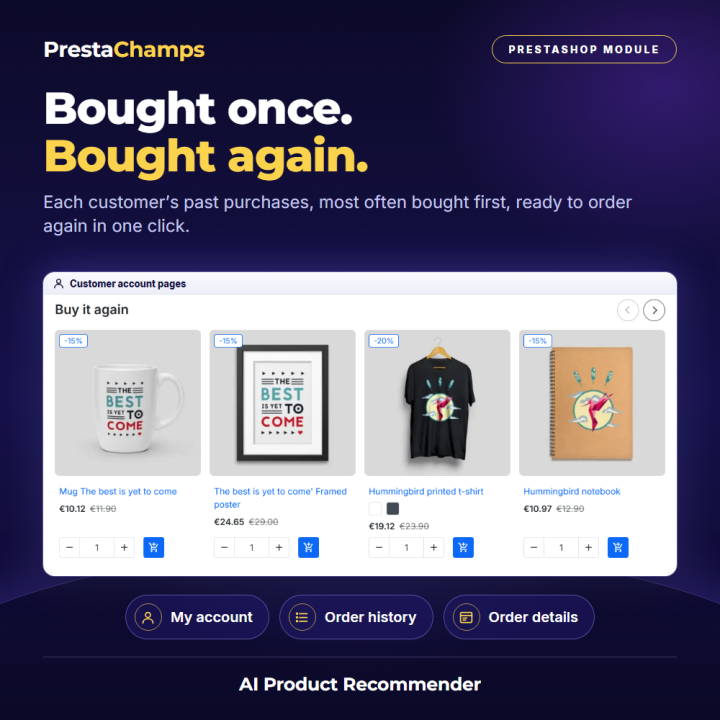
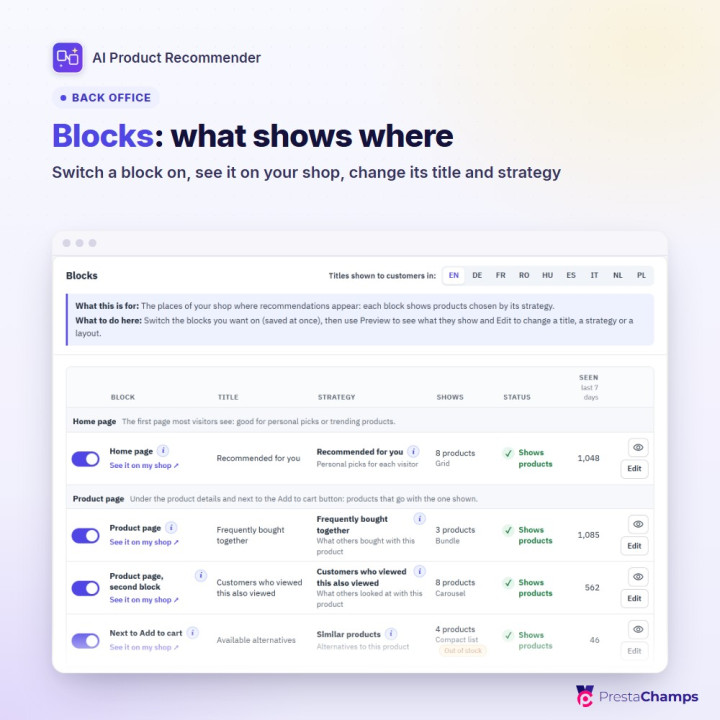
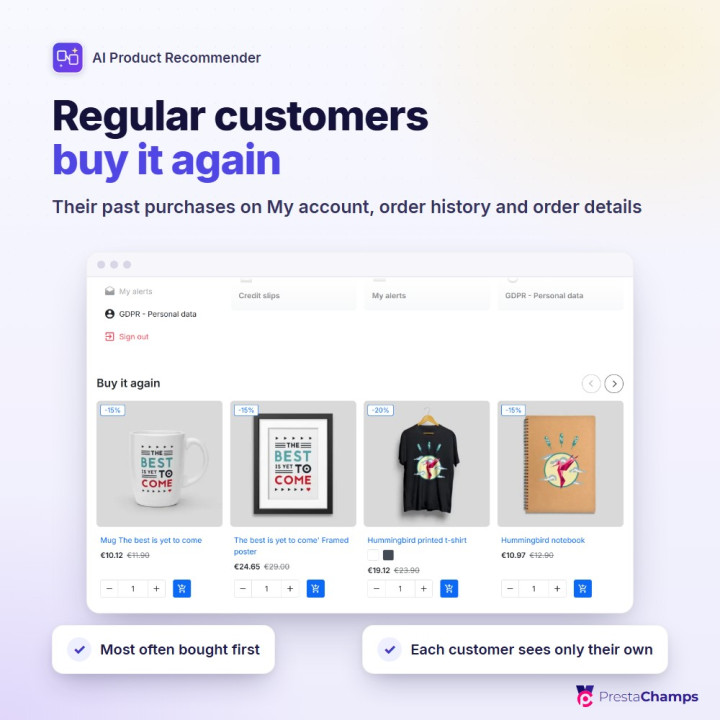
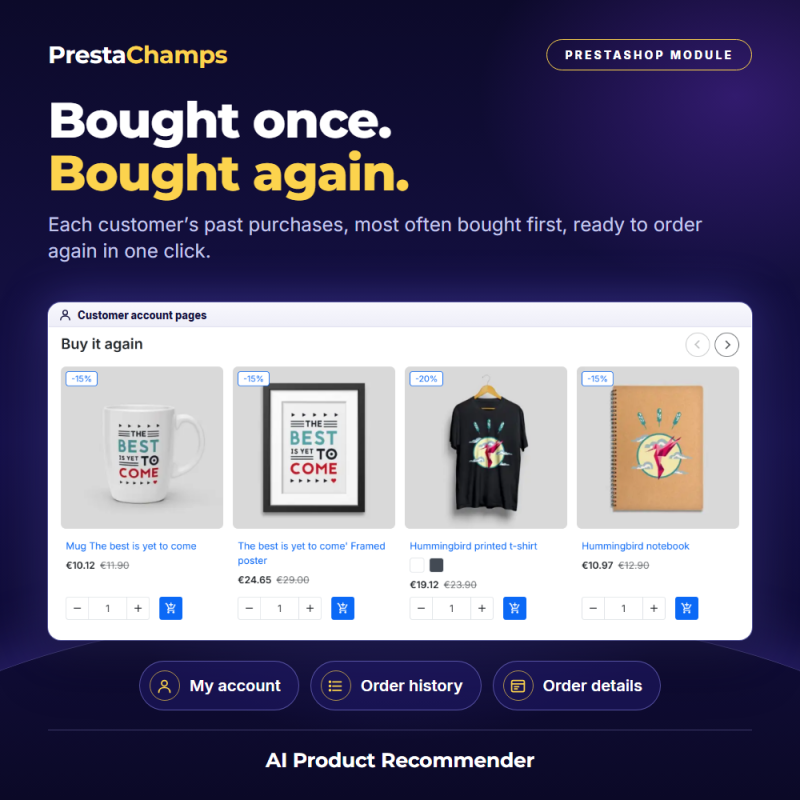
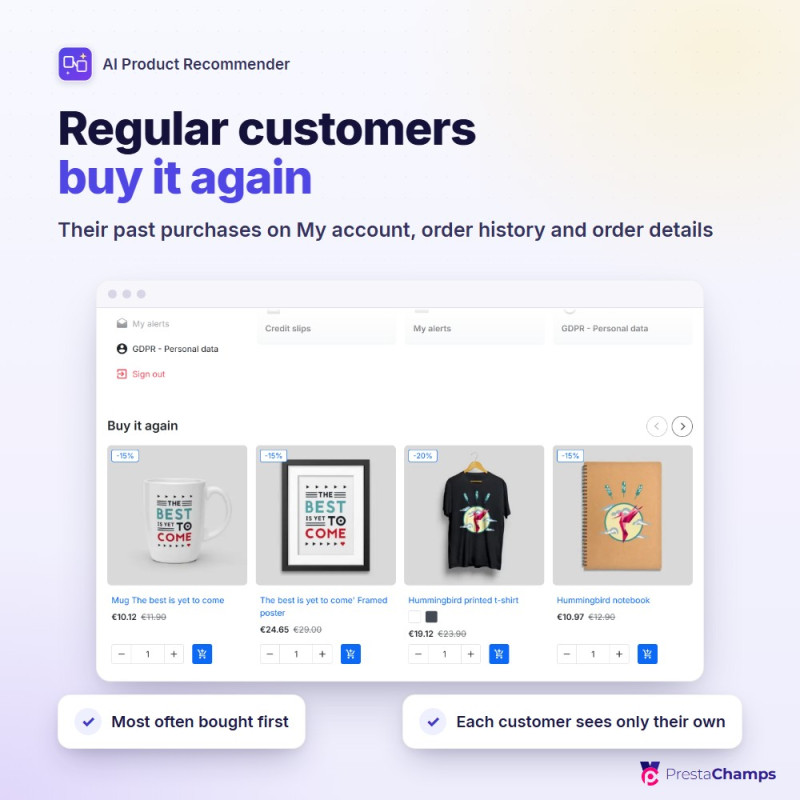
home page, product page (two blocks), next to Add to cart, add-to-cart pop-up, cart, next to the cart totals, category pages, left and right columns, order confirmation, customer account pages ("Buy it again" for returning customers), page not found; a widget tag for any other place in your theme
05 "Frequently bought together" bundle
with tick boxes, the total price and one Add all to cart button
06 Never an empty block
related strategies, trending products, best sellers or new arrivals complete a block, as you choose
07 Block editor in a side panel
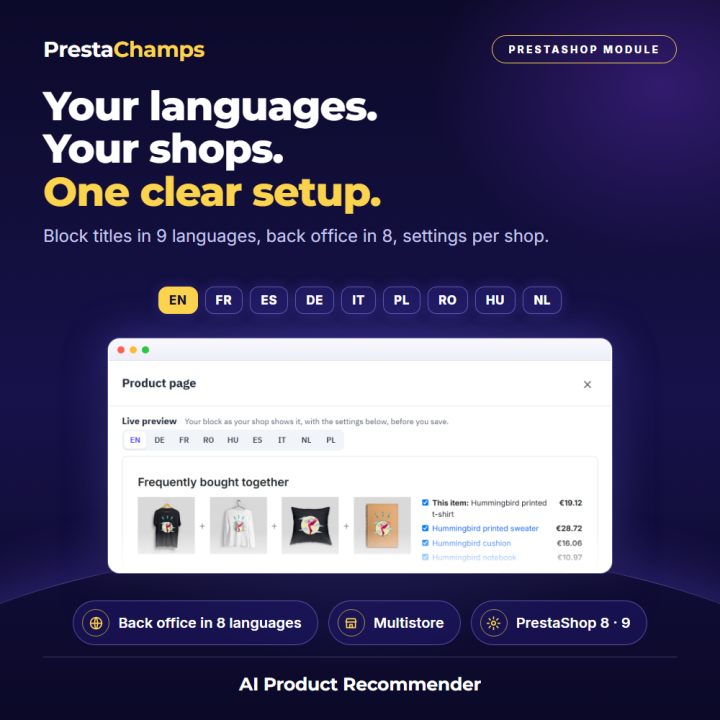
live preview drawn by your theme, a strategy chooser that shows what each strategy would change, and "Why these products?"
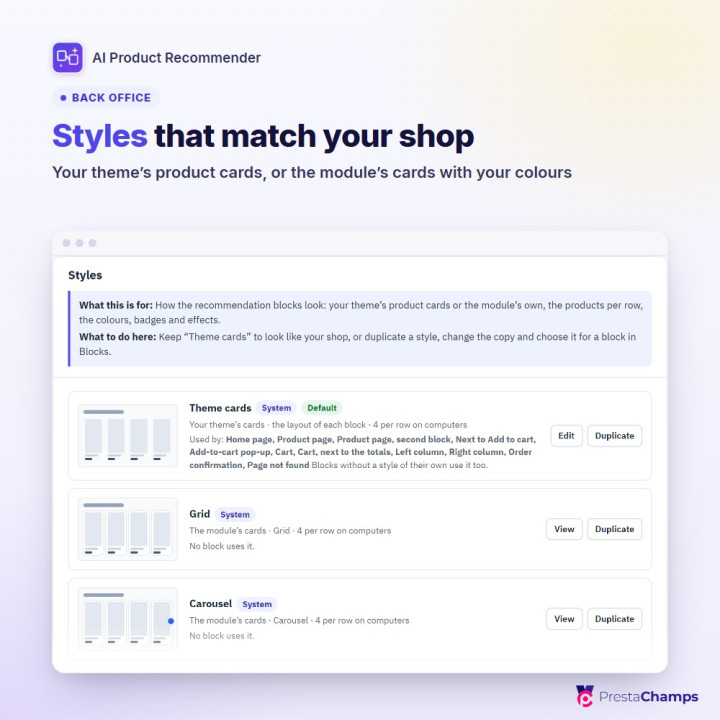
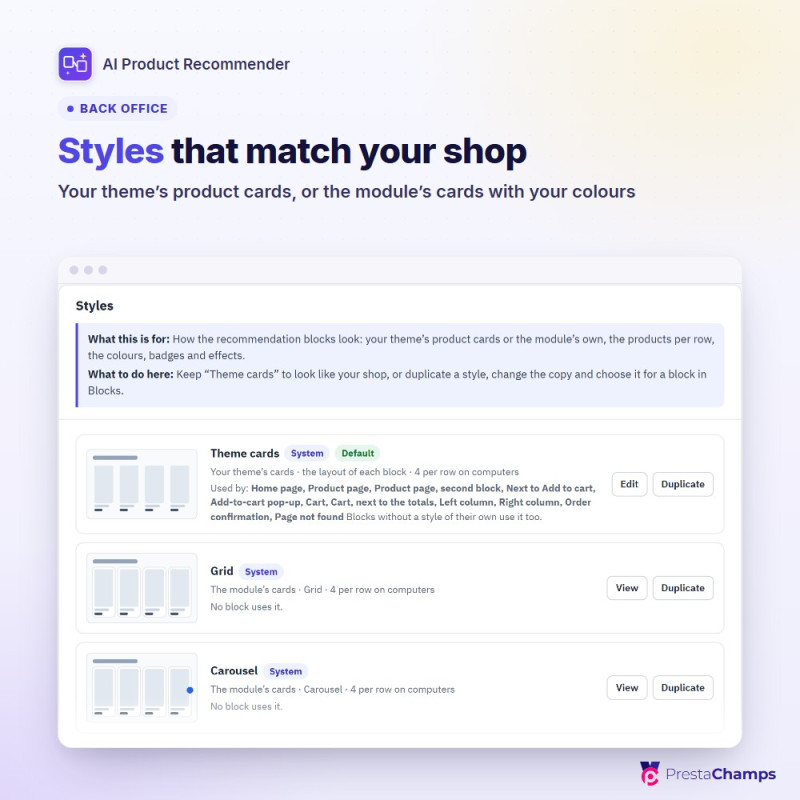
08 Styles
your theme's own product cards by default, or the module's cards in a grid, carousel, compact list or large cards, with your colours, effects and custom CSS
09 Rules
Always show first, Complementary category, Rank higher or lower, Never together, Price range; never recommend chosen products or categories; hide products that cannot be ordered or that the customer already bought
10 A/B tests
another strategy or no block for a share of your visitors, verdicts at 95 % confidence, keep the winner in one click
11 Checklist and results
live checks with a Fix button; impressions, clicks, click rate, orders, revenue and share of shop revenue per block and per day, also for orders paid later
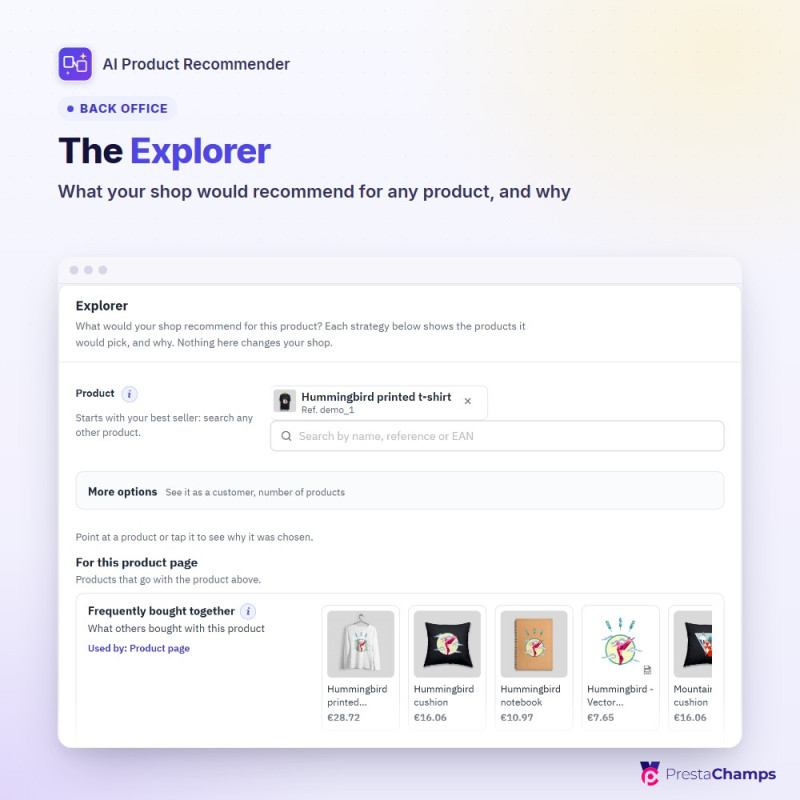
12 Insights
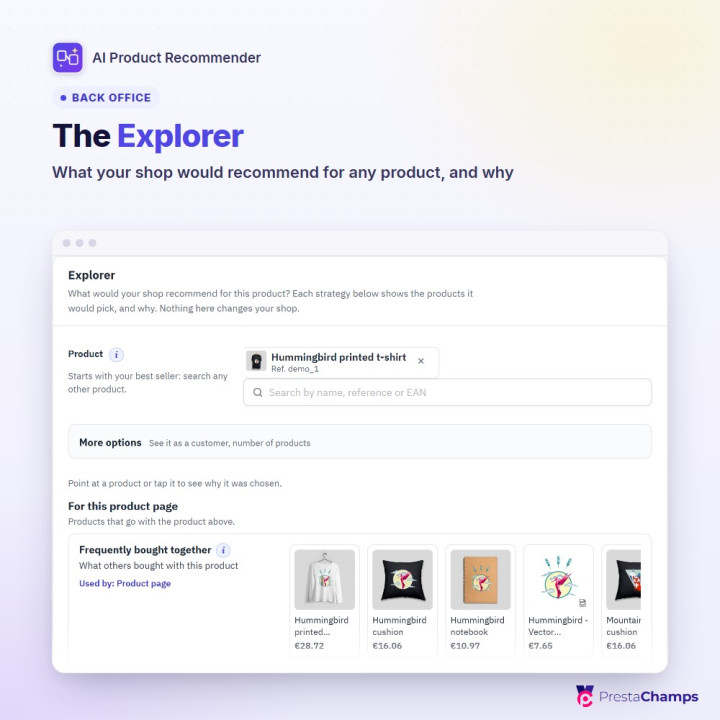
Explorer (what each strategy recommends for any product, and why), Product pairs, Trending and best sellers, Recorded data
13 Ready for PrestaShop 9.2's AI assistant
it can ask whether the recommendations work, which blocks are on, what a product page would recommend, which products are bought together and what the blocks brought; read-only, no customer data leaves your shop
14 Fast pages
a daily rebuild by itself or by cron job, ready lists on the storefront, and loading the blocks after the page for shops behind a page cache
15 Privacy and languages
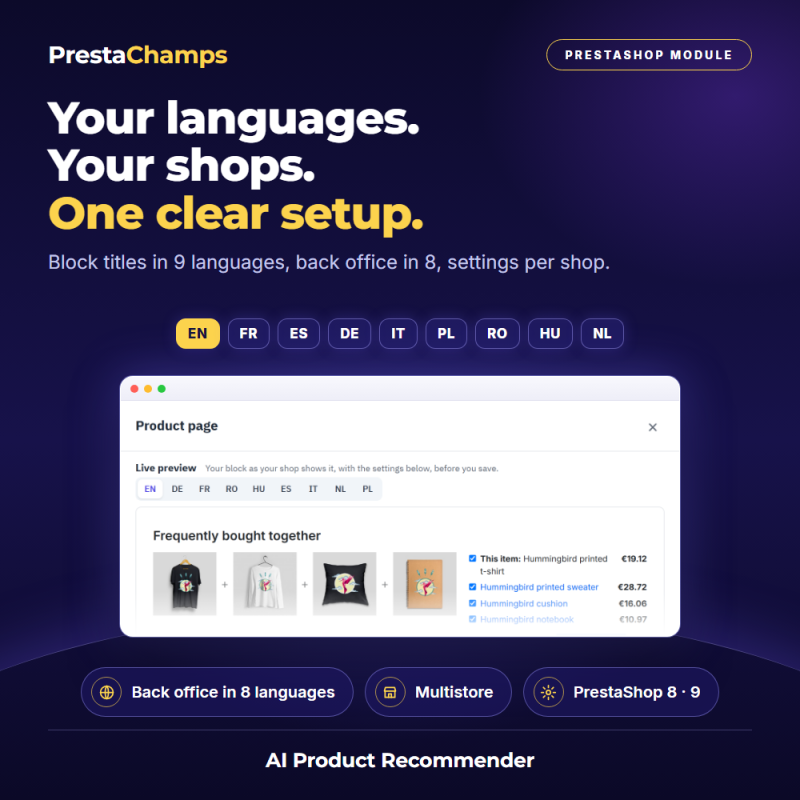
consent-aware tracking, robots ignored, automatic deletion of old records, GDPR export and erasure; multistore; back office in 8 languages, built-in block titles in 9
Data sheet
- Module version
- 2.3.4
- Languages
- EN,DE,IT,PL,ES
- Technical name
- psairec
- Support included
- 3 months, extendable
Frequently asked questions
- How is it installed?
- 1. In your back office, open Modules > Module Manager, click Upload a module and drop the module's zip file (about 1.2 MB, its name starts with psairec; do not unzip it). The module reads your past orders during the installation.
2. Click Configure. The page Catalog > Product recommendations opens on Get started.
3. Step 1: click Build now and read how many orders, visitors and product pairs were found. Step 2: tick the places where recommendations should appear (the places marked Recommended are already ticked) and click Save and continue.
4. Step 3 says whether the daily rebuild works on your server and gives an optional cron line. Step 4 shows each block in your theme; click Finish to open the Dashboard.
- What are the requirements?
- PrestaShop 8.0 to 9.x; PHP 7.2 to 8.5 (whatever your PrestaShop version accepts)
Ordinary shared hosting is enough: no Redis, no cache server, no outside service and no API key for the recommendations
A cron job is optional: the recommendations rebuild themselves once a day; a nightly cron job is recommended for busy or slow shops
Themes: Classic, Hummingbird and the themes built on them; a block shows where your theme prints the matching place
Optional, for large shops: the Python service (Python 3.11 or its Docker image) on a server that can read your shop's database, with an API key you choose
Upgrade from version 1 (1.0.0 to 1.2.3): upload the new zip over it; your blocks, titles, styles and main settings are kept
- What else should I know?
- A block shows where your theme prints its place (hook). The dashboard marks in red a block your theme has no place for, and a widget tag puts a block anywhere in a template. Behind a page cache (LiteSpeed Cache, Page Cache Ultimate, Varnish), switch on "Load the blocks after the page" so one visitor's personal picks are never cached for another; the checklist reminds you. If another module already shows similar product blocks on the same pages, the checklist finds it and can hide theirs in that shop. Version 2 replaces the ten settings pages of version 1 with one page: after upgrading, set up the daily rebuild again (or let the automatic rebuild do it). "Learns" means statistics on your own orders and visits; the optional Python service adds a trained model for "Recommended for you" only. The user guide describes what is recorded and how consent works; it is not legal advice.